How to Change Your Ubuntu Desktop Theme to Orchid
TL;DR
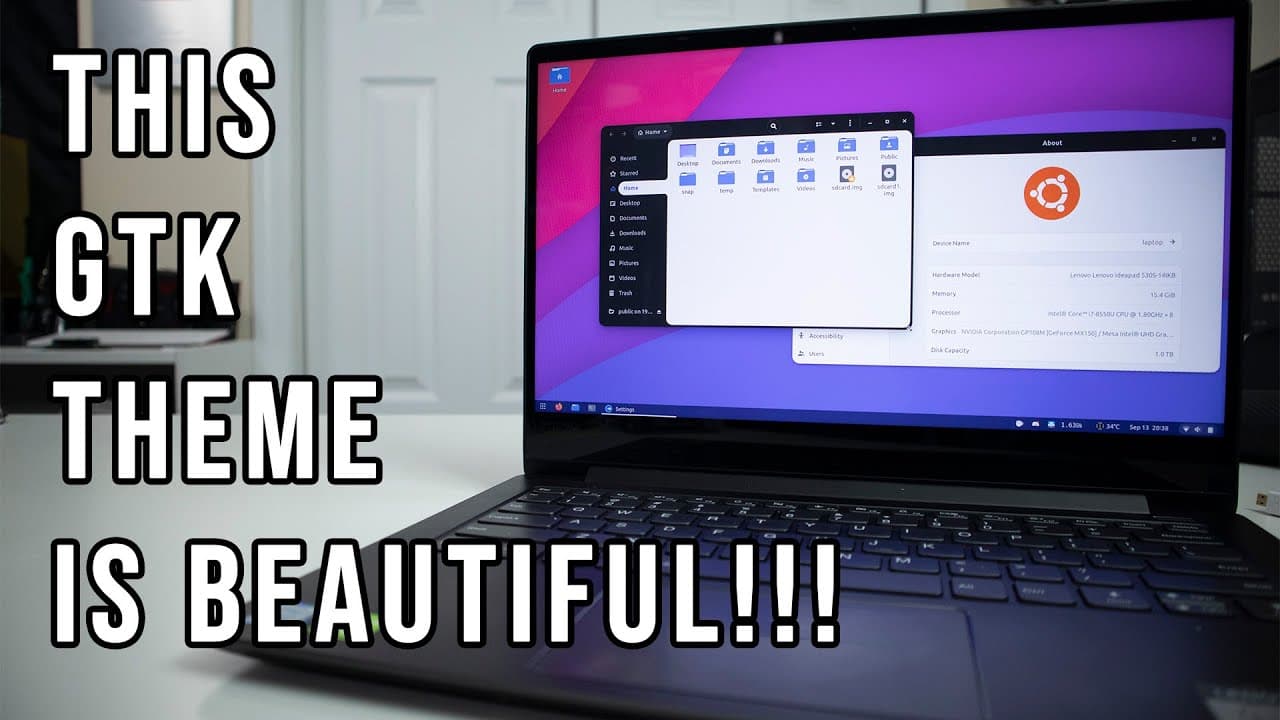
To change your Ubuntu desktop theme to Orchid, download the theme from GitHub using terminal commands, then use Gnome Tweaks to apply the theme and icon set. The Orchid theme comes in light and dark variants, allowing you to customize the desktop to your aesthetic preference while enhancing the overall appearance with a suitable wallpaper.
Transcript
hey guys it's don here from nova spirit tech and welcome back to the channel and today we are going to be theming our newly installed ubuntu desktop on this machine over here so let's get started now if you missed it on my previous video i actually just recently installed my 1070 graphic card into this machine in hopes of turning this back into a g... Read More
Key Insights
- 🙂 The Orchid theme offers both light and dark variants, appealing to diverse aesthetic preferences in desktop design.
- 😫 Utilizing the terminal for Git commands simplifies the installation process for themes and icon sets, making customization more accessible for users.
- 😫 Gnome Tweaks is an essential tool for managing themes, icon sets, and appearance settings, providing flexibility in desktop personalization.
- 💻 The presenter emphasizes the importance of a visually attractive wallpaper in enhancing the overall appearance of a customized desktop.
- 🙂 Users should be ready to troubleshoot minor issues after theme installations, as slight adjustments may be necessary for optimal display.
- 🫵 The video serves as a reference for viewers looking to replicate the presenter’s themes and settings in the future.
- 👀 Rounded corners are a modern design trend embraced in the new theme, contributing to a more contemporary desktop look.
Install to Summarize YouTube Videos and Get Transcripts
Explore YouTube Video Summarizer or Get YouTube Transcript Extractor
Questions & Answers
Q: What is the main purpose of the video?
The video aims to educate viewers on how to theme and customize a newly installed Ubuntu desktop. The presenter walks through the installation of the Orchid theme and Tele icon theme, giving viewers a step-by-step approach to enhancing their desktop's appearance for a more personalized user experience.
Q: Why does the presenter recommend using GitHub for theme installations?
GitHub is recommended because it provides a centralized repository where users can easily access and download the latest versions of themes and icon sets. This ensures that the installation process is straightforward and that users can utilize any updates or fixes that the developers implement, contributing to a smoother experience.
Q: How can users change the look of their Ubuntu desktop after installation?
Users can change the appearance of their Ubuntu desktop by installing Gnome Tweaks, which allows for adjustments to themes, icons, and shell settings. The presenter shows how to switch between light and dark themes and customize icons, creating a visually appealing desktop environment tailored to personal taste.
Q: What should users do if they encounter font positioning issues after installing a new theme?
If users experience font positioning issues, the presenter suggests navigating to the theme's source folder, specifically the Gnome Shell directory, and running an installation script to fix potential quirks. This step is intended to ensure that icons and text align correctly after applying customization.
Summary & Key Takeaways
-
The video provides a guide for theming a newly installed Ubuntu desktop, showcasing the process and tools required for customization.
-
The presenter shares details about downloading and installing the Orchid and Tele icon themes from GitHub, emphasizing the ease of the installation process via terminal commands.
-
Additional tweaks such as changing wallpapers, utilizing Gnome Tweaks, and setting up extensions are also discussed to enhance the overall desktop appearance.
Read in Other Languages (beta)
Share This Summary 📚
Summarize YouTube Videos and Get Video Transcripts with 1-Click
Try YouTube Summary with ChatGPT & Claude or YouTube Transcript Generator
Explore More Summaries from Novaspirit Tech 📚






Summarize YouTube Videos and Get Video Transcripts with 1-Click
Try YouTube Summary with ChatGPT & Claude or YouTube Transcript Generator