What Are 12 Epic NotebookLM Use Cases You Must Try?
TL;DR
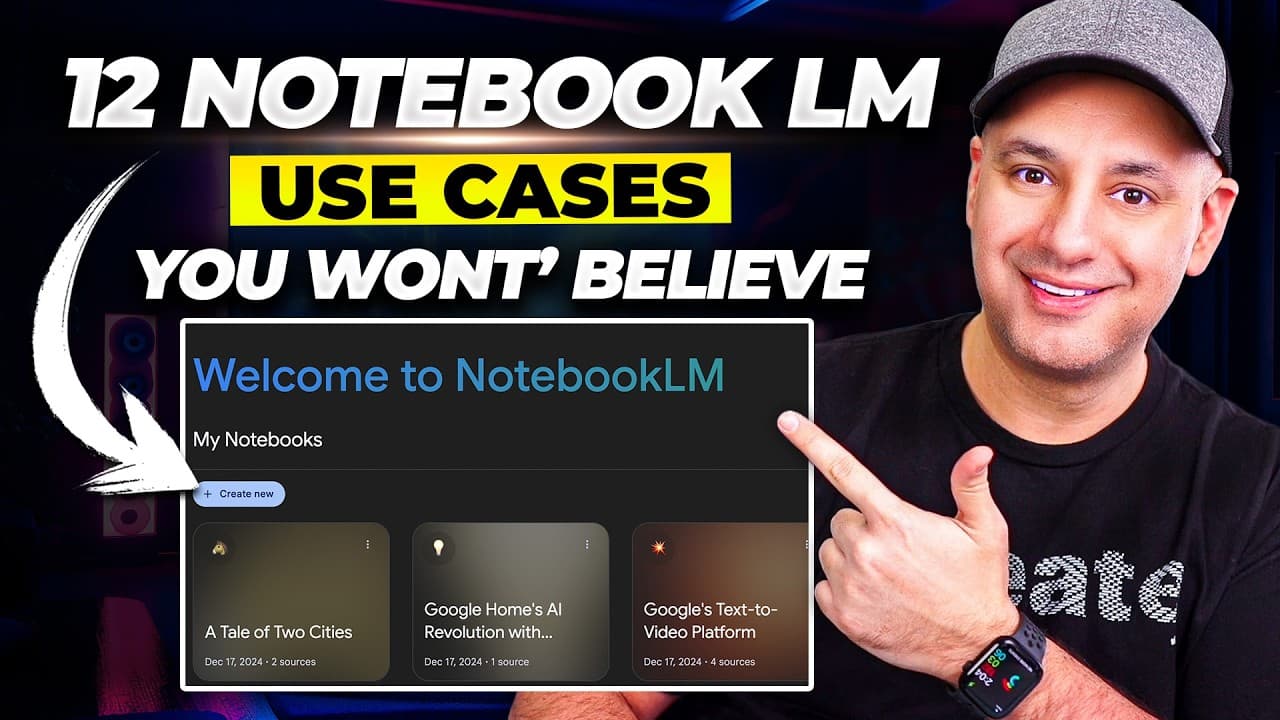
NotebookLM can turn PDFs, Google Docs, websites, YouTube videos, and audio notes into summaries, study guides, timelines, briefings, podcasts, and reusable content. The free Google tool supports up to 50 sources in one notebook and uses Gemini 2.0 to answer questions with annotations pointing back to your notes. Read on for practical workflows spanning research, education, note-taking, and AI-assisted content creation.
Transcript
notebook LM from Google is one of the most useful AI tools available today and is completely free to use and I wanted to show you 12 different notebook LM use cases in this video that you could try right now so we'll start with the basics and then we'll finish up with combining notebook LM with some other AI tools we'll create video podcast we'll a... Read More
Key Insights
- NotebookLM is a free AI tool from Google that can manage diverse data sources.
- It allows integration of up to 50 sources in a single notebook, including text and video.
- Users can create study guides, outlines, and briefings from extensive documents.
- The tool supports interaction with YouTube videos, enabling content repurposing.
- NotebookLM can transcribe and analyze audio notes for efficient note-taking.
- It integrates with other AI tools for tasks like translation and video generation.
- The tool can generate podcasts using AI voices, offering a unique audio experience.
- NotebookLM's large context window supports comprehensive book analysis.
Install to Summarize YouTube Videos and Get Transcripts
Explore YouTube Video Summarizer or Get YouTube Transcript Extractor
Questions & Answers
Q: What are the best NotebookLM use cases to try?
NotebookLM can summarize source material, answer questions about notes, create study guides and briefings, build historical timelines, analyze books, transcribe audio notes, interact with YouTube videos, and generate podcast-style audio overviews. Its outputs can also be moved into tools for translation, graphics, video generation, voice cloning, and voice synthesis.
Q: How do you create a study guide with NotebookLM?
Create a notebook and upload source material such as a PDF or Google Doc. Select the study guide option, and NotebookLM generates a new note containing a quiz, quiz answers, essay questions, and key terms.
Q: What sources can you add to NotebookLM?
NotebookLM accepts sources including PDFs, text documents, Google Docs, websites, YouTube videos, and audio notes. A single notebook can contain up to 50 sources, letting you combine different content types in one place.
Q: How does NotebookLM work with YouTube videos?
Add a YouTube link as a source, then ask questions and have a conversation about the video's content. You can place up to 50 YouTube videos in one notebook and mix them with website sources to research or repurpose a shared topic.
Q: How can NotebookLM summarize large documents?
Upload a large document and ask for a one-sentence recap or generate a briefing document. The demonstrated briefing condensed material from a PDF of roughly 30–40 pages plus other documents into about one or two pages, while answers included annotations showing where information came from.
Q: How do you create a timeline with NotebookLM?
Add a website link containing historical or chronological information, then select the timeline option. In the example, NotebookLM organized an article into a timeline spanning 27 BC to 1453 AD and added a cast of characters.
Q: How can NotebookLM improve note-taking?
NotebookLM can transcribe uploaded audio notes and combine them with other sources for easier reference. Users can also add and organize notes manually, ask questions across the collected material, and convert generated notes into notebook sources.
Q: How do you generate a podcast with NotebookLM?
Use the audio overview feature to turn source material into a human-sounding podcast. NotebookLM uses AI voices to simulate a conversation between two people, and the resulting concept can be extended with other AI voice tools.
Summary & Key Takeaways
-
NotebookLM by Google is a powerful AI tool that manages and analyzes data from multiple sources, including PDFs and websites. It can create study guides and timelines, and integrate with AI apps for tasks like translation and video generation. The tool can also handle audio notes and video content, making it a versatile solution for productivity.
-
With NotebookLM, users can interact with YouTube videos, repurpose content, and generate podcasts using AI voices. It supports up to 50 sources in a notebook, enabling comprehensive data management. The tool's large context window allows for detailed book analysis, making it ideal for educational and professional use.
-
NotebookLM's integration capabilities extend to AI tools such as translation services and video generators, enhancing its functionality. It offers a unique approach to note-taking and content creation, providing users with efficient ways to manage and utilize information across various formats.
Read in Other Languages (beta)
Share This Summary 📚
Summarize YouTube Videos and Get Video Transcripts with 1-Click
Try YouTube Summary with ChatGPT & Claude or YouTube Transcript Generator
Explore More Summaries from Skill Leap AI 📚





Summarize YouTube Videos and Get Video Transcripts with 1-Click
Try YouTube Summary with ChatGPT & Claude or YouTube Transcript Generator