How to Install Windows 11 on a Chromebook Without TPM?
TL;DR
You can install Windows 11 on an unlocked Chromebook by bypassing the TPM requirement through a few registry edits. Start by accessing the BIOS and booting from a USB drive with the Windows 11 ISO. Modify the registry to disable the TPM and secure boot checks, then proceed with the installation, ensuring to optimize the limited storage available for better performance.
Transcript
hey guys what is going on it's don here from nova spirit tech and welcome back to the channel and today we are going to be installing windows 11 onto our chromebooks so let's get started now the first thing we need is a chromebook that is already unlocked so it will accept the installation of operating systems like linux and windows and to do that ... Read More
Key Insights
- 🔓 Installing Windows 11 on Chromebooks involves unlocking the device and requires specific BIOS modifications.
- 😘 Despite hardware limitations, Windows 11 showcases enhanced performance on lower-end devices compared to previous operating systems.
- 👻 The absence of TPM in many Chromebooks necessitates a workaround, allowing successful installation of Windows 11.
- 😘 Efficient use of available storage space is critical when installing on low-capacity devices, which can be managed through compression techniques.
- 👾 The process enables users to install Microsoft applications and games, positioning Chromebooks as versatile devices beyond their intended functionality.
- 👤 Familiarity with Command Prompt and registry editing is essential for users attempting this installation.
- 🎮 The video emphasizes the importance of following systematic steps to ensure a successful installation while addressing common pitfalls.
Install to Summarize YouTube Videos and Get Transcripts
Explore YouTube Video Summarizer or Get YouTube Transcript Extractor
Questions & Answers
Q: What are the prerequisites for installing Windows 11 on a Chromebook?
To install Windows 11 on a Chromebook, you first need to ensure that the device is unlocked, allowing it to accept various operating systems. This process involves modifying the BIOS and firmware, which is not detailed in this video, but prior guidance can be found in previous content.
Q: How does the performance of Windows 11 compare to Windows 10 on a Chromebook?
Windows 11 shows significant performance improvements over Windows 10, especially on low-spec hardware such as an Intel Celeron Chromebook. The speaker notes that Windows 11 feels more responsive and is better optimized for weaker CPUs, providing a smoother user experience.
Q: What steps are involved in bypassing the TPM requirements for Windows 11?
To bypass TPM checks, you need to access the registry during installation. This involves opening Command Prompt and using Regedit to create specific keys. The keys, "bypass TPM check" and "bypass secure boot check," need to be set to one, allowing the installation process to continue despite hardware limitations.
Q: Why is storage space a concern when installing Windows 11 on a Chromebook?
Chromebooks typically come with limited storage, and even a 16 GB model can leave very little free space after installation. This restricts the ability to install additional applications. The speaker provides techniques, such as using Compact OS, to compress files and increase available storage.
Q: Can you activate Windows 11 using a Windows 10 product key?
Yes, it is possible to activate Windows 11 using a valid Windows 10 product key. This allows users who upgrade to benefit from the new operating system without the need to purchase a new license, making it a convenient option for those transitioning from Windows 10.
Q: What tools does the speaker recommend for the installation process?
The speaker suggests using Ventoy as an ISO bootloader, which allows you to boot multiple ISOs from a USB drive without needing to burn them. Additionally, the Medicat tool is recommended for installing necessary drivers and performing system repairs post-installation.
Q: What issues may arise during the installation process on a Chromebook?
Potential issues include compatibility errors due to hardware limitations such as the absence of TPM. Additionally, users may face challenges navigating the setup without a mouse, as touchpad and keyboard functionality might need to be set up after installation.
Q: How can the installation be optimized for better performance?
For devices with limited storage, using the Compact OS feature can significantly help in optimizing space. This feature compresses files and frees up storage, making it easier for users to maintain usable space on a 16 GB drive, ensuring a smoother operation due to less space being occupied.
Summary & Key Takeaways
-
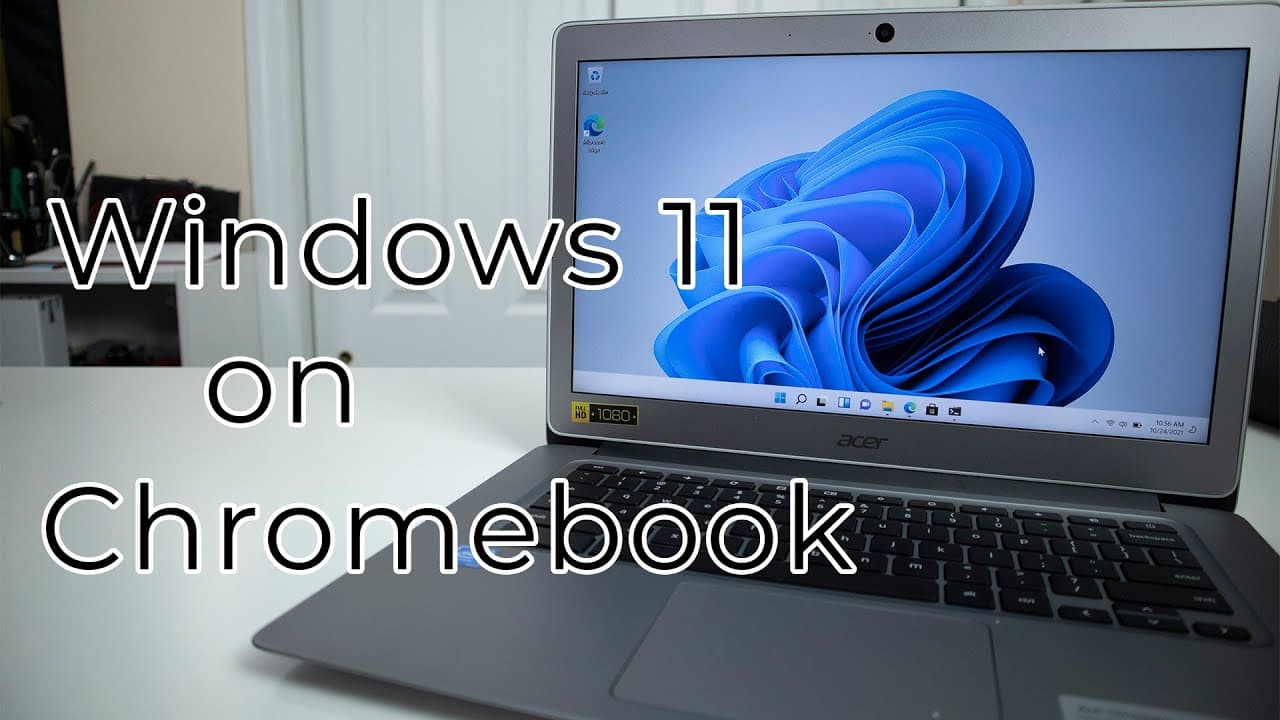
This content details the process of installing Windows 11 on an Acer Chromebook 14, emphasizing the requirement for an unlocked device and the absence of TPM.
-
The speaker discusses the performance improvements of Windows 11 on lower-end hardware, noting its responsiveness compared to previous operating systems.
-
A step-by-step method is provided for bypassing Windows 11's installation checks, as well as instructions for optimizing storage space on devices with limited capacity.
Read in Other Languages (beta)
Share This Summary 📚
Summarize YouTube Videos and Get Video Transcripts with 1-Click
Try YouTube Summary with ChatGPT & Claude or YouTube Transcript Generator
Explore More Summaries from Novaspirit Tech 📚






Summarize YouTube Videos and Get Video Transcripts with 1-Click
Try YouTube Summary with ChatGPT & Claude or YouTube Transcript Generator