How to Automate UGC Video Creation with Claude
TL;DR
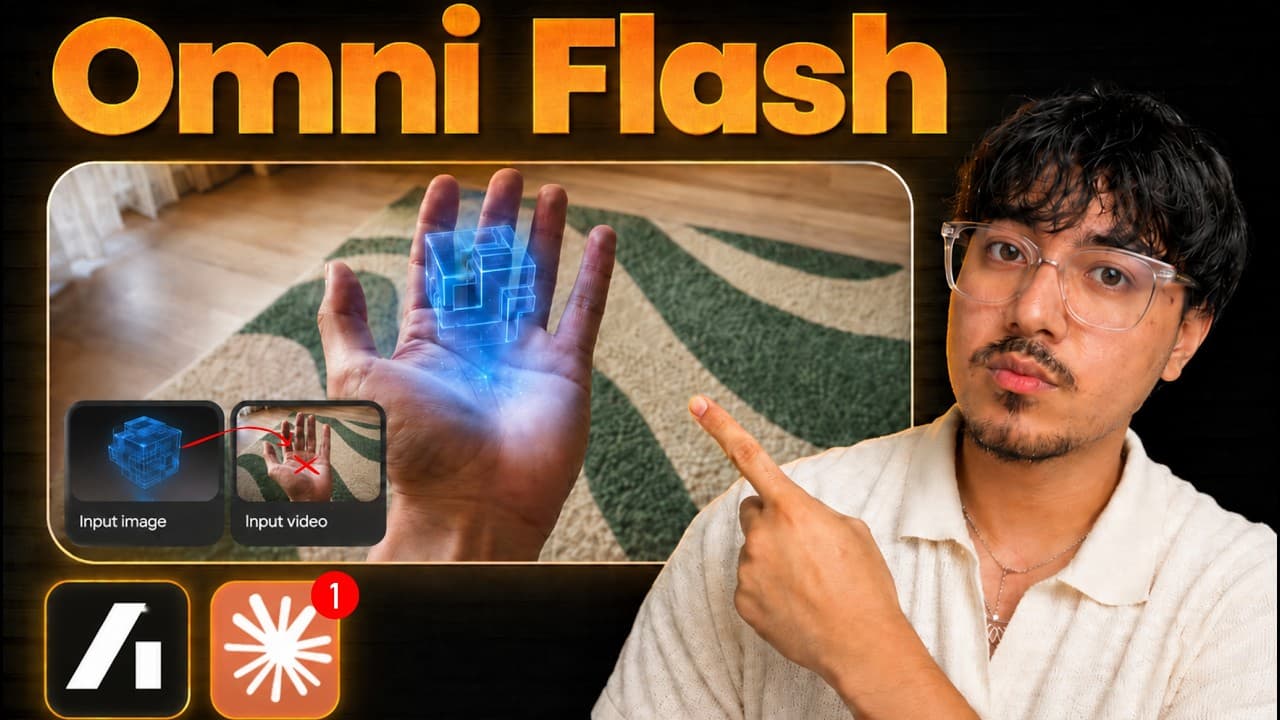
Connect the Arcads plugin to Claude Code, use its competitor-ad and hook-analysis skills, then generate branded UGC videos from a reproduction kit and uploaded product assets. The workflow can research ads from Meta’s library, create videos with a selected model such as Gemini Omni Flash, and connect to Posters for social media publishing.
Transcript
I have Claude autonomously post videos for me on Tik Tok. Oh, it researches winning competitor videos. Then it generates new videos with my app screenshots based off its research. It then autonomously post them for me on Tik Tok three times per day. I will show you step by step how to give Claude the superpowers to generate these videos. And then I... Read More
Key Insights
- Claude Code is the recommended Claude interface in this workflow because the presenter considers it more capable than the Home tab and says Home consumes tokens quickly. The process uses natural-language instructions, so the presenter says beginners do not need to know how to code.
- Arcads is the video-generation platform used to give Claude access to models and specialized skills. It requires a subscription, and the presenter states that every demonstrated step can be completed with the Arcads starter plan while disclosing that the provided link is an affiliate link.
- The Arcads plugin is installed through Claude Code by opening Customize, selecting Plugins, adding a marketplace repository, synchronizing it, and pressing the plus button. The installation can be canceled if the user leaves the interface too quickly after pressing the install control.
- Arcads authentication is completed by selecting Connect, authorizing the paid Arcads account, and reopening Claude. The presenter then changes connector permissions from needs approval to always allow so repeated tool operations can run without requiring an approval click each time.
- Competitor research is performed with Arcads’ competitor-ad skill, a product description, and the product website. Claude receives Chrome access and download permission for Facebook so it can inspect Meta’s ads library and download competitor videos selected from the product’s niche.
- Paid competitor ads are treated as useful research signals because businesses are spending money to distribute them. The workflow uses those existing ads to identify promising UGC concepts, although the transcript does not provide performance metrics or independently verify that every downloaded advertisement is profitable.
- Hook analysis is performed with Arcads’ hook-focused skill after competitor videos have been collected. Claude is instructed to identify why a selected opening works and create a reproduction kit file, which then serves as the creative reference for generating a version tailored to the user’s brand.
- Brand customization is achieved by uploading an app logo and interface screenshots to Arcads, copying their asset IDs, and including those identifiers in the Claude prompt. Arcads’ stitch tool can weave these assets into the generated video to create a more specific product presentation and call to action.
Install to Summarize YouTube Videos and Get Transcripts
Explore YouTube Video Summarizer or Get YouTube Transcript Extractor
Questions & Answers
Q: How can Claude automate UGC video creation?
Claude can automate the workflow by combining Claude Code with the Arcads plugin. After the plugin is installed and authenticated, Claude can research competitor advertisements, download examples through Chrome, analyze a successful hook, create a reproduction kit, and request new videos from a selected generation model. Uploaded product screenshots and a logo can also be incorporated through their Arcads asset IDs.
Q: How do you install the Arcads plugin in Claude Code?
Open Claude Code, choose Customize, go to Plugins, select Add, and then choose the option for adding a marketplace. Add the repository link supplied for Arcads, synchronize the marketplace, and press the plus button to install the plugin. Wait for the installation notification before leaving the screen, then open its settings, select Connect, complete authorization, and reopen Claude when prompted.
Q: Why should Arcads connector permissions be set to always allow?
The presenter recommends changing Arcads connector permissions from needs approval to always allow because the automated workflow can invoke its tools many times. Leaving every permission at its default setting would require the user to approve repeated operations manually. Granting ongoing permission reduces those interruptions, although users should understand that this gives Claude broader freedom to operate the connected Arcads tools.
Q: How does Claude find competitor ads for a product?
Claude uses Arcads’ competitor-ad skill after receiving a description of the app and its website. The workflow also gives Chrome permission to download files from Facebook and installs the Claude browser extension so Claude can operate Chrome. It then searches Meta’s ads library and downloads several paid competitor videos that can be inspected as references for the product’s own UGC content.
Q: Why does the workflow analyze paid competitor ads?
The workflow treats paid ads as evidence that a business considers the creative worth distributing because money is being placed behind it. Claude downloads examples from the relevant niche and uses them as research material for new concepts. The presenter describes these as winning ads, but the transcript supplies no spending figures, conversion data, or other metrics that independently establish each advertisement’s performance.
Q: How do you reproduce a successful advertising hook for your brand?
After Claude downloads competitor videos, run Arcads’ hook-analysis skill on a selected advertisement and ask Claude to generate a reproduction kit file. That file captures the proposed reasons the opening works and provides a reference for rebuilding the concept around another product. Claude can then use the kit, Arcads’ generation tools, and the chosen video model to produce the adapted creative.
Q: How are app screenshots and logos added to AI UGC videos?
Upload the app logo and relevant product screens to Arcads, then open each uploaded asset and copy its ID. Include those IDs in the generation prompt so Claude knows exactly which stored materials represent the product. Claude can use Arcads’ stitch tool to weave those assets into the generated video, strengthening the product demonstration and creating a more customized call to action.
Q: How can Claude connect UGC creation to social media posting?
The workflow proposes connecting Claude to a service called Posters through its MCP integration, much like the earlier Arcads connection. According to the presenter, this can give Claude access to social media accounts and support publishing to platforms such as TikTok, Instagram, and YouTube. The transcript ends during the account-warming explanation, so it does not provide the complete connection or scheduling procedure.
Summary & Key Takeaways
-
The workflow begins in Claude Code, where the Arcads marketplace repository is added as a plugin, authenticated against a paid Arcads subscription, and granted the necessary connector permissions. Arcads supplies the skills and generation tools that let Claude research competitor advertising, analyze successful creative patterns, and produce new UGC assets through natural-language instructions.
-
Claude uses Arcads’ competitor-ad skill and Chrome access to search Meta’s ads library for paid creative in the product’s niche. After downloading several examples, its hook-analysis skill examines why a selected opening works and records the findings in a reproduction kit file that can guide a branded adaptation rather than an unrelated video concept.
-
Product screenshots and a logo are uploaded to Arcads, and their asset IDs are included in the generation prompt so Claude can incorporate them through Arcads’ stitch tool. The resulting videos can then support a customized call to action, while a Posters connection can give Claude access to social media accounts for publishing.
Read in Other Languages (beta)
Share This Summary 📚
Summarize YouTube Videos and Get Video Transcripts with 1-Click
Try YouTube Summary with ChatGPT & Claude or YouTube Transcript Generator
Explore More Summaries from Dubibubi 📚



Summarize YouTube Videos and Get Video Transcripts with 1-Click
Try YouTube Summary with ChatGPT & Claude or YouTube Transcript Generator