How to Use NotebookLM to Understand Your Sources
TL;DR
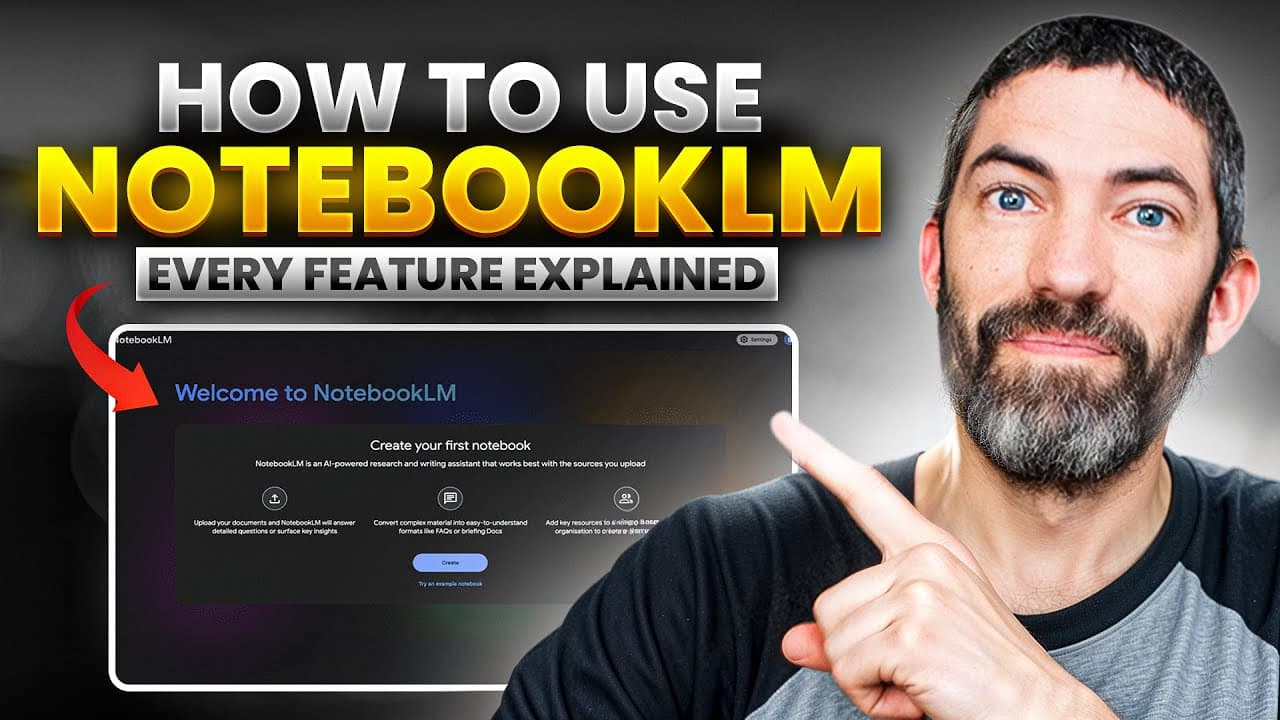
NotebookLM turns uploaded sources into cited answers, summaries, podcasts, mind maps, reports, flashcards, quizzes, and video overviews. It uses retrieval augmented generation to find relevant passages before Gemini produces an answer, which keeps responses grounded in selected materials. The free plan supports 50 sources per notebook, up to 500,000 words each, and 100 notebooks.
Transcript
So, you've bookmarked 50 articles, 20 tweets, 15 YouTube videos, and have notes scattered across three different apps. But when you actually need that information, you can't find it. And you definitely can't see how it all connects. That's the problem Notebook LM solves. It's the best learning tool I've found for actually understanding and retainin... Read More
Key Insights
- NotebookLM is a source-grounded research tool that answers questions from materials added to a notebook. Its clickable citations reveal the supporting passage and take users directly to the relevant section, making each answer easier to inspect and verify.
- The free plan supports 50 sources in each notebook, with up to 500,000 words per source and 100 notebooks. According to the transcript, that creates a maximum knowledge base of 25 million words for every individual notebook.
- Retrieval augmented generation is the mechanism that connects a large document collection to a smaller working context. NotebookLM searches its indexed sources for relevant text chunks, loads only those sections with the question and chat history, and asks Gemini to generate the answer.
- Gemini 2.5 provides NotebookLM with a context window of 1 million tokens, described in the transcript as roughly 750,000 words. The transcript contrasts this working memory with NotebookLM's 25 million-word knowledge base, which stores far more material than can be processed simultaneously.
- Source selection is a practical way to control the scope of an answer. Users can check or uncheck individual documents to compare perspectives, investigate a narrow topic, or obtain a focused explanation from only the materials that address a particular angle.
- NotebookLM does not save chat history by default, according to the transcript. A useful answer must be saved as a note before leaving, and a sufficiently thorough saved note can then be converted into a source for continued analysis inside the notebook.
- NotebookLM supports several ways to study and visualize source material, including audio overviews, video overviews, mind maps, reports, flashcards, and quizzes. These formats let users engage with the same information through conversation, structured review, visual relationships, and generated media.
- Conversation customization lets users define a response style and choose a shorter or longer response length. The transcript suggests instructions such as responding at a beginner or PhD-student level, helping prepare for a board meeting, or adapting assistance to a specific personal goal.
Install to Summarize YouTube Videos and Get Transcripts
Explore YouTube Video Summarizer or Get YouTube Transcript Extractor
Questions & Answers
Q: How does NotebookLM reduce AI hallucinations?
NotebookLM reduces hallucinations by generating answers from the sources contained in a notebook instead of freely pulling information from the internet. It searches its document index for passages relevant to the user's question, loads those passages into working memory, and generates a response from that focused material. Clickable citations show the exact supporting sections so users can inspect the evidence.
Q: How does retrieval augmented generation work in NotebookLM?
Retrieval augmented generation works as a four-step process in the transcript. First, the user asks a question. Second, NotebookLM searches its entire document index for the most relevant chunks of text. Third, it loads those sections into working memory with the question and chat history. Fourth, Gemini generates an answer using the focused information retrieved from the notebook's sources.
Q: What types of sources can you add to NotebookLM?
NotebookLM accepts PDFs, text files, audio files, website links, YouTube videos, and materials pulled directly from Google Drive. Pasting a YouTube URL allows the platform to retrieve the video's transcript. Multiple article links can also be added together by separating them with spaces. The Discover Sources feature can search for additional relevant materials that users may review before importing.
Q: How much source material can NotebookLM handle?
The free plan supports up to 50 sources per notebook, and each source can contain as many as 500,000 words. The transcript calculates this as a total knowledge base of 25 million words for each notebook. It also states that users can create 100 notebooks on the free plan, allowing separate collections for research papers, meeting transcripts, company knowledge, or other projects.
Q: What is the difference between a knowledge base and a context window?
A knowledge base is the larger collection of stored source material, while a context window is the working memory used to generate a particular answer. NotebookLM can store up to 25 million words in one notebook, but Gemini 2.5's context window is described as 1 million tokens, or roughly 750,000 words. Retrieval selects relevant passages instead of loading everything simultaneously.
Q: How can you focus NotebookLM on specific documents?
NotebookLM lets users check and uncheck sources before asking a question. Selecting only one document or a small group restricts the answer to those materials, which is useful for comparing perspectives, examining a specific subject, or drilling into a focused set of evidence. After finishing the narrow analysis, users can select all sources again to restore the broader notebook context.
Q: How do you save useful NotebookLM chat answers?
NotebookLM does not save chat history by default, so leaving the conversation can cause the exchange to disappear. To preserve a valuable response, the user must click the option to save it as a note. If the saved answer is especially thorough, it can also be converted into a source, allowing its contents to participate in later questions and analysis.
Q: What study and content formats can NotebookLM create?
NotebookLM can present notebook information as an audio overview that resembles a podcast, a video overview, a mind map, reports, flashcards, and a quiz. These outputs complement the cited chat interface by offering different ways to review, visualize, and understand the same source collection. The transcript also notes that audio overviews can be customized and used interactively.
Summary & Key Takeaways
-
NotebookLM organizes scattered research into notebooks containing PDFs, text files, audio files, websites, YouTube transcripts, and Google Drive content. Its chat interface answers questions using the uploaded materials and provides clickable citations. Users can also discover relevant sources, deselect unwanted results, and import the remaining materials directly into a notebook.
-
NotebookLM uses retrieval augmented generation to search its document index for passages relevant to a question. It places those passages, the question, and chat history into Gemini 2.5's working memory, then generates a focused answer. This separates the notebook's large knowledge base from the model's smaller active context window.
-
NotebookLM supports research, study, and content workflows through multiple output formats, including audio and video overviews, mind maps, reports, flashcards, and quizzes. Users can limit chats to selected sources, customize conversation style and response length, save useful answers as notes, and convert thorough saved notes into new sources.
Read in Other Languages (beta)
Share This Summary 📚
Summarize YouTube Videos and Get Video Transcripts with 1-Click
Try YouTube Summary with ChatGPT & Claude or YouTube Transcript Generator
Explore More Summaries from Futurepedia 📚


Summarize YouTube Videos and Get Video Transcripts with 1-Click
Try YouTube Summary with ChatGPT & Claude or YouTube Transcript Generator