Top AI Tools for Productivity and Creativity
TL;DR
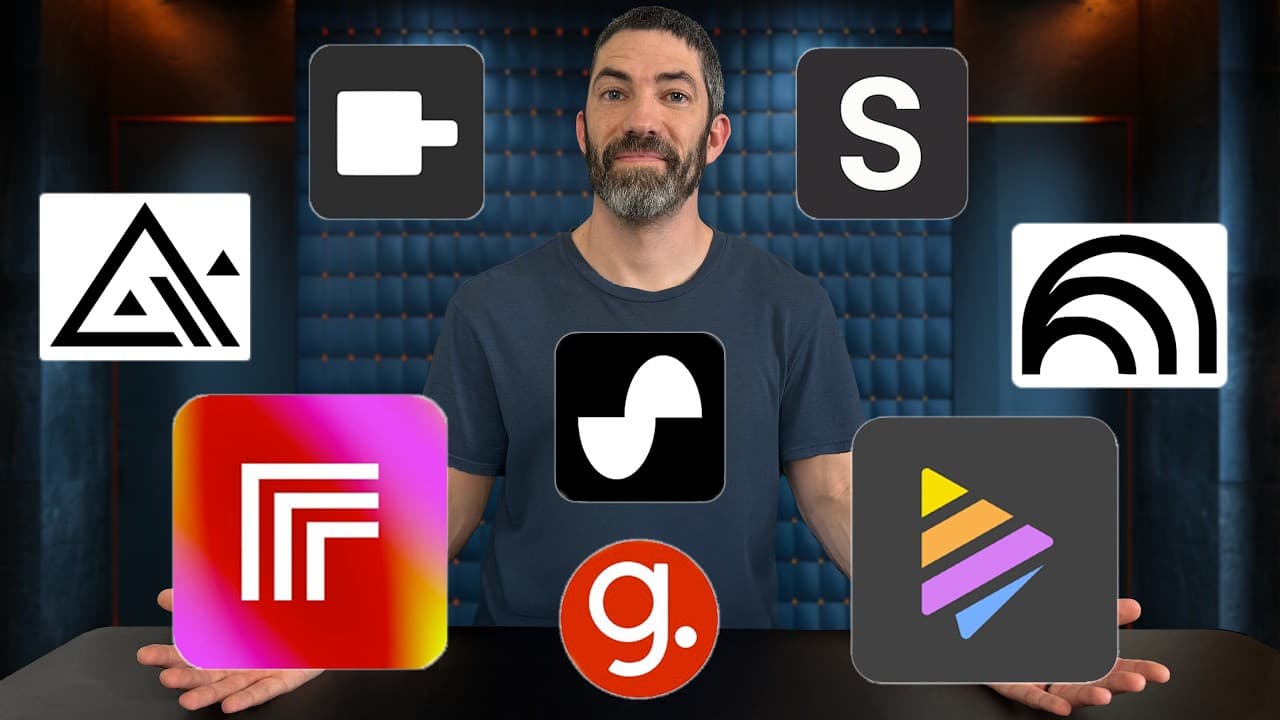
Discover eight AI tools that significantly enhance productivity and creativity across various domains such as content creation, research, and music. These tools simplify complex tasks, offer unique features, and are mostly free, making them invaluable for creators, marketers, and entrepreneurs seeking efficiency and innovation.
Transcript
these are all AI tools that have been out for a while like a few months or longer they each sounded cool but I put off trying for whatever reason then when I eventually did I was blown away and regretted not trying them sooner this list goes all over the place from research to music to open source databases to content creation but they're all super... Read More
Key Insights
- Napkin AI is a tool that transforms text into editable visuals like diagrams and infographics, perfect for content creation.
- Google's Notebook LM allows users to generate study guides, quizzes, and podcasts from various media inputs, enhancing learning and information retention.
- Pinokio simplifies the process of downloading and running open-source AI tools with a one-click install, saving time and effort.
- Replicate offers a pay-by-usage model for testing AI tools, providing access to a wide range of applications without a monthly subscription.
- Flux Dev Lora Trainer enables users to train AI models on custom data like personal images, useful for creating personalized content.
- Spotter Studio assists in brainstorming video titles and thumbnails, and identifies trending topics by analyzing high-performing videos.
- Guidde creates step-by-step guides with voiceovers for any computer task, which can be edited and shared easily.
- Suno offers features for extending and creating music, allowing users to interact creatively with AI-generated audio.
Install to Summarize YouTube Videos and Get Transcripts
Explore YouTube Video Summarizer or Get YouTube Transcript Extractor
Questions & Answers
Q: How does Napkin AI enhance content creation?
Napkin AI enhances content creation by transforming text into editable visuals such as diagrams, flowcharts, and infographics. This tool is especially useful for creating engaging video content, newsletters, blogs, and presentations. Users can draft with AI or start from scratch, and the tool offers various styles and customization options. Currently free in its beta phase, Napkin AI simplifies the process of creating professional graphics.
Q: What are the features of Google's Notebook LM?
Google's Notebook LM offers features like generating study guides, quizzes, and podcasts from uploaded media such as slides, PDFs, and videos. It allows users to interact with the content by asking questions and provides a glossary of key terms. The tool is beneficial for learning and studying, enabling users to reinforce information through different formats and customize the focus on specific sections of content.
Q: How does Pinokio simplify AI tool installation?
Pinokio simplifies AI tool installation by offering a one-click download and setup process for open-source models, eliminating the need for complex steps like cloning repositories and configuring dependencies. Users can browse verified scripts, download tools, and launch them easily if their computer is capable of running these models. This approach saves time and effort, making it accessible for users to experiment with various AI applications.
Q: What is the advantage of using Replicate for AI tools?
Replicate offers the advantage of a pay-by-usage model, allowing users to test a wide range of AI tools without committing to a monthly subscription. This is particularly beneficial for those who need to use a tool only occasionally. Replicate provides access to a vast database of applications, including those for text-to-video, image restoration, and music generation, making it a cost-effective solution for exploring AI capabilities.
Q: How does Flux Dev Lora Trainer work?
Flux Dev Lora Trainer allows users to train AI models on custom data, such as personal images, by uploading photos and creating a trigger word for prompts. The tool is used to generate consistent characters or images for content like thumbnails or b-roll. Once trained, the models can be accessed anytime, making it a valuable tool for creators who need personalized and reusable content for their projects.
Q: What are the benefits of Spotter Studio for YouTubers?
Spotter Studio benefits YouTubers by providing tools for brainstorming video titles and thumbnails, rephrasing ideas, and identifying trending topics. It analyzes high-performing videos across YouTube and suggests topics that are gaining interest. The platform also finds outliers relative to a channel's average performance, helping creators develop content that resonates with their audience. This streamlines the content creation process and enhances video visibility.
Q: How does Guidde assist in creating instructional content?
Guidde assists in creating instructional content by allowing users to record a step-by-step process on a computer, which it then converts into a slideshow and video with a voiceover. The tool highlights actions and provides written explanations, making it easy to edit and share. This is useful for creating onboarding systems, tutorials, or training materials, saving time and ensuring clarity in instructional content.
Q: What unique features does Suno offer for music creation?
Suno offers unique features for music creation by allowing users to upload audio and extend it, generate lyrics, and create cover songs. It uses the uploaded audio as inspiration, enabling creative interaction with AI-generated music. This approach provides more control and collaboration in music production, encouraging experimentation and creative output. Suno's features are ideal for artists looking to explore new musical possibilities with AI.
Summary & Key Takeaways
-
Napkin AI converts text into visuals, aiding in creating content like videos and presentations. It's free during its beta phase.
-
Notebook LM generates study materials from various inputs, offering features like quizzes and podcasts, enhancing learning experiences.
-
Pinokio offers a one-click solution for downloading open-source AI tools, simplifying the setup process for users with capable computers.
Read in Other Languages (beta)
Share This Summary 📚
Summarize YouTube Videos and Get Video Transcripts with 1-Click
Try YouTube Summary with ChatGPT & Claude or YouTube Transcript Generator
Explore More Summaries from Futurepedia 📚



Summarize YouTube Videos and Get Video Transcripts with 1-Click
Try YouTube Summary with ChatGPT & Claude or YouTube Transcript Generator