Which Free AI Tools Boost My Daily Productivity?
TL;DR
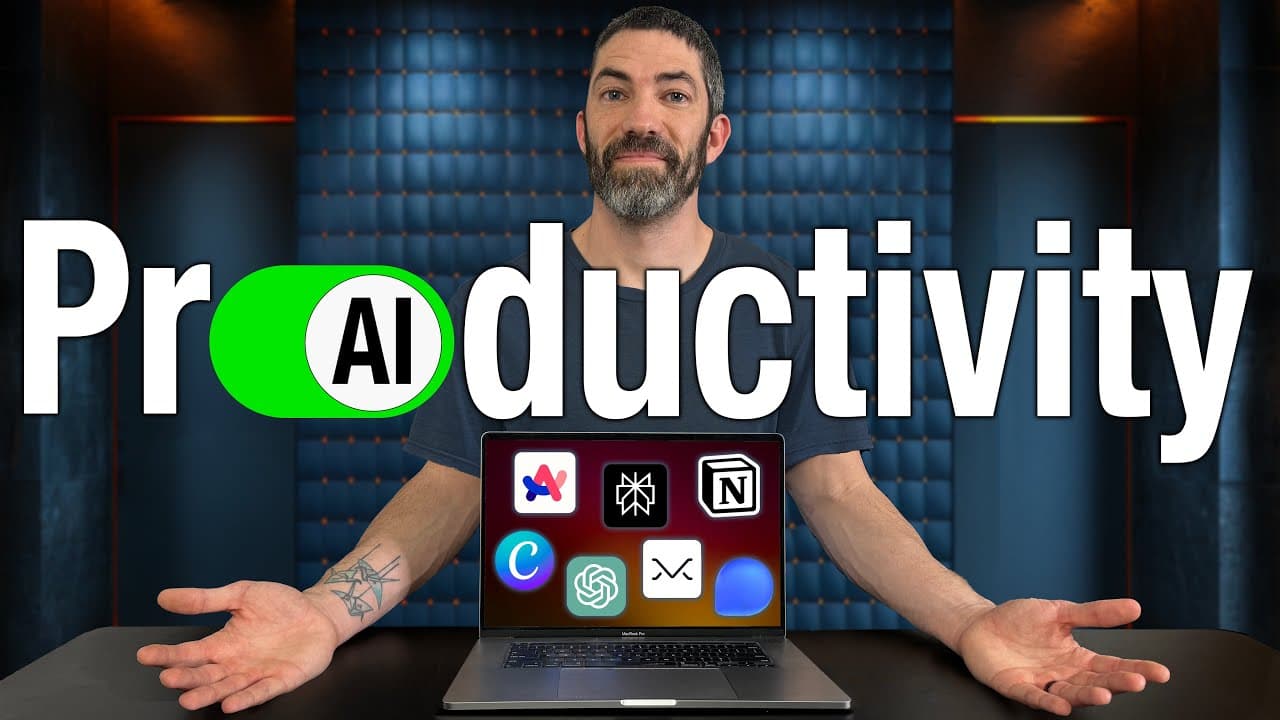
Seven AI tools significantly enhance daily productivity, streamlining tasks and promoting organization. Highlights include Arc Browser for efficient browsing, Perplexity as a smart search engine, and Notion as a centralized hub for information management, all integrated with AI features to optimize workflows.
Transcript
with AI I think most people are past the hype of using or paying for tools that are basically just Cool Tech demos we want tools to incorporate into our lives to save time be more productive or actually use in the real world this is that list I'm going to cover the seven AI tools I use every day to increase my productivity simplify and auto... Read More
Key Insights
- Arc Browser enhances productivity with features like vertical sidebar organization, split view windows, and picture-in-picture mode, making browsing more efficient and less cluttered.
- Perplexity serves as a fast, AI-powered search engine that provides concise answers, links to sources, and related media, offering a more streamlined alternative to traditional search engines.
- Notion acts as a central hub for organizing information, integrating seamlessly with AI for tasks like brainstorming, content creation, and maintaining a 'second brain' for storing and processing information.
- Texts.com consolidates messages from multiple platforms into a single inbox, integrating AI for drafting responses and ensuring privacy with end-to-end encryption, saving time across social media and messaging apps.
- Missive combines AI with email management, providing tools for drafting and replying to emails, grammar correction, and team collaboration, helping users achieve inbox zero more efficiently.
- Canva simplifies graphic design with AI features like template creation and image resizing, making it accessible for creating professional-quality graphics without extensive design skills.
- ChatGPT is a versatile tool for brainstorming and generating ideas, offering critiques and suggestions to enhance creativity and problem-solving across various tasks.
- Additional tools like Forms.app, Otter, Humata, Recast, and Gamma provide specialized functionalities such as form creation, meeting transcription, document analysis, audio article summaries, and quick web page design.
Install to Summarize YouTube Videos and Get Transcripts
Explore YouTube Video Summarizer or Get YouTube Transcript Extractor
Questions & Answers
Q: What makes Arc Browser a productivity-enhancing tool?
Arc Browser enhances productivity by offering features like a vertical sidebar for easy tab organization, split view windows for multitasking, and picture-in-picture mode for uninterrupted video viewing. These features streamline the browsing experience, reduce clutter, and make it easier to manage multiple tasks simultaneously, setting it apart from traditional browsers.
Q: How does Perplexity improve the search experience?
Perplexity improves the search experience by acting as an AI-powered search engine that quickly provides concise answers, links to sources, and related media content. It reduces the need to sift through multiple links by condensing information into a single, easy-to-read page, making it a more efficient alternative to Google and other search engines.
Q: In what ways does Notion serve as a 'second brain'?
Notion serves as a 'second brain' by acting as a central hub for storing and organizing information. It integrates with AI to facilitate content creation, brainstorming, and information processing. Users can create workflows, collaborate on projects, and maintain a comprehensive database of notes, ideas, and resources, enhancing overall productivity and organization.
Q: What are the key features of Texts.com?
Texts.com consolidates messages from various platforms into a unified inbox, allowing users to manage communications more efficiently. It integrates AI for drafting responses and offers features like message search, conversation pinning, and send-later options. The platform emphasizes privacy with end-to-end encryption, ensuring secure communication across social media and messaging apps.
Q: How does Missive facilitate email management?
Missive facilitates email management by integrating AI to help draft and reply to emails, correct grammar, and translate messages. Its team collaboration features allow users to share custom prompts and collaborate on important emails without needing to switch to other communication platforms, making it easier to achieve inbox zero and manage email workflows.
Q: What makes Canva a valuable tool for non-designers?
Canva is valuable for non-designers because it simplifies graphic design with AI features like custom template creation and intelligent image resizing. It allows users to create professional-quality graphics for social media, presentations, and marketing materials with ease, eliminating the need for extensive design skills or expensive software like Photoshop or Illustrator.
Q: How is ChatGPT used for brainstorming?
ChatGPT is used for brainstorming by providing a platform to bounce ideas off of, offering suggestions and critiques that can enhance creativity and problem-solving. It helps users think outside the box, generate new ideas, and refine existing concepts, making it a versatile tool for various creative and professional tasks.
Q: What are some additional AI tools mentioned in the video?
Additional AI tools mentioned include Forms.app for creating forms and surveys, Otter for meeting transcription, Humata for document analysis, Recast for audio article summaries, and Gamma for quick web page design. These tools offer specialized functionalities that cater to specific needs, enhancing productivity in different areas of work and personal projects.
Summary & Key Takeaways
-
The video introduces seven AI productivity tools used daily to enhance efficiency, including Arc Browser, Perplexity, and Notion. These tools streamline tasks, improve organization, and integrate AI features to simplify workflows.
-
Texts.com and Missive are highlighted for their ability to consolidate communications and manage emails effectively, while Canva and ChatGPT offer creative solutions for design and ideation, respectively.
-
The presenter also discusses five bonus tools for specific needs, emphasizing the importance of selecting truly useful AI tools amidst the crowded market, and how these tools fit into a broader productivity system.
Read in Other Languages (beta)
Share This Summary 📚
Summarize YouTube Videos and Get Video Transcripts with 1-Click
Try YouTube Summary with ChatGPT & Claude or YouTube Transcript Generator
Explore More Summaries from Futurepedia 📚



Summarize YouTube Videos and Get Video Transcripts with 1-Click
Try YouTube Summary with ChatGPT & Claude or YouTube Transcript Generator