How to Learn Azure Data Factory From Scratch to Pro
TL;DR
Azure Data Factory is a cloud ETL/ELT tool that moves data from any source to any destination using built-in connectors, and transforms it through Data Flows, which run Spark behind a graphical interface so no code is required. Learning it stays necessary because the same Data Factory is embedded inside Synapse Analytics and Microsoft Fabric under the same UI. Prerequisites are only a laptop, internet, and a free Azure account.
Transcript
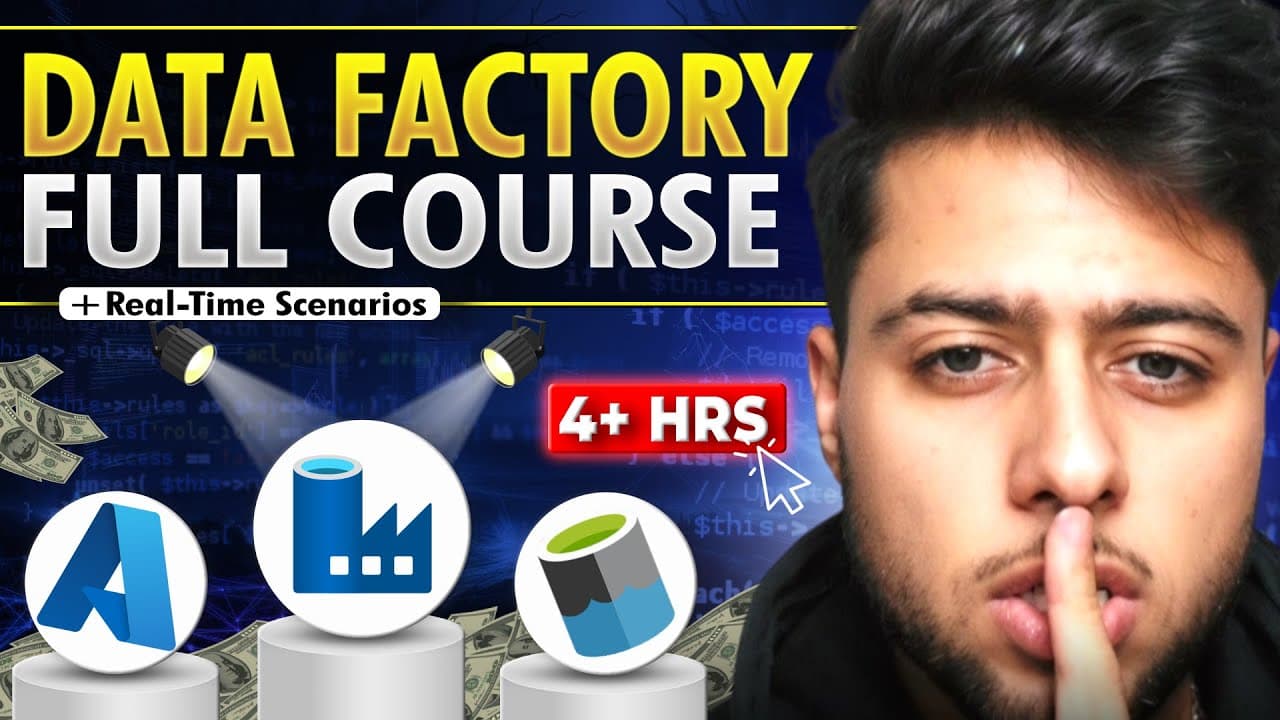
a your data Engineers are in demand but you need to master AZ your data Factory for that so in this 4 hours long as your data Factory course you will become a pro developer from scratch because in this course you will gain strong Hands-On with complex real-time scenarios using activities such as data validation parameterized data sets for each acti... Read More
Key Insights
- Azure Data Factory is a cloud ETL/ELT tool, where ETL means extract, transform, load and ELT means extract, load, transform. The ELT ordering exists because with big data you often do not want to transform the data first, so you load it first instead.
- Learning Azure Data Factory stays relevant despite Synapse Analytics and Microsoft Fabric, because the same Data Factory is embedded in both. In Synapse it appears as pipelines or integration services with the identical UI, and in Fabric it keeps the Data Factory name outright.
- Connectors are the mechanism that lets Data Factory move data. Connectors exist for sources such as SQL databases, CSV files, APIs, and HTTP connections, and for destinations such as Azure Data Lake, AWS S3, Azure SQL DB, and external applications like Dataverse.
- Data Flows provide the transform capability in Azure Data Factory. They are Spark clusters running behind the scenes, so transformations are built through a graphical user interface without writing one line of code while Spark performs the actual processing.
- The prerequisites for this course are only three: a laptop or PC with a stable internet connection, an Azure account, and enthusiasm to learn. The creator says he will show how to create a free Azure account, so no payment is required to follow along.
- Three trigger types are covered in the course: schedule triggers, tumbling window triggers, and storage event triggers. These are the mechanisms used to automate data workflows so pipelines run without someone manually starting them each time.
- The course ends with an end-to-end automated triggered parent pipeline containing multiple child pipelines. This hierarchical pipeline pattern is the capstone, combining triggers, child pipeline orchestration, and the activities taught earlier into a single automated solution.
- Real-time scenario questions are included because scenario-based questions are asked in actual interviews. The stated reason for the course covering so much is that competition is very high, so the content aims to make viewers competitive enough to crack interviews.
Install to Summarize YouTube Videos and Get Transcripts
Explore YouTube Video Summarizer or Get YouTube Transcript Extractor
Questions & Answers
Q: What is Azure Data Factory?
Azure Data Factory is a cloud ETL/ELT tool. ETL stands for extract, transform, load, and ELT stands for extract, load, then transform. It migrates data from a source to a destination using built-in connectors, where the source can be a SQL database such as MySQL, PostgreSQL, or MS SQL, or CSV files, APIs, or HTTP connections. The destination can be Azure Data Lake, AWS S3, Azure SQL DB, or an external application such as Dataverse. It also transforms data through Data Flows. It is described as the backbone of all Azure data engineering solutions.
Q: Why should I still learn Azure Data Factory if Synapse Analytics and Microsoft Fabric exist?
Because the same Azure Data Factory sits inside both. If you use Azure Data Factory directly, it is there. If you use Synapse Analytics, it is there too, referred to as pipelines or integration services, but it is the same Azure Data Factory with the same UI and everything exactly the same, essentially embedded within Synapse Analytics. In Microsoft Fabric it is also present and even keeps the same name, so you will simply find Data Factory inside Microsoft Fabric. Anyone building pipelines, migrating data from one place to another, or orchestrating data solutions needs this tool.
Q: How does Azure Data Factory transform data without writing code?
It transforms data through a feature called Data Flows. Data Flows are the transformation functionality of Azure Data Factory, and they are Spark clusters running behind the scenes. You build the transformation using a graphical user interface, so you do not write a single line of code. Spark runs in the background and does the actual processing, but from the developer's perspective no Spark code is authored. This is what supplies the T in ETL and ELT, since extract and load are handled through connectors between the source and the destination.
Q: What is the difference between ETL and ELT in Azure Data Factory?
ETL means extract, transform, load, where the data is transformed before it is loaded into the destination. ELT means extract, load, and then transform, where the data is loaded first and transformed afterwards. The video explains that when working with big data you often do not want to transform the data first, so you simply load it, which is exactly why the ELT pattern exists alongside ETL. Azure Data Factory supports both approaches, using connectors for the extract and load parts and Data Flows for the transform part.
Q: What do I need before starting this Azure Data Factory course?
There are three prerequisites, all described as easy to cover. First, a laptop or PC with a stable internet connection, or an iPad if it can access an Azure account. Second, an Azure account. If you do not have one, the course shows how to create a free Azure account and covers everything needed without paying for anything. Third, excitement and enthusiasm to learn Azure Data Factory. The creator says viewers who are not enthusiastic should skip the video, since motivation matters for absorbing the material. No prior experience is required, since everything is taught from scratch.
Q: What topics does this Azure Data Factory full course cover?
The 4-hour course covers complex real-time scenarios using activities including data validation, parameterized datasets, ForEach activity, and If Condition, plus hierarchical pipelines, pulling data directly from APIs, and transforming data using Data Flows. The description also lists Copy Activity for copying data between sources and Set Variable for storing crucial information in pipelines. It covers schedule triggers, tumbling window triggers, and storage event triggers, and ends with building an end-to-end automated triggered parent pipeline that has multiple child pipelines. Azure data engineer interview questions are included as well.
Q: What types of triggers are taught in this course?
Three trigger types are covered: schedule triggers, tumbling window triggers, and storage event triggers. Triggers are described in the description as the mechanism for automating data workflows, so pipelines start on their own rather than being run manually. These triggers feed directly into the final project of the course, which is an end-to-end automated triggered parent pipeline containing multiple child pipelines, meaning the trigger fires the parent and the parent orchestrates the children.
Q: What is the final project built at the end of the Azure Data Factory course?
At the end of the course you build an end-to-end automated triggered parent pipeline having multiple child pipelines. This capstone combines the pieces taught earlier: the trigger types, hierarchical pipelines, and activities such as data validation, parameterized datasets, ForEach, and If Condition. The stated purpose behind covering this much is that competition is very high right now, and the goal is to make viewers competitive enough to crack interviews, which is also why real-time scenario questions asked in interviews are included.
Summary & Key Takeaways
-
Azure Data Factory is presented as the backbone of Azure data engineering solutions, and the 4-hour course covers it from scratch for people with no prior experience. The stated goal is to make viewers competitive enough to crack interviews, since competition for Azure data engineer roles is described as very high right now.
-
The tool is defined as a cloud ETL/ELT tool. ETL means extract, transform, load, while ELT means extract, load, then transform. With big data the preference is often to load first and transform later, which is why both patterns exist and why the tool supports each of them.
-
Data movement works through connectors. A source can be a SQL DB such as MySQL, PostgreSQL, or MS SQL, or CSV files, APIs, or HTTP connections. A destination can be Azure Data Lake, AWS S3, Azure SQL DB, or an external application such as Dataverse, and connectors exist for both ends.
-
Transformation happens in Data Flows, which are Spark clusters running behind the scenes. The user builds the transformation through a graphical user interface without writing a single line of code, so Spark executes the work while the developer never authors Spark code directly.
-
The course covers data validation, parameterized datasets, ForEach activity, If Condition, hierarchical pipelines, pulling data directly from APIs, transforming data with Data Flows, and Copy Activity and Set Variable, plus schedule triggers, tumbling window triggers, and storage event triggers.
-
The final deliverable is an end-to-end automated triggered parent pipeline that calls multiple child pipelines. Real-time scenario questions asked in interviews are included, since scenario-based questions come up in actual interviews and skill in answering them is what converts learning into a job offer.
-
Prerequisites are deliberately light: a laptop or PC with a stable internet connection, or an iPad if it can access an Azure account, plus an Azure account, and enthusiasm to learn. The creator states he will show how to create a free Azure account so nothing needs to be paid for.
Read in Other Languages (beta)
Share This Summary 📚
Summarize YouTube Videos and Get Video Transcripts with 1-Click
Try YouTube Summary with ChatGPT & Claude or YouTube Transcript Generator
Explore More Summaries from Ansh Lamba 📚
Summarize YouTube Videos and Get Video Transcripts with 1-Click
Try YouTube Summary with ChatGPT & Claude or YouTube Transcript Generator