My 3-Tier Planning System for Getting Stuff Done - College Info Geek
TL;DR
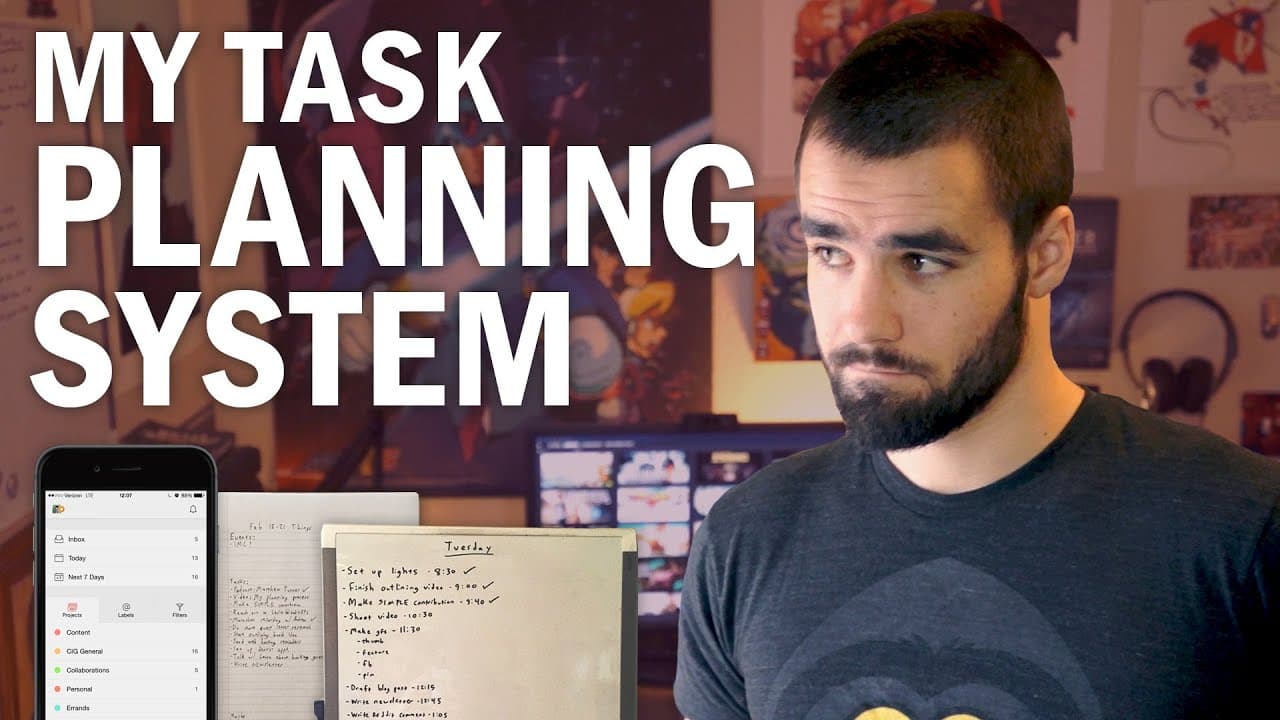
College Info Geek’s planning system gets work done through three tiers: capture and organize ideas, build a weekly plan, and create a daily action plan. Tasks go into Todoist, events into Google Calendar, and other ideas into Evernote; each Sunday, these inputs become a weekly notebook plan. Daily tasks are then ordered and time-estimated on a whiteboard. Read on to see how each tier reduces ambiguity and guides action.
Transcript
Hey, what's up, guys? In today's video, I'm going to go over my entire planning system that I use to get things done. If there's one thing I've learned over the past six to seven years of experimenting with tons of different apps and productivity systems and reading the daily habits of famous people, it's that productivity is a very individual thin... Read More
Key Insights
- ❓ Productivity is subjective and varies for each individual.
- 😀 Apps like Todoist, Google Calendar, and Evernote are efficient in capturing and organizing ideas, tasks, and events.
- 👻 Weekly planning allows for a clear overview of tasks and events for the upcoming week.
Install to Summarize YouTube Videos and Get Transcripts
Explore YouTube Video Summarizer or Get YouTube Transcript Extractor
Questions & Answers
Q: What is College Info Geek’s three-tier planning system for getting things done?
The system has three tiers: idea capture and organization, weekly planning, and daily planning. The first tier collects information, the second determines what to handle during the week, and the third turns those commitments into an ordered daily action plan.
Q: How does the idea-capture tier work?
An idea is treated as any information that should be processed or acted on later, including tasks, events, and free-form thoughts. Items are captured quickly in different apps according to their type so they do not have to remain jumbled in the creator’s head.
Q: Which apps are used to capture tasks, events, and other ideas?
Specific tasks and action items go into Todoist, while events go into Google Calendar. Sunrise Calendar is used on an iPhone and syncs with Google Calendar, and anything that is neither a task nor an event goes into Evernote.
Q: Why does the system use Todoist for tasks?
The creator settled on Todoist because it is minimalist and has a clean design. Its labels can assign contexts, energy levels, or locations to tasks, and it syncs across his devices.
Q: How is the weekly planning session organized?
The weekly planning session happens on Sundays and draws from the tier-one capture systems. In a notebook, the creator writes the week’s date and divides the page into three sections: events, tasks, and maybe.
Q: What belongs in the events, tasks, and maybe sections?
The events section contains scheduled items such as meetings, conferences, or other events from the calendar. The tasks section holds the work intended for that week, while the maybe section contains tasks that would be desirable if time permits.
Q: How is the daily action plan created?
After waking at 6:00 a.m. and entering the office, the creator reviews both the weekly notebook and calendar. He then writes a plan on a whiteboard, placing tasks in the exact order he intends to complete them and estimating when each should be finished.
Q: How do time estimates and checklists support daily productivity?
Time estimates create some pressure to work efficiently and use a fudge ratio to account for the planning fallacy. With practice, they also help predict how many tasks can fit into a day; completed items are checked off on the whiteboard and then on the weekly plan.
Summary & Key Takeaways
-
The planning system consists of three tiers: idea capture and organization, weekly planning, and daily planning.
-
Different apps are used for capturing and processing ideas, tasks, and events, such as Todoist, Google Calendar, and Evernote.
-
Weekly planning involves creating sections for events, tasks, and "maybe" tasks, while daily planning focuses on creating a daily action plan.
Read in Other Languages (beta)
Share This Summary 📚
Summarize YouTube Videos and Get Video Transcripts with 1-Click
Try YouTube Summary with ChatGPT & Claude or YouTube Transcript Generator
Explore More Summaries from Thomas Frank 📚
Summarize YouTube Videos and Get Video Transcripts with 1-Click
Try YouTube Summary with ChatGPT & Claude or YouTube Transcript Generator