How to Create AI Videos from Real Footage
TL;DR
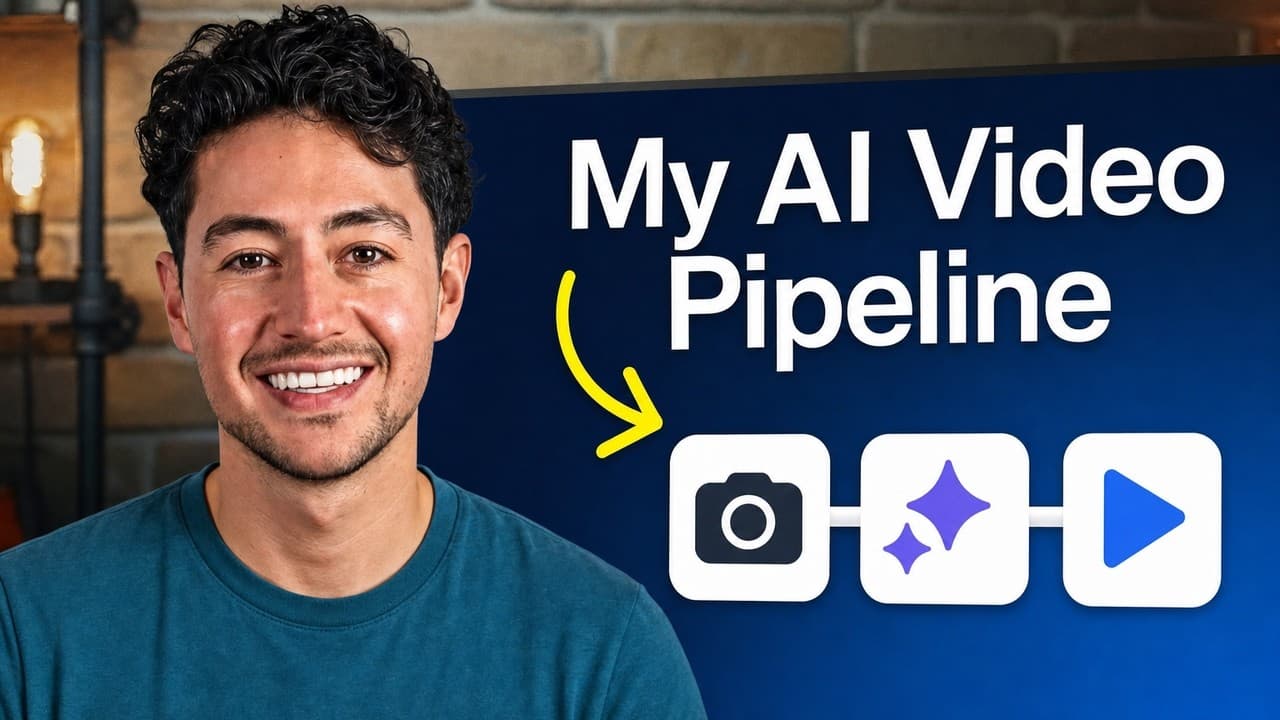
Start with a short real video, define a precise trigger and visual change, then process the clip with a video-to-video model. Generate several versions in parallel, select the strongest result, and hide the lower-resolution AI footage by cutting to a clearly different scene, such as a screen share, before returning to unedited footage.
Transcript
With today's video models, you can do whatever you want. Like this. Want to learn how? Let me show you. So, this video pipeline is nuts, and I'm really surprised more people aren't using something like this. Um this is extremely powerful and hooks, like you just saw. It's also really good in ad creative, as well as organic stuff. Uh I have a friend... Read More
Key Insights
- Video-to-video generation modifies existing footage instead of constructing every frame from text alone. Supplying recorded pixels, lighting, movement, and spatial context gives the model an established world, leaving it to insert or change selected visual elements.
- A source clip can be approximately 8–10 seconds long and should contain a deliberately planned moment for the transformation. Several short source clips can also be chained creatively when a longer sequence is needed.
- A hyper-specific prompt consists of a trigger and a change. The trigger tells the model when to act, while the change defines what should happen, such as replacing an outfit, changing the lighting, or making a person invisible.
- A trigger can be an action, a spoken phrase, or an exact timestamp. A finger snap, a hand reaching toward the shoulders, or a specified moment such as 2.9 seconds can anchor the requested visual transformation.
- Video generation is computationally intensive because each second contains approximately 24–30 frames. The speaker estimates that one 8–10 second generation may cost about 50 cents and recommends generating multiple versions rather than relying on a single attempt.
- Parallel generation helps explore a broad range of possible outputs. Because the desired result may not appear on the first try, producing several versions simultaneously provides alternatives that can be compared and selected.
- Current AI video output may be rendered at 720p, which can look noticeably more compressed than surrounding footage. A direct cut from an AI-edited talking head to an unedited version of the same shot can expose the quality difference.
- An intelligent scene change can conceal the transition between AI-edited and original footage. Cutting from a 720p AI shot to a screen share or another distinctly different scene makes the resolution shift feel natural before returning to the real video.
Install to Summarize YouTube Videos and Get Transcripts
Explore YouTube Video Summarizer or Get YouTube Transcript Extractor
Questions & Answers
Q: How do you create an AI video from real footage?
Record a short source clip that contains a planned trigger, such as a finger snap, a gesture, a spoken phrase, or a precisely timed moment. Upload that clip to a video-to-video model, then write a prompt that states exactly when the trigger occurs and what visual change must follow. Generate several versions, choose the best result, and edit it into the larger production.
Q: What is the difference between video-to-video and text-to-video generation?
Video-to-video generation begins with recorded footage and modifies selected parts of it according to a prompt. The original pixels, lighting, motion, and environment already provide the model with a coherent world. Text-based generation starts from scratch and must create both the visual scene and its progression through time, which the speaker identifies as a major reason results can be disappointing.
Q: How do you write a precise prompt for AI video editing?
Structure the prompt around two elements: a clearly identifiable trigger and a specific change. State the action, phrase, or timestamp the model should watch for, then describe exactly what must happen afterward. One example specifies that immediately after a statement at exactly 2.9 seconds, the man's outfit should become a cool-looking hoodie with a chain.
Q: What actions can trigger an AI video transformation?
A transformation can be tied to a physical action, a spoken word or phrase, or an exact point in time. The examples include snapping a finger and reaching toward the shoulders. The important requirement is that the prompt identifies a moment the model can recognize and connects that moment directly to the requested visual change.
Q: How long should source footage be for video-to-video AI?
The source footage can be roughly 8–10 seconds long, matching the clip lengths discussed for current video models. If a project needs more time, multiple short source clips can be chained together creatively. Each clip should still contain a clear trigger and a well-defined transformation so the model has a focused editing task rather than an ambiguous sequence.
Q: Why should you generate several AI video versions at once?
A single generation may not produce the intended result, so the recommended approach is to create multiple versions simultaneously. This uses parallelism to explore a wider solution space and gives the editor several alternatives to compare. The method costs more than making one attempt, but it reduces dependence on a single unpredictable output and improves the chance of finding a usable result.
Q: How much can a short AI video generation cost?
The speaker estimates that one 8–10 second video generation might realistically cost about 50 cents. The workload is described as computationally intensive because video contains approximately 24–30 frames per second, meaning the system effectively generates or processes many images across time. Total spending can rise because several versions are commonly generated in parallel before one result is selected.
Q: How do you hide a 720p AI video quality change?
Avoid cutting directly between an AI-edited talking-head shot and an unedited version of the same composition, because the compression and resolution difference can look abrupt. Instead, cut from the 720p AI segment to a fundamentally different scene, such as a screen share. After that visual break, return to the original footage so the quality transition is less noticeable.
Summary & Key Takeaways
-
The workflow begins with roughly 8–10 seconds of source footage containing a planned action, word, or moment that can serve as a trigger. Instead of asking AI to create an entire scene from text, a video-to-video model modifies the recorded pixels, lighting, movement, and environment already present in the clip.
-
A hyper-specific prompt identifies both the trigger and the change that should follow it. The trigger can be tied to an action, a spoken phrase, or an exact time, while the requested change might alter clothing, lighting, visibility, or the environment. Precise instructions improve the model's ability to produce the intended transition.
-
Current AI renders may be limited to 720p, making direct cuts between edited and unedited talking-head footage visibly inconsistent. The suggested workaround is to cut from the AI segment to a fundamentally different scene, such as a screen share. Multiple generations should also be produced simultaneously because individual results can vary.
Read in Other Languages (beta)
Share This Summary 📚
Summarize YouTube Videos and Get Video Transcripts with 1-Click
Try YouTube Summary with ChatGPT & Claude or YouTube Transcript Generator
Explore More Summaries from Nick Saraev 📚


Summarize YouTube Videos and Get Video Transcripts with 1-Click
Try YouTube Summary with ChatGPT & Claude or YouTube Transcript Generator