How to Shoot Ecommerce Content with an iPhone
TL;DR
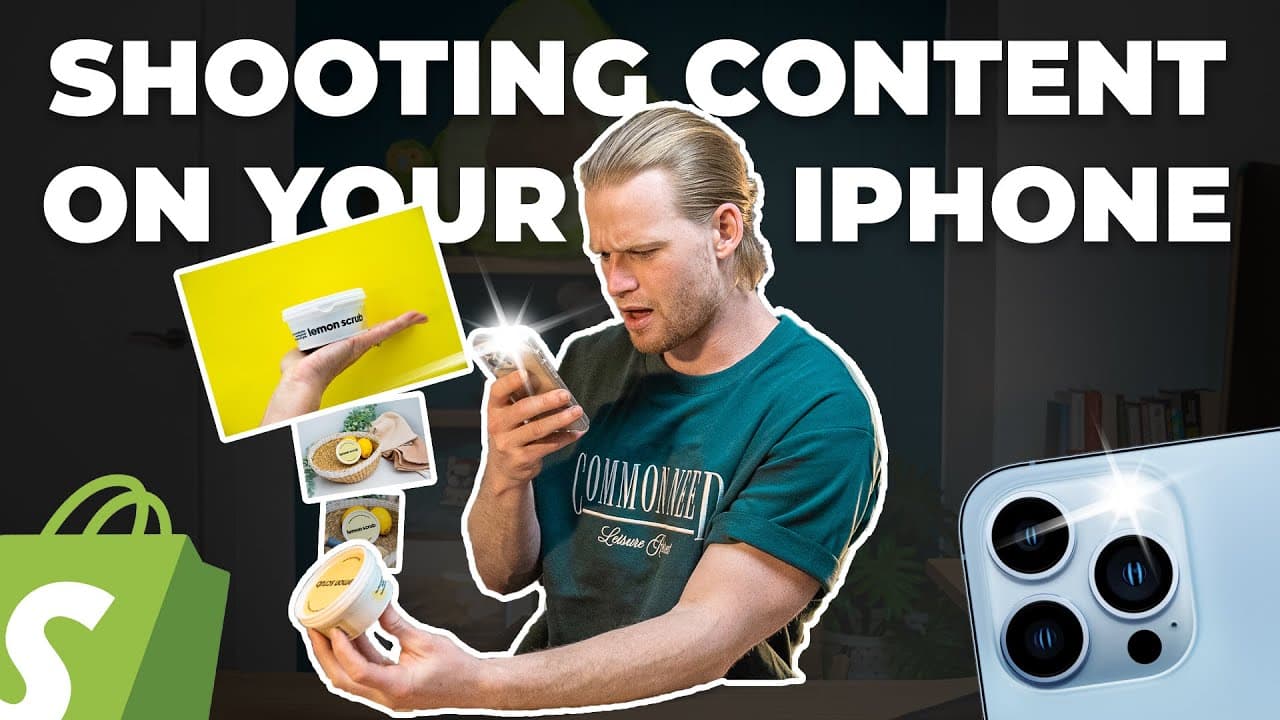
The video shows using an iPhone with natural light or a budget light box to shoot product images and video, emphasizing a prepared plan like mood boards and shot lists. It also covers lighting, framing, and audio, plus a cautionary note about outsourcing editing with a clear brief for better results.
Transcript
- I just shot content for my new product, the Lemon Scrub. Then I got Fiverr and Upwork consultants to edit it for me. Hey guys, Davie here, just to recap. I'm 26 years old and I've got businesses that do over $270 million in sales on Shopify. In this series, I'm tryna show you every single step of the way, how to build a million dollar brand. Firs... Read More
Key Insights
- Imagery quality directly influences conversions and customer understanding of the product.
- Lighting is critical; diffuse window light or a light box improves image clarity.
- An iPhone is sufficient for shooting if you manage lighting, stability, and lens cleanliness.
- Mood boards and a photography brief help align shots to marketing talking points.
- Rule of thirds helps create visually balanced product images and videos.
- Good audio quality matters; consider room acoustics or a lapel mic for video with sound.
- A detailed shot list prevents missing key visuals during a shoot.
- Outsourcing editing works best when you provide a clear brief and sufficient guidance to the editor.
- More videos from this channel:
- More from this channel: Davie Fogarty
Install to Summarize YouTube Videos and Get Transcripts
Explore YouTube Video Summarizer or Get YouTube Transcript Extractor
Questions & Answers
Q: How to start filming ecommerce content with an iPhone without fancy gear
To start filming ecommerce content with an iPhone you can rely on natural light from a diffused window or a budget light box, keep the lens clean, and stabilize the shot with a tripod. Plan ahead with a shot list and a photography brief that covers key product uses and visual angles. This approach keeps cost low while maintaining quality.
Q: What preparations maximize ecommerce photography results
Preparation includes creating mood boards using Pinterest, writing a photography brief, and matching images to on site copy. You should outline key shots for product lifestyle images, plan lighting setups, and decide on backgrounds and props that fit your brand colors. This reduces time spent shooting and improves consistency across images.
Q: Why is the rule of thirds recommended for product shoots
The rule of thirds helps create visually balanced compositions by aligning important product features with the grid lines. It makes shots appear more dynamic and professional, which can keep viewers engaged. This technique is particularly useful when capturing product lifestyle imagery and close ups.
Q: How important is audio in product videos and how to improve it
Audio quality is important for videos that rely on spoken explanations or voiceovers. Improve it by ensuring good room acoustics or using a cheap lapel mic. Clear sound reduces viewer drop off and helps convey the benefits and usage of the product more effectively.
Q: What are the three ways to obtain product imagery mentioned in the video
The video suggests three options: do the photography yourself, hire a professional photographer if the budget allows, or use affordable product image renders from platforms like Fiverr. Each option has trade offs in cost, speed, and control over the final look, so choose based on budget and needs.
Q: What should you communicate to a subject or model during shoots
Communicate your brief clearly and describe the desired actions, then let the subject perform naturally. Clear instructions help achieve authentic footage while reducing the need for multiple takes. This approach keeps shoots efficient and improves the cohesiveness of the final visuals.
Q: What are practical steps for shooting cleaning product demonstrations
For cleaning products, start with the most visually compelling use case such as the oven or grill, capture close ups of application and wipe results, and include before and after comparisons. Use simple props and contrasting backgrounds to highlight the product’s effect and maintain on brand visuals.
Q: What is advised when outsourcing video editing for ecommerce
When outsourcing, avoid minimal instruction and provide a proper brief with the desired style, key shots, and messaging. Show files and references, set expectations for turnaround, and verify portfolio fit. A well defined brief increases the likelihood of a high quality final edit and saves time and revisions.
Summary & Key Takeaways
-
The video stresses that strong product imagery and clear messaging on your site drive higher conversions and reduce returns by showing how the product is used. It recommends three imagery options: do it yourself, hire a professional, or use affordable image renders from Fiverr. It also highlights preparation steps like mood boards and briefs.
-
The creator demonstrates practical filming tips such as using an iPhone, leveraging natural light, and maintaining camera lens cleanliness, while stressing the importance of lighting, framing through the rule of thirds, and having a shot list to avoid missed shots.
-
The clip ends with guidance on editing, suggesting Fiverr or Upwork for outsourcing and promising a later look at editing in Premiere Pro, along with the reminder that a proper brief is essential for good results.
Read in Other Languages (beta)
Share This Summary 📚
Summarize YouTube Videos and Get Video Transcripts with 1-Click
Try YouTube Summary with ChatGPT & Claude or YouTube Transcript Generator
Explore More Summaries from Davie Fogarty 📚



Summarize YouTube Videos and Get Video Transcripts with 1-Click
Try YouTube Summary with ChatGPT & Claude or YouTube Transcript Generator