Is the BYQ B1 3D Printer Worth Under $300?
TL;DR
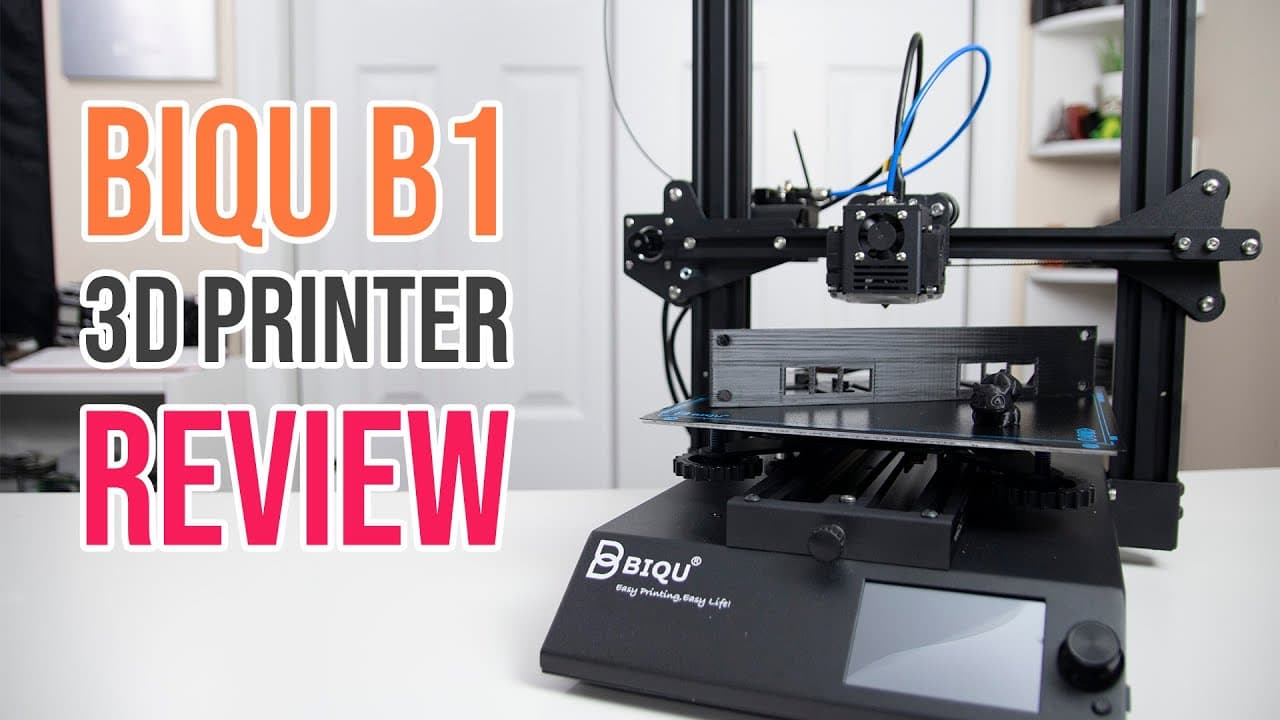
The BYQ B1 is an excellent entry-level 3D printer priced under $300, offering a print size of 235x235x270 mm and user-friendly features like dual firmware and a touchscreen. Its sturdy build and high print quality make it a strong choice for beginners, although it could use improved filament guides and a more convenient adjustment system.
Transcript
hey guys don here from novaspirittech and welcome back to the channel and today we are going to be checking out this entry-level 3d printer called the byq b1 so let's get started now before i begin i do want to thank st smart for sending this printer over to me for review and if you've never heard of that company before they're actually a pretty la... Read More
Key Insights
- 👤 The Byq B1 is designed with entry-level users in mind, featuring simplified setup and user-friendly firmware options that enhance accessibility for beginners.
- 👣 The inclusion of customizable LED lighting is a unique feature, allowing users to have better visibility of their print process, which can help in troubleshooting and observing print quality.
- 😥 Effective bed adhesion is a standout point; the system minimizes warping and enhances the first layer adherence, which is crucial for successful prints.
- 👤 User feedback suggests that upgrading the cooling fan can further reduce noise levels, thus improving the user experience in quieter environments.
- 🖨️ The printer’s robust build quality ensures stability and reliability during operation, important for maintaining consistent print quality over time.
- 🗃️ Having both TF card and USB disk options for file transfer ensures versatile usage, accommodating various user preferences in managing print files.
- 👶 While it has many strengths, the added cost for optional upgrades, like the BL Touch, is something new users should consider when budgeting for their 3D printing projects.
Install to Summarize YouTube Videos and Get Transcripts
Explore YouTube Video Summarizer or Get YouTube Transcript Extractor
Questions & Answers
Q: What is the print capacity of the Byq B1 printer?
The Byq B1 has a print capacity of 235x235x270 mm, which offers more room compared to several other entry-level printers, like the Ender 3. This size allows users to create larger prints or multiple smaller items simultaneously, improving versatility and productivity for a range of projects.
Q: How does the dual firmware feature benefit users?
The Byq B1 supports dual firmware, including its own custom firmware and Marlin. This allows users to connect additional software like OctoPrint, enhancing the printer's capabilities. Beginners can choose user-friendly settings without losing advanced functionalities, making it easier to customize their printing experience.
Q: What are the major advantages of the bed leveling system?
The Byq B1 includes an advanced bed leveling system that makes it easier for beginners to achieve precise leveling through multiple adjustment points. The pre-integration of the BL Touch module also enhances bed leveling, reducing common errors related to bed alignment, which is crucial for achieving good print quality.
Q: What improvements does the Byq B1 introduce over traditional 3D printers?
The Byq B1 introduces several improvements including USB-C connectivity for the print head, which simplifies wiring, and a dual-sided print bed that enhances versatility. These features not only improve the user experience but also maintain high print quality and ease of use, enhancing the overall functionality compared to older models.
Summary & Key Takeaways
-
The Byq B1 is an entry-level 3D printer that offers a decent print size of 235x235x270 mm and is priced under $300, making it accessible for beginners.
-
It comes pre-installed with advanced features such as dual firmware support, a touchscreen interface, adjustable bed leveling, and customizable LED lighting.
-
Print quality is high, and the printer is structurally sturdy; however, it could benefit from improved filament guides and a more user-friendly adjustment mechanism.
Read in Other Languages (beta)
Share This Summary 📚
Summarize YouTube Videos and Get Video Transcripts with 1-Click
Try YouTube Summary with ChatGPT & Claude or YouTube Transcript Generator
Explore More Summaries from Novaspirit Tech 📚






Summarize YouTube Videos and Get Video Transcripts with 1-Click
Try YouTube Summary with ChatGPT & Claude or YouTube Transcript Generator