How to Control a Stepper Motor with Two Arduinos
TL;DR
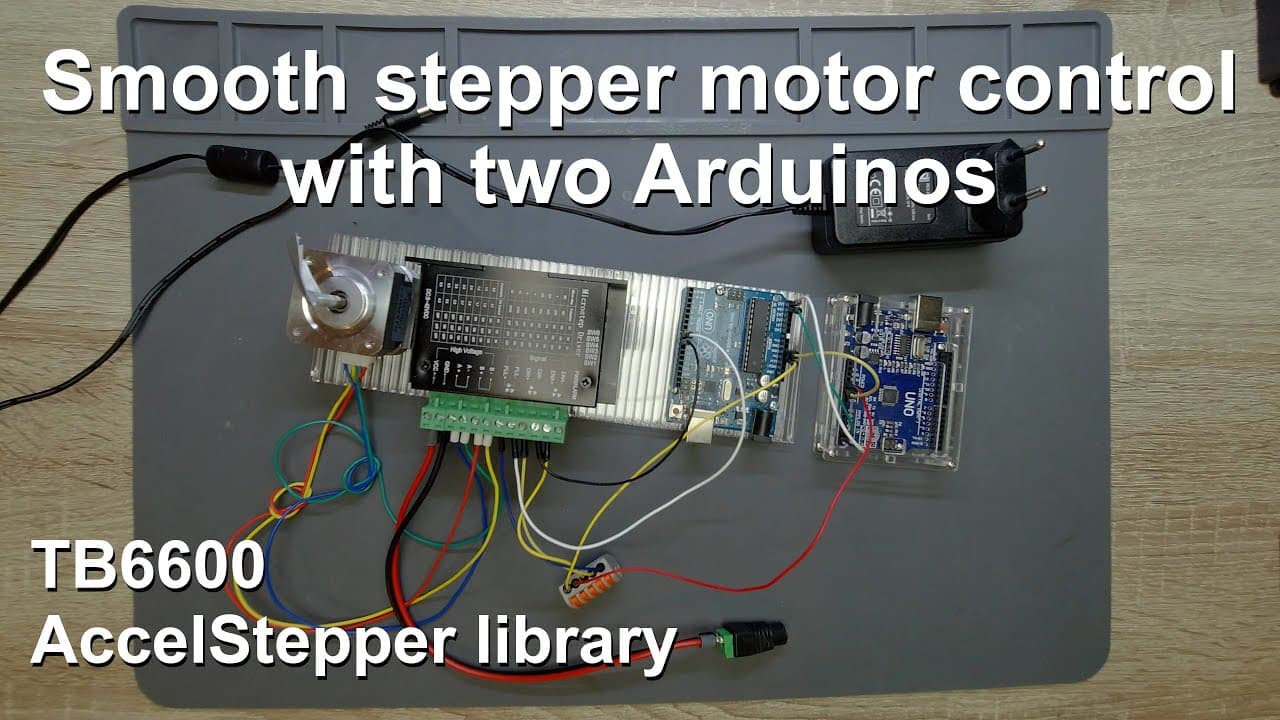
To control a stepper motor using two Arduinos, designate one as the master to handle communication with the computer and the other as the slave for direct motor control. This separation of tasks prevents delays and hiccups, allowing for smooth operation while managing additional processes on the master Arduino.
Transcript
welcome everyone in this video i'm going to show you how to use two arduinos to control a stepper motor so the reason behind this idea is the following when you are using some kind of stepper motor controller for example a 6600 and some other things connected to the arduino for example some sensors or some other electronics or you try to communicat... Read More
Key Insights
- 🧑🦼 Using one Arduino as a master to handle communication and tasks and another as a slave for direct motor control can vastly improve project performance.
- 🧑🦼 Stepper motors require timely signal management to operate smoothly; splitting responsibilities between two microcontrollers achieves this.
- 🎮 Hiccups in motor control often stem from competing tasks being managed on the same controller, making dedicated control critical.
- 🏂 Clear communication protocols are essential for successful task delegation between master and slave boards.
- 🥺 Simple wiring can lead to effective dual controller systems without the need for complex setups or additional hardware.
- 🎮 This approach can be applied to various robotics projects, enabling sophisticated control over multiple components.
- ✊ Proper power management and connections are critical for preventing damage to Arduino boards during project development.
Install to Summarize YouTube Videos and Get Transcripts
Explore YouTube Video Summarizer or Get YouTube Transcript Extractor
Questions & Answers
Q: Why is using two Arduinos beneficial for controlling a stepper motor?
Using two Arduinos allows one to manage motor control while the other handles tasks like reading sensors and communicating with a computer. This separation prevents hiccups and delays in motor operation, ensuring smoother performance and more efficient multitasking.
Q: What issues can arise when using a single Arduino for both motor control and other tasks?
A single Arduino can struggle to manage time-sensitive tasks simultaneously, resulting in delays or missed signals for the stepper motor control. This often leads to hiccuping sounds or steps being skipped, negatively affecting operation.
Q: How does the master Arduino communicate with the slave Arduino?
The master Arduino uses a specific communication protocol (Wire library) to send commands to the slave Arduino. It transmits data in the form of strings that include command characters and corresponding values, allowing the slave to perform specific motor actions.
Q: What precautions should be taken when connecting the two Arduinos?
It's essential never to connect both Arduinos to USB simultaneously to avoid potential damage. This is because it can lead to both boards being powered from the same voltage source, risking overcurrent or short-circuits.
Q: What role does the stepper motor controller play in this setup?
The stepper motor controller is responsible for interpreting the signals from the slave Arduino and executing precise movements of the stepper motor. It manages the stepping sequence and ensures smooth operation based on the commands received.
Q: Can the system read sensors while the motor is running?
Yes, with this setup, the master Arduino can continuously read sensors while the slave Arduino operates the motor, allowing simultaneous monitoring and control without interruptions in either task.
Q: What types of projects can benefit from this dual Arduino setup?
Projects that require precise motor control, such as CNC machines, 3D printers, and automated testing machines, can greatly benefit from this setup, as it enhances multitasking capabilities and improves overall project efficiency.
Q: Where can one find the code and wiring diagrams for this project?
The creator encourages viewers to check the video's description or visit their website for wiring diagrams and source code, providing additional resources to implement the project effectively.
Summary & Key Takeaways
-
The video explains how to effectively use two Arduinos to control a stepper motor, solving common issues like hiccups and delays.
-
A master Arduino communicates with a computer and sends commands to a slave Arduino, which directly controls the stepper motor.
-
By separating tasks between the two Arduinos, the master can handle other processes while the slave focuses on motor control, enhancing overall performance.
Read in Other Languages (beta)
Share This Summary 📚
Summarize YouTube Videos and Get Video Transcripts with 1-Click
Try YouTube Summary with ChatGPT & Claude or YouTube Transcript Generator
Explore More Summaries from Curious Scientist 📚




![Building a Peltier cooler-based cooling box - First iteration, improvements [Part 2/6] thumbnail](/_next/image?url=https%3A%2F%2Fi.ytimg.com%2Fvi%2F0YlNw0EGnzI%2Fhqdefault.jpg&w=750&q=75)

Summarize YouTube Videos and Get Video Transcripts with 1-Click
Try YouTube Summary with ChatGPT & Claude or YouTube Transcript Generator