cubase quick tip aligning tracks
TL;DR
Learn how to accurately align tracks in Cubase by adjusting their timing using the time shift function.
Transcript
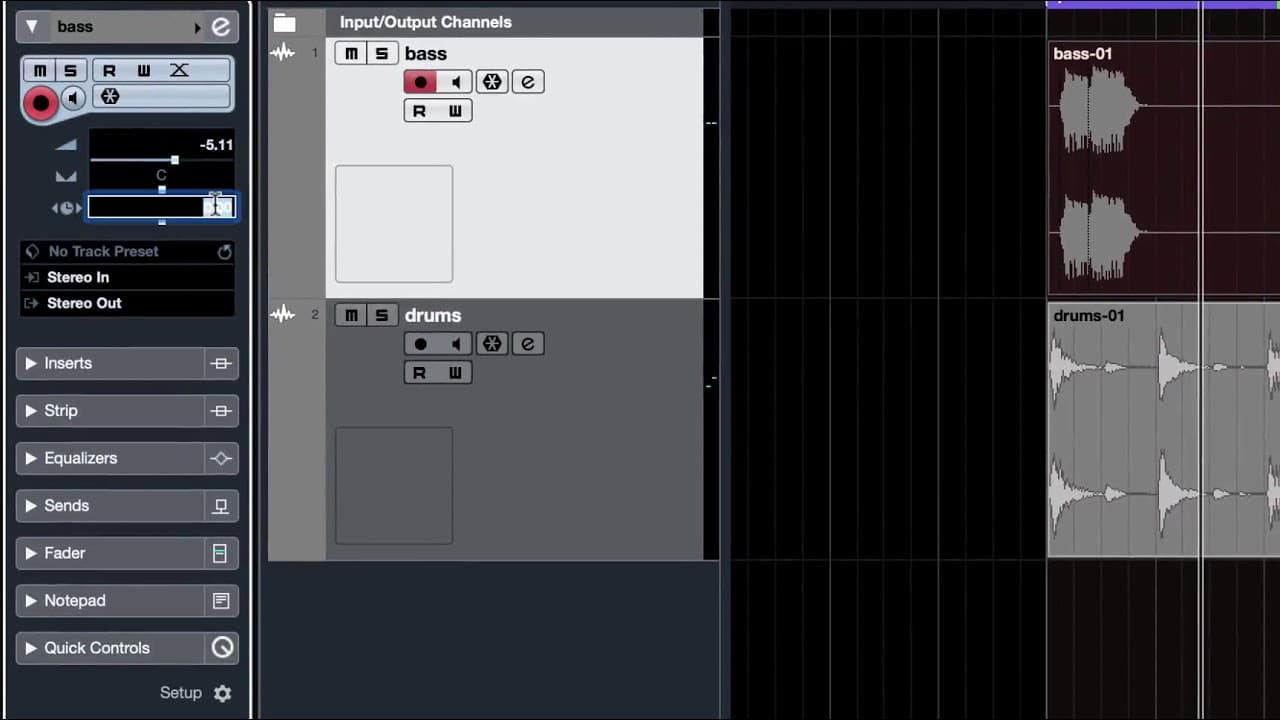
hi this is just a very quick demo to show how you can pull or push tracks forward or backwards in time related to each other what we have on the screen in front of us are two tracks as a baseline on top and a drum part underneath I just solo the bass track and play it sounds perfectly in time to me now let's listen to the drums that also sounds per... Read More
Key Insights
- 👣 Accurate track timing alignment is crucial for a polished and professional music composition.
- 👣 The provided demonstration showcases the process of identifying timing discrepancies between tracks.
- 👣 The time shift function and track delay feature in Cubase enable precise adjustment of track timing.
- 👣 Adjusting track timing ensures that all instruments are synchronized, resulting in a cohesive and well-produced composition.
- 👣 The importance of using a click track to reference and compare the timing between tracks is highlighted.
- 👣 The ability to adjust track timing individually or collectively provides flexibility in the composition process.
- 💯 Experimentation through trial and error is necessary to find the perfect timing alignment.
Install to Summarize YouTube Videos and Get Transcripts
Explore YouTube Video Summarizer or Get YouTube Transcript Extractor
Questions & Answers
Q: Why is it important to have properly aligned tracks in a music composition?
Properly aligned tracks ensure that all instruments play together in perfect synchronization, creating a cohesive and professional sounding composition. Misaligned tracks can cause timing issues and disrupt the overall musical flow.
Q: How can you identify which track needs timing adjustment?
By using a click track, you can compare the playback of each track with the consistent beat of the click. If a track seems to lag behind or rush ahead, it indicates that it requires timing adjustment.
Q: What are the two methods demonstrated for adjusting track timing in Cubase?
The first method involves manually dragging the audio parts of the track to align with the desired timing. The second method utilizes the track delay feature in the inspector panel, allowing you to input the desired time shift in milliseconds.
Q: Can you adjust the timing of multiple tracks simultaneously in Cubase?
Yes, you can adjust the timing of multiple tracks by applying the same time shift or track delay to all the selected tracks. This ensures that all tracks maintain their relative timing while being synchronized.
Summary & Key Takeaways
-
The content demonstrates how to adjust the timing of two tracks in Cubase to ensure they are in sync with each other.
-
It explains the process of identifying the track that needs adjustment and using the time shift function or track delay feature to align the tracks.
-
The demonstration emphasizes the importance of proper timing alignment for a cohesive and synchronized musical composition.
Read in Other Languages (beta)
Share This Summary 📚
Summarize YouTube Videos and Get Video Transcripts with 1-Click
Try YouTube Summary with ChatGPT & Claude or YouTube Transcript Generator
Explore More Summaries from Dory Video 📚






Summarize YouTube Videos and Get Video Transcripts with 1-Click
Try YouTube Summary with ChatGPT & Claude or YouTube Transcript Generator