An Introduction to EndNote X7 and its functions
TL;DR
This tutorial provides an introduction to Endnote, explaining its functionality as a bibliographic database and referencing system, and how it can be integrated with Microsoft Office applications.
Transcript
hello this tutorial is an introduction to endnote I am using endnote version X 7.5.3 for an Apple Mac but most of the functionality I'm showing in this tutorial is equally applicable to previous versions of endnote X7 as well as those versions for Windows operating system endnote is a fully functional bibliographic database and referencing system n... Read More
Key Insights
- ✍️ Endnote is a powerful tool for organizing and managing references for academic or scientific writing projects.
- 👻 It allows users to search for references online and import them directly into their database.
- 👂 The integration with Microsoft Office applications streamlines the process of inserting citations and creating reference lists.
- 👥 Endnote offers features such as grouping references by project, attaching PDFs to references, and finding full-text versions of articles.
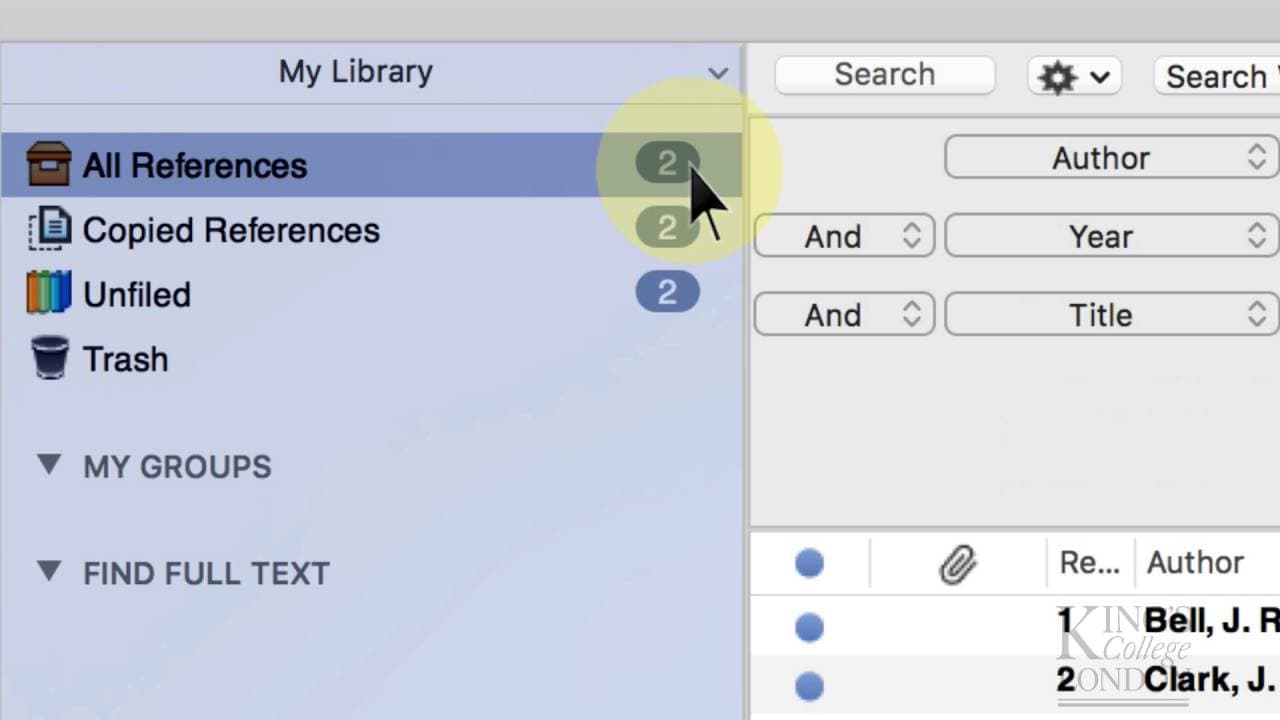
- 👹 The interface of Endnote consists of different panes, including the "My Library" pane, reference list pane, and information pane.
- 👶 The tutorial provides step-by-step instructions on creating a new library, entering references manually, and searching for references online.
- 👥 Users can create groups within their library to classify references according to different projects or writing tasks.
Install to Summarize YouTube Videos and Get Transcripts
Explore YouTube Video Summarizer or Get YouTube Transcript Extractor
Questions & Answers
Q: What is Endnote and what is its main purpose?
Endnote is a fully functional bibliographic database and referencing system. Its main purpose is to help users organize and manage references for scientific or other writing projects.
Q: How can Endnote be integrated with Microsoft Office applications?
Endnote includes plugins that work with Microsoft Office applications, allowing users to insert references and citations and automatically create reference lists and bibliographies within their documents.
Q: What are the different panes in the Endnote interface?
The Endnote interface is divided into three or four panes. The first pane is the "My Library" pane, which provides access to filters, groups, and other functionality. The central pane displays the reference list, with alternating white and gray lines for easy visibility. The right-hand side pane shows information about the currently selected reference.
Q: How can references be entered into the Endnote database?
There are two ways to enter references into the Endnote database. The first is manual entry, where users create a new entry and input all the required information. The second is using Endnote to search online databases and import references directly into the database.
Summary & Key Takeaways
-
Endnote is a bibliographic database and referencing system that allows users to search, categorize, and sort references from online and local databases.
-
It includes plugins for Microsoft Office applications, enabling users to insert references and citations and automatically create reference lists and bibliographies.
-
The tutorial covers the basic application of Endnote, including creating a new library, entering references manually, and searching for references online.
Read in Other Languages (beta)
Share This Summary 📚
Summarize YouTube Videos and Get Video Transcripts with 1-Click
Try YouTube Summary with ChatGPT & Claude or YouTube Transcript Generator
Explore More Summaries from Dory Video 📚






Summarize YouTube Videos and Get Video Transcripts with 1-Click
Try YouTube Summary with ChatGPT & Claude or YouTube Transcript Generator