How to Use Cursor AI for Coding Beginners
TL;DR
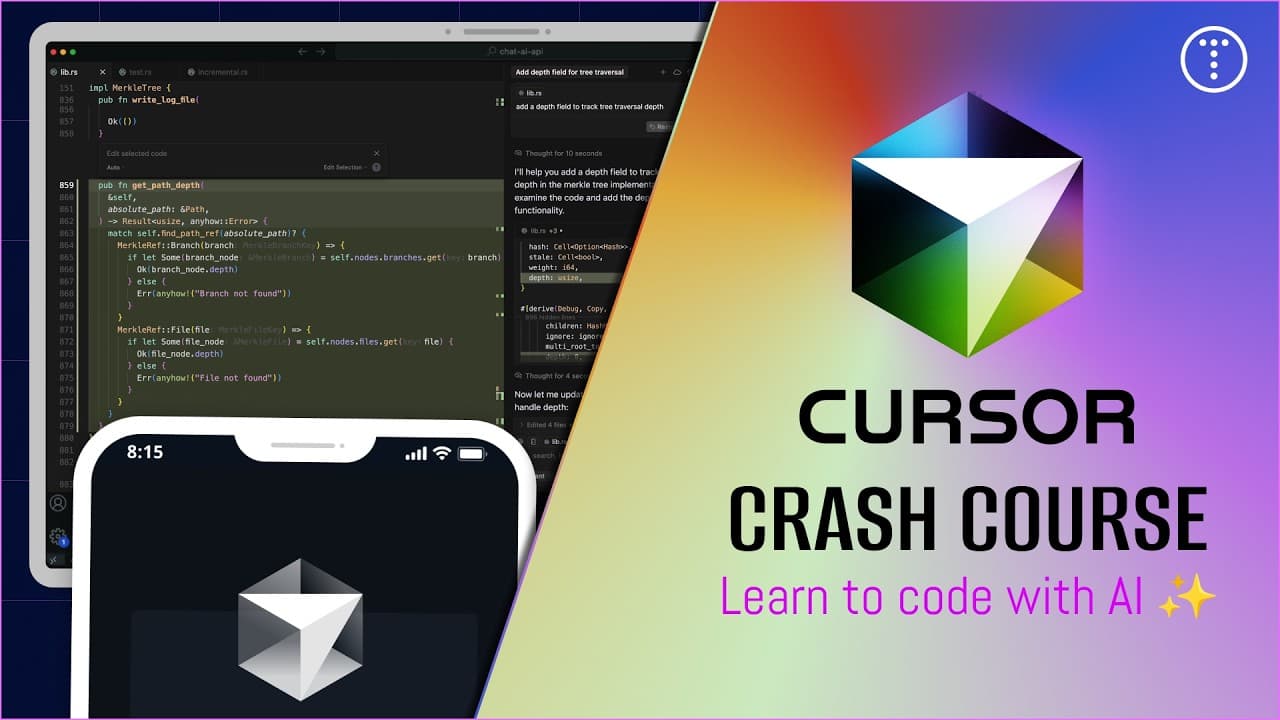
Cursor AI is an integrated development environment similar to VS Code, designed to enhance coding with AI features. It offers seamless integration of AI tools directly into the editor, allowing for tab completion, inline editing, and contextual chat interface. Beginners can gradually incorporate AI by using existing projects, while advanced users can explore vibe coding for more complex tasks.
Transcript
Hey guys, welcome to my cursor and coding with AI crash course. So in this video I'm going to introduce you to cursor and go over the features and interface, but I I'm also going to spend time talking about just coding with AI in general. So a lot of these practices and workflows and the stuff we talk about, they're going to apply whether you're wo... Read More
Key Insights
- Cursor AI is a VS Code-like editor with AI capabilities built directly into the interface.
- It supports features like tab completion, inline editing, and a chat interface for coding assistance.
- Beginners should start by incorporating AI into existing projects for gradual learning.
- Cursor AI allows for different levels of AI assistance, from minor code suggestions to full project generation.
- The editor supports multiple AI models and offers different pricing tiers for usage.
- User and project-specific rules can be set to customize AI behavior and ensure coding standards.
- The chat interface can be used for quick questions and learning about specific code segments.
- Cursor AI enables vibe coding, where projects can be generated with minimal initial input, allowing for rapid prototyping.
Install to Summarize YouTube Videos and Get Transcripts
Explore YouTube Video Summarizer or Get YouTube Transcript Extractor
Questions & Answers
Q: How to start coding with Cursor AI as a beginner?
To start coding with Cursor AI as a beginner, open an existing project in Cursor and begin using its features gradually. Utilize tab completion for code suggestions and inline editing for making changes. Engage with the chat interface for quick questions and learning about specific code segments. This approach helps in understanding AI assistance while maintaining control over the project.
Q: What are the key features of Cursor AI?
Cursor AI offers key features like tab completion for code suggestions, inline editing for making changes directly in the code, and a chat interface for contextual assistance. It integrates AI tools directly into the editor, providing a seamless coding experience. The editor supports multiple AI models and allows users to set rules to customize AI behavior.
Q: How does Cursor AI handle different levels of AI assistance?
Cursor AI handles different levels of AI assistance by allowing users to choose how much AI they want to incorporate into their projects. Beginners can start with minor code suggestions and gradually move to more advanced features like vibe coding, where projects are generated with minimal initial input. This flexibility makes Cursor AI suitable for various skill levels.
Q: What are the pricing tiers for Cursor AI?
Cursor AI offers various pricing tiers, including a free tier, a hobby tier with limited agent requests, and a pro tier at $20 per month with extended limits and additional features like background agents. For more extensive usage, a $200 plan is available, providing access to premium AI models and increased usage limits.
Q: How can rules be set in Cursor AI?
Rules in Cursor AI can be set for both user-specific and project-specific scenarios. User rules are global and apply to any project, while project rules pertain to specific technologies or coding practices within a project. These rules guide AI behavior, ensuring that code aligns with best practices and user preferences.
Q: What is vibe coding in Cursor AI?
Vibe coding in Cursor AI refers to the ability to generate projects with minimal initial input, allowing for rapid prototyping and exploration of new ideas. This feature is beneficial for developers who want to quickly test concepts or create simple applications without writing extensive boilerplate code.
Q: How does the chat interface work in Cursor AI?
The chat interface in Cursor AI provides contextual assistance by allowing users to ask questions about specific code segments or general programming topics. It can be used for quick questions, learning, and understanding code functionality. The chat interface is integrated into the editor, making it easy to access while coding.
Q: What are the benefits of using Cursor AI for coding?
Cursor AI offers several benefits for coding, including seamless integration of AI tools, enhanced code productivity with features like tab completion and inline editing, and the ability to set rules for customized AI behavior. It supports various AI models and pricing tiers, making it accessible for different user needs. Cursor AI also facilitates rapid prototyping through vibe coding.
Summary & Key Takeaways
-
Cursor AI is an advanced coding editor that integrates AI features directly into the interface, offering tools like tab completion and inline editing. It is designed for both beginners and advanced users, providing a seamless coding experience with AI assistance.
-
The editor supports various AI models and pricing tiers, allowing users to choose the level of assistance they need. Users can set rules to guide AI behavior, ensuring that code meets specific standards and practices.
-
Cursor AI facilitates vibe coding, enabling users to quickly generate projects with minimal input. This feature is beneficial for rapid prototyping and exploring new ideas, making it a valuable tool for developers at all levels.
Read in Other Languages (beta)
Share This Summary 📚
Summarize YouTube Videos and Get Video Transcripts with 1-Click
Try YouTube Summary with ChatGPT & Claude or YouTube Transcript Generator
Explore More Summaries from Traversy Media 📚
Summarize YouTube Videos and Get Video Transcripts with 1-Click
Try YouTube Summary with ChatGPT & Claude or YouTube Transcript Generator