How to Set Up a Privacy-Focused Burner Phone
TL;DR
A privacy-focused burner phone requires a separate digital identity, strict separation from personal devices and accounts, and disciplined operational security. Acquire and configure it without creating links to your normal identity, disable unnecessary radios and apps, use privacy tools, and keep it in a reliable Faraday bag whenever it is not required.
Transcript
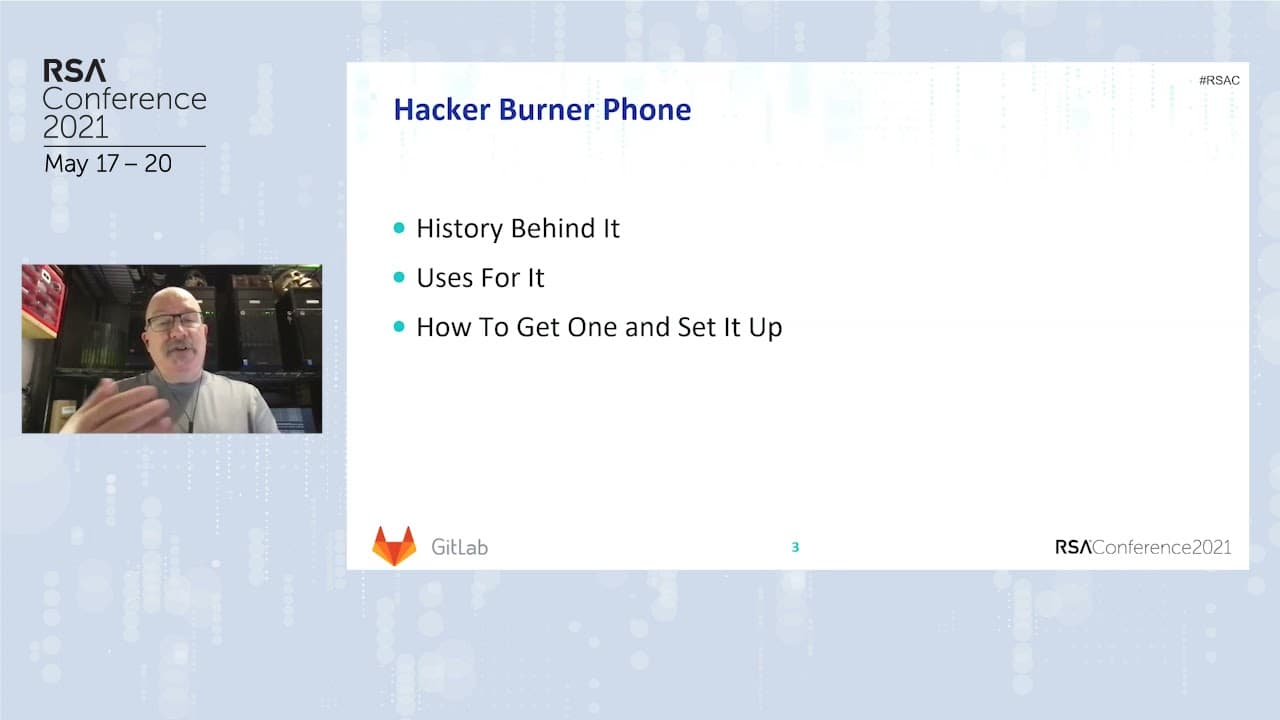
Hi. My name's Marc, and, uh, like you said, I'm a security researcher at GitLab, and I like to play with technology, whether I'm at work or not. I love gadgets and devices, and today I'm gonna be talking about such a device, the hacker burner phone. Now, a traditional burner phone is intended to be tossed if the number is burned. Think of those old... Read More
Key Insights
- A modern phone has five radios, four of which can transmit, and it can disclose data or location through these radios while it has power. Applications and persistent broadcasts can create a digital footprint that identifies the user rather than merely exposing a telephone number.
- The goal of a hacker burner phone is to create a completely separate digital identity. Achieving that separation requires both isolated data and disciplined operational security, because the device will otherwise begin connecting its activity, locations, accounts, and user behavior into a recognizable footprint.
- A burner phone can support sensitive work, private group communication, protests, and security-conference attendance. In these scenarios, the separate device allows communication while limiting what monitoring through tools such as IMSI catchers or stingers can associate with the user's regular phone.
- Anonymous acquisition begins with a ProtonMail account created through a personal VPN and a private browser window. The new address should not send a test message to the user's regular email because that action would create a direct connection between the separate identity and the personal one.
- The suggested purchase method uses an Amazon account registered with the ProtonMail address, Visa gift cards bought with cash in amounts below $300, and delivery to an unfamiliar Amazon Locker. The transcript says purchases of $300 trigger an identification check in the United States.
- Secure pickup requires attention to physical surveillance and device activation. The presenter recommends leaving the regular phone at home, considering facial recognition and vehicle license plates, avoiding the parking lot, removing the package serial number, and placing the new phone directly into a dependable Faraday bag.
- Initial configuration should happen through free Wi-Fi at a location never visited with the regular phone. The user should disable every radio except Wi-Fi, enable available privacy settings, install a personal VPN, apply patches, remove unused applications, and configure a secure browser and DuckDuckGo.
- Long-term privacy depends on keeping the burner separated from recognizable devices, places, and accounts. It should remain bagged near the home, office, regular phone, or cellular wearable, and it should never access personal accounts, especially social media profiles associated with the user.
Install to Summarize YouTube Videos and Get Transcripts
Explore YouTube Video Summarizer or Get YouTube Transcript Extractor
Questions & Answers
Q: How do you create a separate identity for a burner phone?
Create a ProtonMail account through a personal VPN while using a private browser window, then use that address for a new Amazon account. Do not test the new email by messaging your regular account because that creates a connection. Purchase Visa gift cards with cash, fund the separate Amazon account, and have the phone delivered to an unfamiliar Amazon Locker.
Q: Why is a modern burner phone more complicated than a traditional burner?
A traditional burner phone could be discarded when its telephone number became compromised. A modern phone has five radios, four capable of transmitting, and can disclose data and location while powered. Applications also gather data continuously. Consequently, protecting only the telephone number is insufficient because the device's activity can build a digital footprint around its user.
Q: How should you collect a burner phone from an Amazon Locker?
Bring a dependable Faraday bag and leave your regular phone at home. Choose a locker location you have never visited, avoid parking where cameras may capture your vehicle and license plate, and walk from nearby. After collection, unbox the device, remove the printed serial number for secure disposal, discard unwanted packaging, and place the phone inside the Faraday bag.
Q: How should you configure a privacy-focused burner phone?
Configure the phone somewhere with free Wi-Fi that you never visit with your regular phone. Disable every radio except Wi-Fi, enable all available privacy settings, and install a personal VPN such as ProtonVPN. Patch the device, delete unused applications, install a secure browser such as Firefox Focus or Brave, and set DuckDuckGo as its default search engine.
Q: When should a burner phone stay inside a Faraday bag?
Keep the burner inside its Faraday bag whenever it is not needed, especially near your home, office, regular phone, or other devices associated with you. If the battery can be removed, remove it whenever possible. When switching between the burner and regular phone, place each device in its own Faraday bag and do not switch them at the same location.
Q: What activities can undermine burner-phone privacy?
Accessing personal accounts, especially social media, can directly associate the burner with its user. Taking it out near a home, office, regular phone, or cellular Fitbit can also connect devices through shared location and timing. Showing it to friends, using it unnecessarily, or switching between phones in one place further weakens the intended separation.
Q: Who might benefit from using a hacker burner phone?
The presenter identifies human rights workers operating under governments that monitor them, tightly connected groups needing separate communications, people attending protests, and security-conference attendees. A burner can keep these users connected while isolating sensitive activity from their regular phones and limiting what government monitoring, foreign spies, or other conference attendees can associate with their normal devices.
Q: What factors matter when choosing a burner phone?
The choice should reflect memory requirements, available customization, the desire for a small footprint, and the user's budget. The presenter normally uses an iPhone but selected a Motorola Moto G7 for the burner based on his own needs and budget. The selected phone must also support the privacy settings, application removal, patching, and connectivity controls needed for the setup.
Summary & Key Takeaways
-
Modern phones can expose information and location through multiple radios, applications, and persistent data gathering. The proposed burner-phone strategy therefore focuses on protecting the user's identity rather than merely replacing a compromised number. Its goal is to establish a separate digital footprint through data separation and consistent operational security practices.
-
The acquisition process uses a new ProtonMail account, a separate Amazon account, cash-purchased Visa gift cards, and delivery to an unfamiliar Amazon Locker. During collection, the presenter recommends leaving the regular phone at home, considering cameras and license plates, removing the box serial number, and immediately placing the device inside a Faraday bag.
-
Configuration should occur on free Wi-Fi at a location never visited with the regular phone. All radios except Wi-Fi should be disabled, privacy settings enabled, software patched, unused applications deleted, and privacy-oriented tools installed. Continued separation is essential: avoid personal accounts, nearby connected wearables, and simultaneous exposure of burner and regular phones.
Read in Other Languages (beta)
Share This Summary 📚
Summarize YouTube Videos and Get Video Transcripts with 1-Click
Try YouTube Summary with ChatGPT & Claude or YouTube Transcript Generator
Explore More Summaries from RSAC Cybersecurity 📚



Summarize YouTube Videos and Get Video Transcripts with 1-Click
Try YouTube Summary with ChatGPT & Claude or YouTube Transcript Generator