How to Set Up and Customize a Hermes Agent
TL;DR
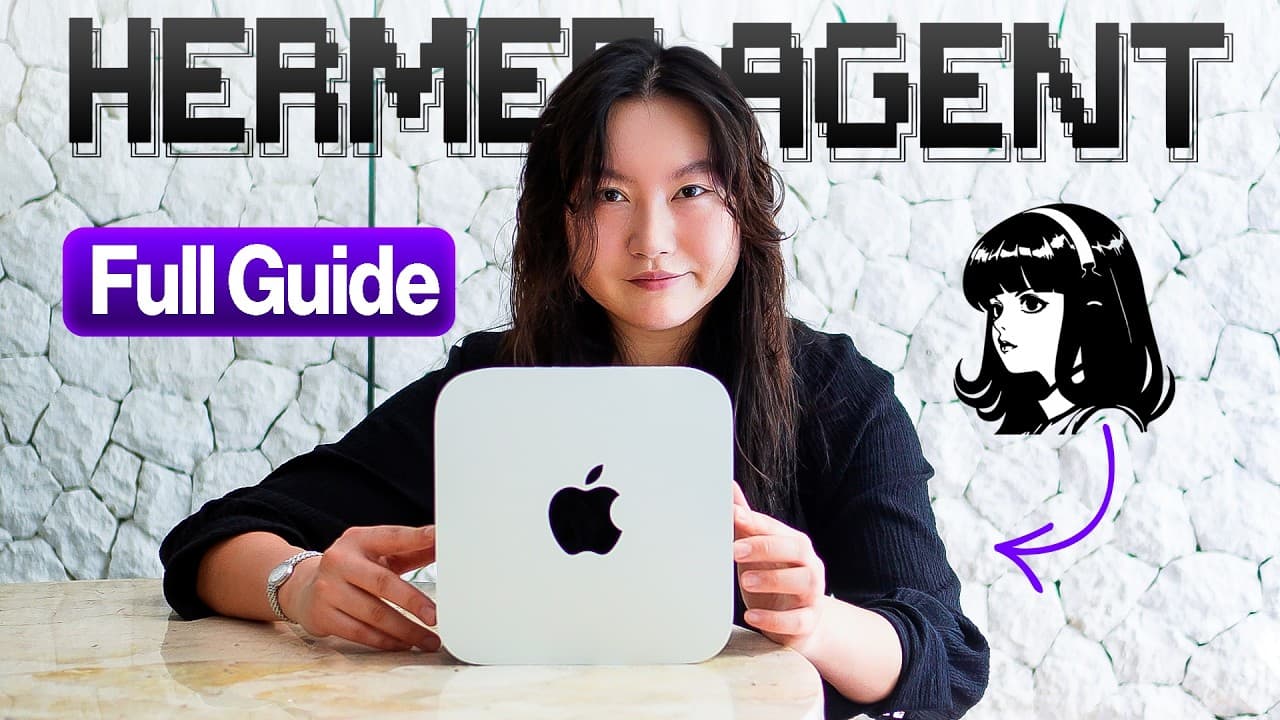
Choose where Hermes will run, install it through the Mac desktop app or terminal, connect a suitable model provider, and give the agent useful information to remember. A sustainable setup combines appropriate hardware, readable local memory files, built-in tools, third-party integrations, safety settings, and local open-source models when privacy or cloud costs matter.
Transcript
Welcome to the Hermes agents fundamentals guide. Setting up your Hermes agent correctly is so important. It's a difference between having a terrible time versus being able to build something sustainable that you can build on top of and become more magical every day. It's been over 4 months now that I've been using Hermes agent consistently. Here's ... Read More
Key Insights
- Hermes can live on four primary types of hardware: a dedicated powerful machine, a virtual private server, an unused computer, or a personal computer. The choice should reflect available hardware, budget, desired availability, privacy needs, and whether local models will be used.
- A dedicated Mac Studio with 64 GB of RAM and an M4 chip can run capable local models continuously while reserving cloud models for more demanding work. The creator describes this arrangement as less expensive for heavy usage than relying extensively on cloud models from weaker machines.
- A virtual private server can provide an always-on environment starting at about $5 or $6. It offers an alternative for users who lack dedicated local hardware but still want Hermes available continuously for agent workflows, research, software building, scheduled work, or messaging interactions.
- Docker is strongly recommended when Hermes runs on a personal computer. Containerization limits the agent's reach into the rest of the machine, making it a relevant safety measure for users who cannot dedicate separate hardware and do not want to spend money on another system.
- Hermes installation is available through a macOS desktop application or a terminal-based process for Mac and Windows. The desktop interface suits users who are uncomfortable with terminal commands, while terminal installation involves copying the provided command and completing the onboarding sequence.
- Model selection should balance capability, price, privacy, and available hardware. The creator reports that Sonnet 5 is commonly regarded as a strong Hermes driver, but API usage can become expensive, so she primarily runs the open-source Qwen 3.6 35B model on her Mac Studio.
- Hermes memory is stored in human-readable Markdown files inside the Hermes folder. User information appears under the memory area in a user file, while a separate memory Markdown file retains information described as crucial to the current setup, allowing direct inspection through Finder or Obsidian.
- Hermes tools are preconfigured capabilities managed by Nous Research, including web search, image generation, text-related image functions, and browser automation. Integrations extend the agent by connecting third-party software, model providers, and messaging platforms such as Discord for alerts, communication, and scheduled briefings.
Install to Summarize YouTube Videos and Get Transcripts
Explore YouTube Video Summarizer or Get YouTube Transcript Extractor
Questions & Answers
Q: How do you set up a Hermes agent?
Start by choosing the computer or server where Hermes will live. Download the macOS desktop application from the Hermes Agent website, or copy the terminal installation command on Mac or Windows and complete onboarding. Open the model settings, select an available model or add a provider, then begin a conversation and give Hermes useful personal context that it should remember.
Q: What hardware can run a Hermes agent?
Hermes can run on a dedicated powerful local machine, a virtual private server, an unused computer or laptop, or the personal computer already in use. The creator runs it continuously on a Mac Studio with 64 GB of RAM and an M4 chip, but she originally used a 16 GB MacBook Pro as a wiped, dedicated machine.
Q: Should Hermes run on a local machine or a VPS?
A local machine is suitable when existing hardware can remain on continuously, especially if the goal is to run open-source models privately and reduce reliance on paid cloud models. A virtual private server is another always-on option and can cost as little as $5 or $6. The decision depends on budget, hardware, privacy requirements, and intended workloads.
Q: Why should Docker be used with Hermes Agent?
Docker is strongly recommended when Hermes runs on the same personal computer used for other work. It containerizes the agent so that it cannot freely affect the rest of the machine. This is particularly relevant for users who have no spare computer, do not want to rent a server, and still want to operate Hermes without buying additional hardware.
Q: How do you choose a model for Hermes Agent?
Choose a model according to budget, requirements, available subscriptions, privacy preferences, hardware, and use cases. Providers can be added from the model settings, and the Nous Portal offers access to hundreds of models through a monthly subscription. The creator uses the open-source Qwen 3.6 35B locally because frequent use can make cloud API access expensive.
Q: How does Hermes Agent store memories?
Hermes stores memory in human-readable files within its local Hermes folder. Information provided about the user is saved under the memory area in a user Markdown file, while information considered crucial to the current setup is stored in a separate memory Markdown file. These files can be inspected directly through Finder or displayed more conveniently in Obsidian.
Q: What are tools and integrations in Hermes Agent?
Tools are preconfigured capabilities managed by Nous Research. They let Hermes perform tasks such as searching the web, generating images, handling text-related image functions, and automating browser activity. Integrations connect Hermes with third-party services, including model providers and messaging platforms. The creator connects Discord to communicate with Hermes and receive alerts such as a daily briefing.
Q: How can Hermes Agent be customized after installation?
The desktop settings provide controls for models, chat information, personalities, appearance, workspace behavior, safety, memory, and context. Users can also supply a short description of themselves and explicitly ask Hermes to remember it. Together, these options let the setup reflect the user's budget, requirements, preferred interface, working environment, and intended agent workflows.
Summary & Key Takeaways
-
Hermes can run on a dedicated powerful machine, an inexpensive virtual private server, an unused computer, or a personal computer. A machine that stays on continuously supports persistent workflows. When Hermes shares a personal computer, Docker is strongly recommended to contain the agent and reduce its access to the rest of the system.
-
Installation is available through a desktop app on macOS or through a terminal workflow on Mac and Windows. After installation, users select an existing model, add a provider, use a compatible subscription, choose the Nous Portal, or later configure a local model. The best choice depends on budget, hardware, requirements, and intended use.
-
Hermes combines tools, integrations, customizable settings, and human-readable memory. Built-in tools support activities such as web search, image generation, and browser automation, while integrations connect model providers and messaging platforms. User details and crucial setup information are stored in Markdown files that can be inspected directly or viewed through Obsidian.
Read in Other Languages (beta)
Share This Summary 📚
Summarize YouTube Videos and Get Video Transcripts with 1-Click
Try YouTube Summary with ChatGPT & Claude or YouTube Transcript Generator
Explore More Summaries from Tina Huang 📚




Summarize YouTube Videos and Get Video Transcripts with 1-Click
Try YouTube Summary with ChatGPT & Claude or YouTube Transcript Generator