How Do I Set Up My Second Brain in Notion? Full Walkthrough
TL;DR
Build a second brain in Notion by capturing surprising material in a drafts board, adding its source and your interpretation, then linking each processed note to specific concepts in a separate slip-box table. Elizabeth’s setup includes 573 sources and distinct categories for studies, anecdotes, rules, and images. Read on for the exact note-processing steps and a structure that turns stored information into useful connections.
Transcript
hiya if you are new here my name is elizabeth i'm a medical student and an artist living in london and today i am going to do the full walkthrough of my notion set up for my second brain i already have a full video on why a second brain is absolutely life-changing so all of that you can watch to your heart's content if you so desire but here i'm go... Read More
Key Insights
- Capture is the first stage of the system, and surprising information is a practical selection rule. A passage that surprises someone is likely to feel new, shocking, or connected to an existing interest, making it a reasonable candidate for storage.
- A processed note contains the original material, its resource, highlighted key language, a meaningful title, and a personal interpretation. Writing what the note means prevents the database from becoming a collection of disconnected quotations whose purpose is difficult to remember later.
- The drafts board functions as an inbox with categories for pre-processed material, sources, studies, anecdotes, and images. Notes can remain unprocessed when their eventual place is unclear, while completed notes move into the appropriate category before being connected to the main system.
- The slip-box is a separate table linked to the drafts database through a relation property. This connection allows a concept page to display the notes associated with it, turning captured information into a network that can support projects, writing, discussion, and reflection.
- Specific concepts are more valuable than broad topic labels. Categories such as addiction or minimalism can be too general, while claims or questions such as the best way to never get anything done provide a clearer destination for relevant evidence and related ideas.
- Source roles are determined by their relationship to a concept. Primary sources directly support the central topic, secondary sources have a less direct but usable connection, and tertiary sources contradict the main point or require a distant connection to become relevant.
- Studies, anecdotes, rules, and art are stored separately from ordinary sources. This structure makes it possible to retrieve research, illustrative stories, principles such as the 80/20 rule, or inspiring images without searching through a large collection of primary sources.
- One source can connect to many different concepts, and this many-to-many linking is what strengthens the system. A passage originally unrelated to social media, for example, can later inform a concept about creating online when the note reveals a useful connection.
Install to Summarize YouTube Videos and Get Transcripts
Explore YouTube Video Summarizer or Get YouTube Transcript Extractor
Questions & Answers
Q: How do you build a second brain in Notion?
Create a drafts database as a board for captured material, then create a separate slip-box database as a table. Process each note by preserving the original passage, highlighting its main wording, recording the resource, adding a descriptive title, and explaining what it means to you. Finally, use a relation property to connect each processed note to relevant concepts in the slip-box.
Q: What information should you capture in a Notion second brain?
Capture information that surprises you because it is new, shocking, or connected to something you already care about. Elizabeth says choosing what belongs in the system starts to feel natural as you continue building it.
Q: How should you process a captured note in Notion?
Import the original passage, highlight its main parts, and record the resource at the bottom. Then write what the note means to you and give it a title that communicates its central idea. In the walkthrough, a passage from Cal Newport’s Deep Work is titled “attention residue.”
Q: Why should each note include a personal interpretation?
A personal interpretation records why the saved material matters to you instead of leaving it as a disconnected quotation. Elizabeth’s interpretation of the attention-residue passage is to finish simple, straightforward tasks instead of switching away and returning later. This lets her usually review her own note and consult the original resource only when needed elsewhere.
Q: How does the drafts board organize second-brain notes?
The drafts board functions as an inbox with categories including pre-processed notes, sources, studies, anecdotes, and images. Material can remain unprocessed when its eventual category is unclear. After a note has been formatted, sourced, titled, and interpreted, it can move into the appropriate category.
Q: Why does the setup use a separate slip-box database?
A drafts database alone can preserve interesting information, but its contents may simply sit there without useful connections. The slip-box is a separate table related to the drafts database, allowing processed notes to appear on relevant concept pages. This creates a library of thoughts that can support projects and writing.
Q: What are primary, secondary, and tertiary sources in the slip-box?
Primary sources directly support a concept, while secondary sources have a looser but still useful relationship to it. Tertiary sources may contradict the main point or connect only from a greater distance. Separating these roles clarifies how each source contributes to a concept.
Q: Why should one source connect to multiple concepts?
A single source may provide evidence, contrast, illustration, or inspiration for several specific concepts. Linking it in multiple places preserves connections that were not obvious when the material was first captured. This many-to-many structure helps turn stored information into a network useful for projects, writing, discussion, and reflection.
Summary & Key Takeaways
-
The setup begins with a drafts database displayed as a board. Captured material moves through categories such as pre-processed notes, sources, studies, anecdotes, and images. Each note contains the original passage, highlighted key wording, its resource, a descriptive title, and a personal interpretation that explains why the information deserves to be retained.
-
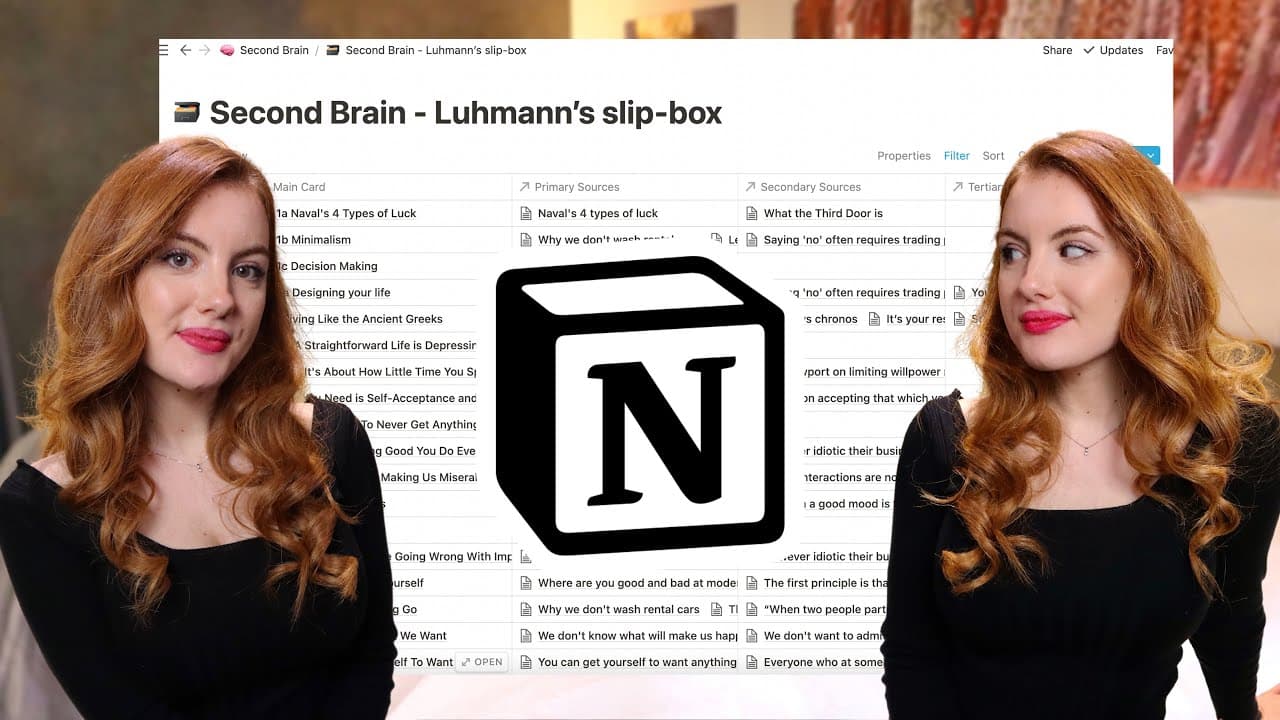
A separate slip-box database organizes notes around major interests such as productivity, creativity, communication, learning, writing, medicine, and life design. Broad categories provide orientation, but specific concept pages make the system useful. Relations connect processed notes from the drafts database to every concept where they could offer evidence, contrast, illustration, or inspiration.
-
Sources are classified by their relationship to each concept. Primary sources directly support the topic, secondary sources require a looser connection, and tertiary sources may contradict it or appear only marginally relevant. Studies, anecdotes, rules, and art receive separate fields, allowing different kinds of material to be found without searching through every linked source.
Read in Other Languages (beta)
Share This Summary 📚
Summarize YouTube Videos and Get Video Transcripts with 1-Click
Try YouTube Summary with ChatGPT & Claude or YouTube Transcript Generator
Explore More Summaries from Elizabeth Filips 📚






Summarize YouTube Videos and Get Video Transcripts with 1-Click
Try YouTube Summary with ChatGPT & Claude or YouTube Transcript Generator