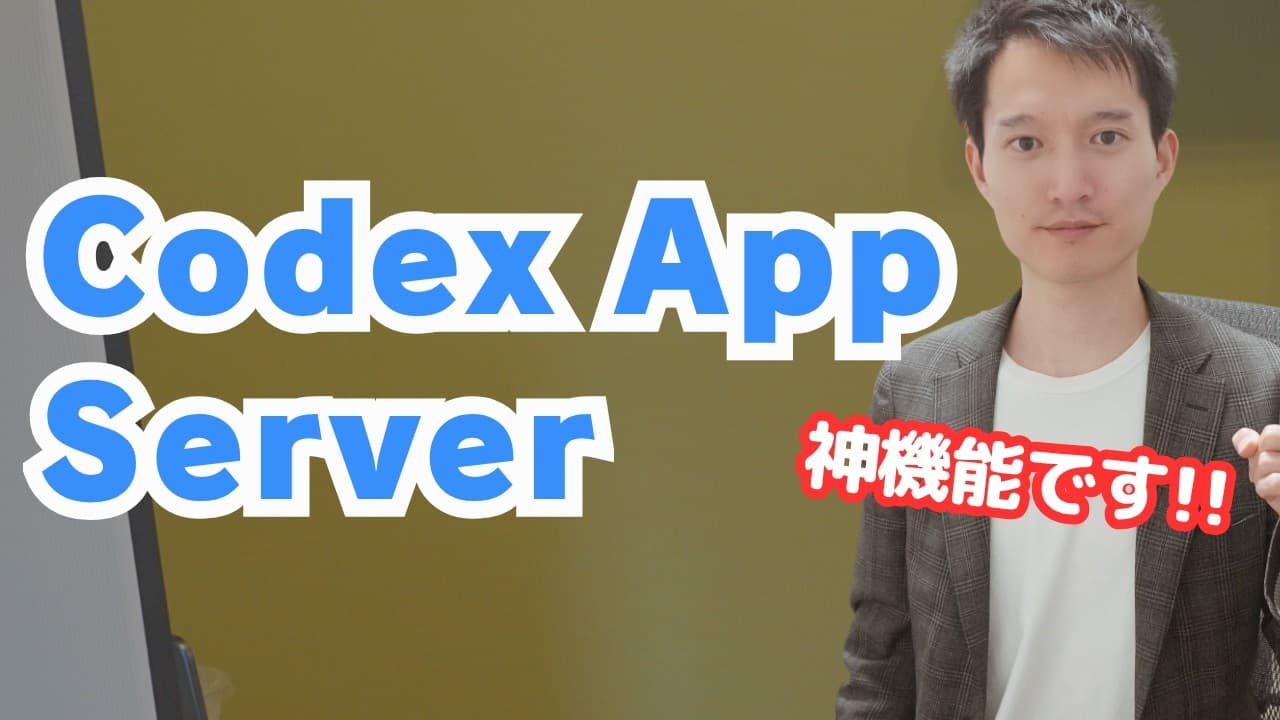
How to Build AI Apps with Codex App Server
TL;DR
Codex App Server connects a custom application interface to Codex running locally in the background, turning chat-based AI skills into structured workflows. It can use a person's existing ChatGPT account within that account's usage limits, making it useful for internal desktop tools, human-friendly utilities, and interfaces designed specifically for Computer Use.
Transcript
Hi, hello there. I'm Keto. This channel covers the latest information and use cases for generative AI. Please be sure to subscribe to the channel. In this video, I'm going to explain Claude App Server. Do you all know about Claude App Server? The name sounds pretty complicated, but it's actually quite simple to use. And, it’s incredibly convenient.... Read More
Key Insights
- Codex App Server is a connection mechanism that places Codex behind a dedicated application interface, allowing actions taken through buttons and forms to be processed by Codex running locally in the background.
- The server is not itself a desktop application builder. Desktop packaging requires a separate mechanism, although that mechanism can be included in a reusable skill so an app with Codex integration can be produced through a simple instruction.
- Structured application interfaces are an alternative to chat-based AI interaction. A fixed workflow can make repeated tasks easier to understand by presenting only the relevant inputs, selections, buttons, and outputs instead of requiring users to compose prompts repeatedly.
- An existing ChatGPT account can be used to sign in to Codex App Server. The resulting application operates within the usage limits of that account, avoiding the need to make an external API key the primary access method.
- Local execution reduces the need to manage a separate server for the demonstrated workflow. Employees could receive a packaged application, such as a DMG file, and use its AI functions through the usage limits of their own ChatGPT accounts.
- The demonstrated YouTube application generates about 100 rough title ideas from an uploaded video, then uses the JEV model to evaluate whether those options could improve click-through rate, maintain audience retention, and satisfy specified YouTube requirements.
- Computer Use can struggle with existing public applications because their interfaces were not designed for AI operation. The presenter reports that video-editing control could be unstable and slow when an AI had to navigate conventional software through mouse actions.
- Purpose-built applications can be designed specifically for Computer Use by giving the AI predictable controls and known task logic. The demonstrated editing app already knew where controls were and how to detect silent sections, enabling fast processing without speeding up the footage.
Install to Summarize YouTube Videos and Get Transcripts
Explore YouTube Video Summarizer or Get YouTube Transcript Extractor
Questions & Answers
Q: What is Codex App Server?
Codex App Server is a mechanism for connecting a dedicated application's interface to Codex running in the background. A user operates buttons, forms, and other organized controls, while local Codex processes the requested tasks. It effectively places a visual interface over capabilities that would otherwise be accessed through a chat-based exchange or an existing Codex skill.
Q: How does Codex App Server differ from a desktop app builder?
Codex App Server provides the connection between an application and a Codex backend, but it does not independently create or package desktop applications. The presenter obtained a desktop app in one step because a separate desktop conversion mechanism had already been included in a custom app-building skill. Other applications can also connect to Codex through the same server mechanism.
Q: How can Codex skills become easier to use through an app?
A Codex skill can be placed behind a dedicated interface containing predefined inputs, buttons, model choices, and outputs. Users no longer need to describe every action through an open-ended conversation. For example, a slide application can ask for a design, title, content, slide count, and model, then generate the presentation when the user selects the Generate button.
Q: Can Codex App Server use an existing ChatGPT account?
Codex App Server can be accessed using the user's own ChatGPT account, according to the demonstration. The application can therefore operate within the usage limits of the plan the person already has. The presenter identifies this account-based local setup as the biggest practical difference from building the same AI functionality primarily around an external API key.
Q: How could a company distribute tools built with Codex App Server?
A company could package a Codex-connected application as a desktop installer, with a DMG file given as the example, and distribute it to employees. Each employee could then use the tool through their own ChatGPT account and its usage limits. This approach supports a consistent, fixed workflow without requiring every employee to conduct the task manually through chat.
Q: How does the demonstrated YouTube title evaluation app work?
The proposed application accepts an uploaded YouTube video and uses a fast AI model to create about 100 rough title ideas. It then runs the JEV model in the background to evaluate those candidates. The requested evaluation considers whether a title could increase click-through rate, maintain audience retention, and clear the requirements defined for the YouTube workflow.
Q: Why design applications specifically for Computer Use?
Existing public applications can be difficult for Computer Use to navigate reliably because the AI may become confused by their interfaces and mouse-based operation. The presenter experienced slow and unstable behavior with conventional video-editing software. A purpose-built application can instead expose known buttons, predictable layouts, and narrowly defined operations that the AI can execute with greater speed and precision.
Q: When is a fixed app interface preferable to chat?
A fixed interface is preferable when a task follows a repeated, well-defined sequence and users benefit from seeing the required choices directly. Chat remains useful, but it can be confusing for workflows with standard inputs and outputs. An organized application can present design choices, titles, content fields, model selection, and generation controls in a consistent arrangement.
Summary & Key Takeaways
-
Codex App Server provides a connection between an application's interface and a locally running Codex backend. Instead of asking for every task through chat, users can work with buttons, forms, model selectors, and fixed workflows. The server supplies Codex capabilities, while a separate mechanism creates and packages the desktop application itself.
-
The demonstration builds a YouTube workflow that uploads a video, rapidly generates about 100 rough title ideas, and uses the JEV model to evaluate them. The proposed criteria include likely click-through rate, audience retention, and whether each title satisfies the requirements considered important for a successful YouTube upload.
-
The presenter sees particular value in applications designed for Computer Use. Existing public software can be confusing, slow, or unstable for mouse-based AI operation. A purpose-built interface can expose predictable buttons and task-specific controls, while Codex handles processing locally, producing workflows that are also convenient for human users.
Read in Other Languages (beta)
Share This Summary 📚
Summarize YouTube Videos and Get Video Transcripts with 1-Click
Try YouTube Summary with ChatGPT & Claude or YouTube Transcript Generator
Explore More Summaries from KEITO【AI&WEB ch】 📚





Summarize YouTube Videos and Get Video Transcripts with 1-Click
Try YouTube Summary with ChatGPT & Claude or YouTube Transcript Generator