How to Write Effective YouTube Video Scripts
TL;DR
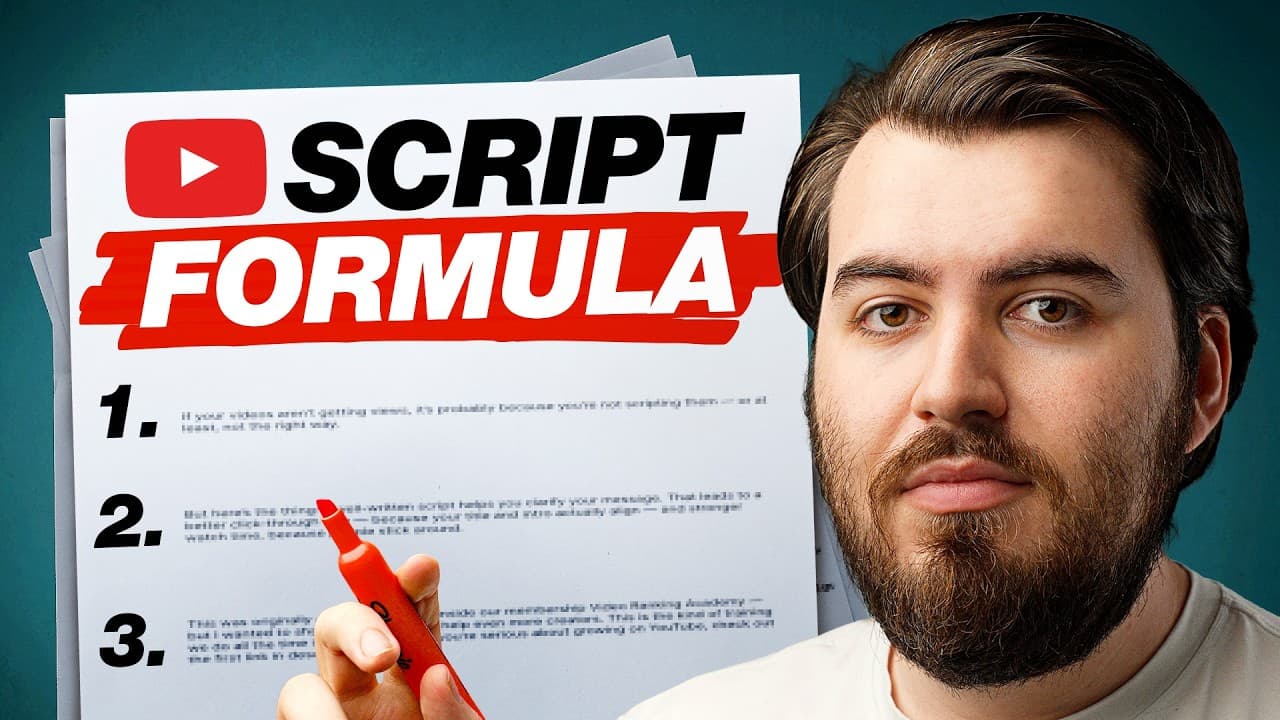
A well-written YouTube script is crucial for clarifying your message, improving click-through rates, and enhancing watch time by aligning your title and intro. Effective scripting involves planning, addressing viewer pain points, and using AI tools to streamline the process. This approach ensures your content is engaging, concise, and viewer-focused.
Transcript
if your videos aren't getting views it's probably because you're not scripting them or at least not the right way see a lot of creators don't script because it feels like a waste of time or because they feel they won't be authentic but here's the thing a well-written script helps you clarify your message which leads to better click-through rate bec... Read More
Key Insights
- Scripting clarifies your message, leading to better click-through rates and viewer retention.
- Planning your video script is essential to avoid vague content and ensure alignment with your title.
- A good hook should address viewer pain points and promise a solution within the first 10 seconds.
- Avoid filler phrases in your intro to maintain viewer engagement and interest.
- Using AI tools like ChatGPT can help streamline the scripting process by generating outlines and addressing viewer pain points.
- Clarity and directness in language are more effective than cleverness for broader audience appeal.
- Personal stories and a conversational tone enhance viewer connection and engagement.
- A strong call to action at the end of the video encourages viewer interaction and increases channel engagement.
Install to Summarize YouTube Videos and Get Transcripts
Explore YouTube Video Summarizer or Get YouTube Transcript Extractor
Questions & Answers
Q: How to improve YouTube video click-through rates?
To improve YouTube video click-through rates, ensure your video title and intro align and clearly convey the video's value. A well-crafted script that addresses viewer pain points and promises a specific solution can entice viewers to click. Additionally, using engaging thumbnails and optimizing video titles with relevant keywords can significantly boost click-through rates.
Q: What is the importance of scripting YouTube videos?
Scripting YouTube videos is vital as it clarifies your message, aligns your title and content, and improves viewer retention. A well-written script helps in crafting a compelling hook, addressing viewer pain points, and maintaining a clear narrative. This approach not only saves time during filming and editing but also enhances the overall quality and effectiveness of your videos.
Q: How can AI tools assist in video scripting?
AI tools like ChatGPT can assist in video scripting by generating outlines, identifying viewer pain points, and suggesting engaging content ideas. These tools streamline the scripting process, allowing creators to focus on delivering clear and concise messages. By interacting with AI, creators can refine their scripts to ensure they are engaging and tailored to their audience.
Q: What makes a good video hook?
A good video hook quickly captures attention within the first 5-10 seconds by addressing a specific pain point, sparking curiosity, or promising a result. It should align with the video's title and provide a compelling reason for viewers to continue watching. Avoiding vague intros and getting straight to the point is crucial for maintaining viewer interest.
Q: Why is clarity preferred over cleverness in video scripts?
Clarity is preferred over cleverness in video scripts because it ensures the message is easily understood by a broad audience. Using simple, conversational language makes the content accessible and relatable, preventing viewers from becoming confused or losing interest. This approach enhances viewer engagement and retention, leading to more successful videos.
Q: How can personal stories enhance video engagement?
Personal stories enhance video engagement by creating a relatable and authentic connection with the audience. Sharing personal experiences adds a human element to the content, making it more memorable and impactful. This approach helps viewers feel more connected to the creator, increasing their likelihood of staying engaged and returning for future content.
Q: What is the role of a call to action in YouTube videos?
A call to action (CTA) in YouTube videos encourages viewer interaction and engagement by prompting them to take specific actions, such as commenting, liking, subscribing, or watching another video. A well-placed CTA can increase channel interaction and retention, as it guides viewers on their next steps, reinforcing the video's value and fostering a sense of community.
Q: How can I ensure my video script is viewer-focused?
To ensure your video script is viewer-focused, start by understanding your audience's pain points and interests. Craft your script to address these directly, using clear and concise language. Incorporate engaging hooks, personal stories, and a strong call to action. Regularly assess viewer feedback and analytics to refine your approach and better meet viewer needs.
Summary & Key Takeaways
-
Effective video scripting starts with planning and aligning your title and content to enhance viewer engagement. Addressing specific viewer pain points in the hook ensures viewers stay interested. Avoid filler phrases and maintain clarity for broader appeal.
-
AI tools like ChatGPT can aid in creating concise and viewer-focused scripts. Personal stories and a conversational tone enhance viewer connection, while a strong call to action at the end boosts channel interaction.
-
A structured approach to scripting, including a clear hook and addressing viewer pain points, leads to better click-through rates and watch time. This method is essential for growing a successful YouTube channel.
Read in Other Languages (beta)
Share This Summary 📚
Summarize YouTube Videos and Get Video Transcripts with 1-Click
Try YouTube Summary with ChatGPT & Claude or YouTube Transcript Generator
Explore More Summaries from Think Media 📚


Summarize YouTube Videos and Get Video Transcripts with 1-Click
Try YouTube Summary with ChatGPT & Claude or YouTube Transcript Generator