How to Build Autonomous n8n Agents with Claude Code
TL;DR
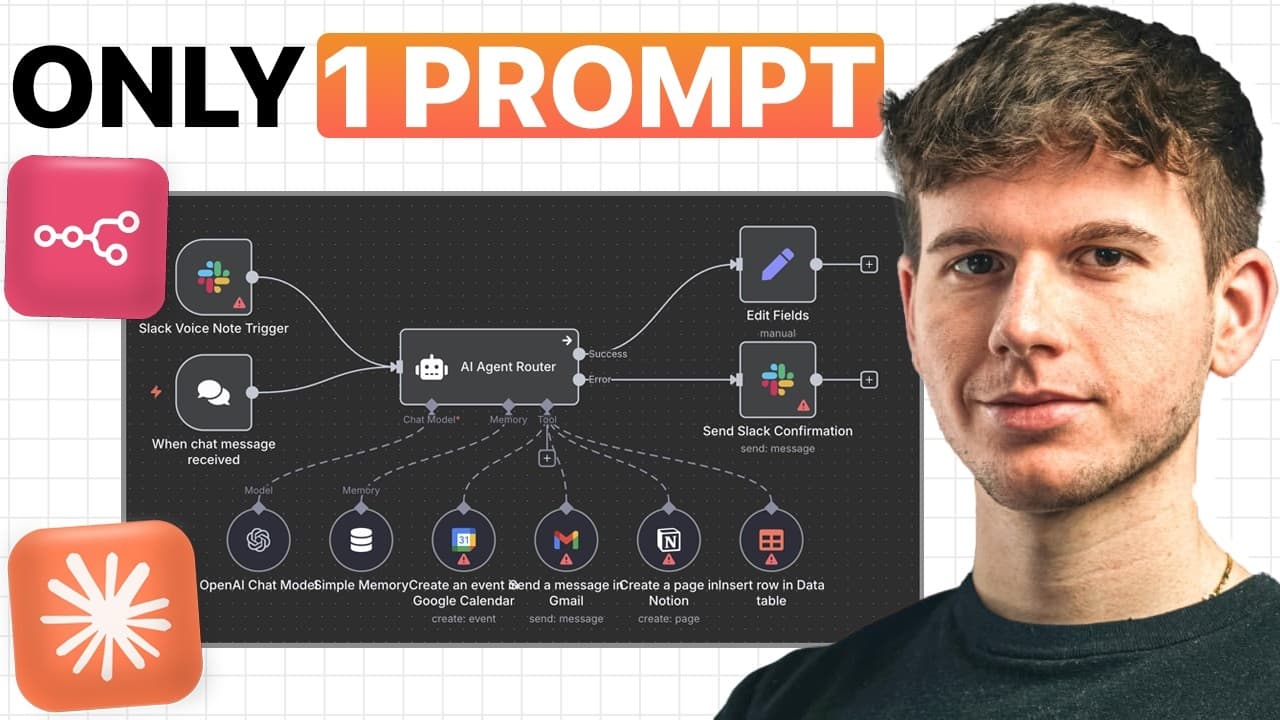
You can build autonomous n8n agents with Claude Code by installing it in Visual Studio Code, connecting the n8n Skills and MCP Server, and describing the workflow in a prompt. The demonstrated setup raises the reported workflow success rate from 40% with standard Claude to 95% and can create email, calendar, and research sub-agents. Read on for the setup requirements, MCP logic, and practical limitations.
Transcript
You've probably seen a ton of tutorials on cloud code around YouTube, and that's because it is generally one of the most powerful AI tools there is out there on the planet right now. Now, I've already shown you how regular Cloud can build workflows just by using a single prompt. But after testing it, we found that it only works 40% of the time, whi... Read More
Key Insights
- Claude Code is a more powerful version of Claude, offering structured thinking and improved functionalities.
- The n8n Model Context Protocol (MCP) enables Claude Code to connect with software without direct communication.
- Visual Studio Code is used to host Claude Code due to its simplicity and ease of use for non-coders.
- Claude Code requires a paid plan to use, starting at $20 per month for the Pro plan.
- The setup involves creating a system prompt file (CLAUDE.md) to guide Claude Code's operations.
- n8n Skills and MCP Server from GitHub are essential for Claude Code to build workflows effectively.
- The process includes creating a folder in Visual Studio Code to store project files and context.
- Claude Code can handle complex multi-agent systems, but users need to fine-tune the final setup for optimal performance.
Install to Summarize YouTube Videos and Get Transcripts
Explore YouTube Video Summarizer or Get YouTube Transcript Extractor
Questions & Answers
Q: How do you build autonomous n8n agents with Claude Code?
Install Visual Studio Code and its Claude Code extension, create a project folder, and connect Claude Code to the n8n Skills and MCP Server. You can then describe the agent in a prompt, and Claude Code uses the n8n context to generate and store the workflow in n8n.
Q: How do you set up Claude Code in Visual Studio Code?
Download Visual Studio Code, open Extensions from the left sidebar, search for Claude Code, and install the first listed extension. Next, create a desktop folder such as “n8n agent builder,” open it in Visual Studio Code, trust its authors, and open the Claude Code chat interface.
Q: What does the n8n Model Context Protocol do?
MCP stands for Model Context Protocol and connects Claude Code to software without requiring the user to communicate with that software directly. The n8n MCP supplies information about n8n nodes and other relevant data so Claude Code can create the requested workflow.
Q: Why is Claude Code more effective than standard Claude for n8n workflows?
The presenter reports that workflows created by regular Claude from a single prompt worked only 40% of the time. With Claude Code’s more structured thinking, added functionality, and n8n MCP setup, the reported success rate rises to 95%.
Q: What subscription is required to use Claude Code?
Claude Code requires a Pro, Teams, or Enterprise plan and is not free to use. The Pro plan described in the tutorial starts at $20 per month.
Q: What is the purpose of the project folder and CLAUDE.md file?
The project folder stores information on the user’s computer so Claude Code can use it when answering questions and building workflows. The CLAUDE.md file acts as a system prompt that provides instructions and context for Claude Code’s operations.
Q: Can Claude Code create a multi-agent system in n8n?
Yes. The demonstration builds a system with a Telegram trigger and separate sub-agents for email, calendar, and research tasks, combining them into one multi-agent workflow.
Q: Does Claude Code produce finished n8n workflows without any adjustments?
Not always. The demonstration required minor setup adjustments, and users may need to fine-tune the resulting multi-agent system for optimal performance.
Summary & Key Takeaways
-
Claude Code enhances AI workflow creation by using n8n Model Context Protocol, achieving a 95% success rate compared to standard Claude's 40%. The video guides users through setting up Claude Code in Visual Studio Code and demonstrates building a complex multi-agent system using chat prompts.
-
The setup process involves downloading Visual Studio Code, installing the Claude Code extension, and configuring it with n8n Skills and MCP from GitHub. Users create a system prompt file to instruct Claude Code, enabling it to autonomously generate workflows.
-
A live demonstration shows Claude Code building a multi-agent system with Telegram triggers and sub-agents for email, calendar, and research tasks. Despite minor setup adjustments, Claude Code provides a strong foundation for creating AI agents, especially for beginners.
Read in Other Languages (beta)
Share This Summary 📚
Summarize YouTube Videos and Get Video Transcripts with 1-Click
Try YouTube Summary with ChatGPT & Claude or YouTube Transcript Generator
Explore More Summaries from Michele Torti 📚



Summarize YouTube Videos and Get Video Transcripts with 1-Click
Try YouTube Summary with ChatGPT & Claude or YouTube Transcript Generator