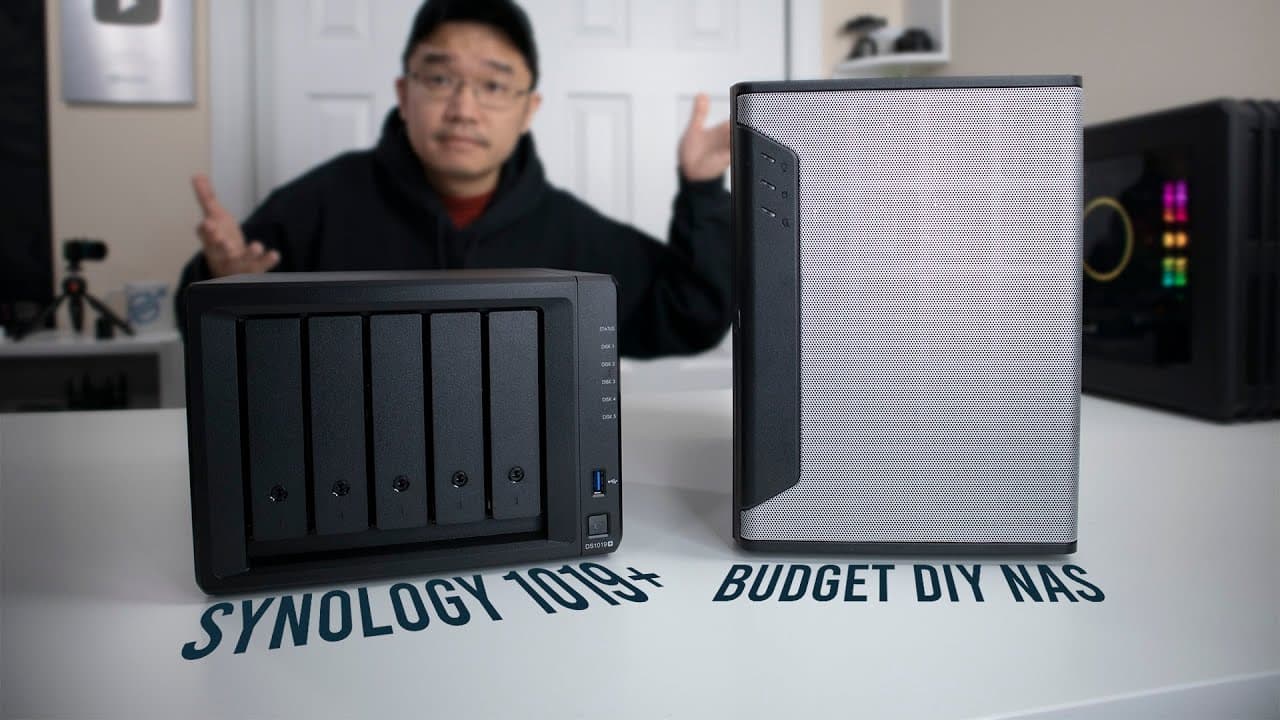
Synology 1019+ NAS vs DIY NAS: Which Is Better?
TL;DR
The Synology 1019 Plus offers a user-friendly, plug-and-play experience with advanced features and built-in support, making it ideal for less tech-savvy users. In contrast, a budget DIY NAS provides more flexibility and customization but requires significant setup, making it better suited for those comfortable with building their own systems. Ultimately, the choice depends on your preference for convenience versus hands-on configuration.
Transcript
and guys what's going on it's down here from Nova spirit Tech and welcome back to the channel and today we are gonna be taking a look at the Synology 1019 plus so let's get started before we begin I do want to thank Synology for sending me over this 1019 plus 4 review and I could say it's probably because of this budget as I built a couple of month... Read More
Key Insights
- 🖐️ The Synology 1019 Plus is designed for users who prefer a plug-and-play experience, contrasting with the more complex nature of custom builds.
- 🏛️ Both NAS options excel at video transcoding, but their performance varies based on specific build configurations and hardware used.
- 🏛️ The price of hard drives is a significant variable in total costs when building a NAS, as it can greatly affect the budget.
- 🧑💻 Synology provides excellent software support and updates, enhancing usability and security for less tech-savvy users.
- ✊ Energy consumption is an important consideration, with Synology’s setup being more power-efficient than the custom build, making it suitable for 24/7 operation.
- 👤 The convenience of features like automated offloading for video editing tasks significantly enhances the user experience with Synology.
- 🥺 Configuring a custom NAS can lead to a steeper learning curve, which may deter users who are not technically inclined.
Install to Summarize YouTube Videos and Get Transcripts
Explore YouTube Video Summarizer or Get YouTube Transcript Extractor
Questions & Answers
Q: What are the key specifications of the Synology 1019 Plus?
The Synology 1019 Plus features an Intel Celeron J3455 CPU with a base clock of 1.5 GHz and a boost of 2.3 GHz. It includes 4 cores, 8 GB of DDR3 RAM, and supports up to 10 bays for hard drives, providing flexibility and ample storage options for users.
Q: How does the transcoding performance of both units compare?
The Synology 1019 Plus can handle up to nine simultaneous 1080p video streams effectively, thanks to its efficient CPU architecture. In contrast, the budget build struggles to maintain performance, averaging around seven streams before experiencing buffering issues, particularly with more demanding video formats.
Q: What are the main advantages of the Synology 1019 Plus over the custom build?
The Synology 1019 Plus offers a ready-to-use operating system and integrated features such as easy USB data transfer, making it more convenient for non-technical users. Additionally, it provides excellent customer support, automatic updates, and easier configuration compared to the hands-on setup required for custom builds.
Q: Is the price difference between the Synology 1019 Plus and the budget build justified?
While the Synology 1019 Plus is approximately $150 more expensive, this premium is justified for users seeking convenience, ease of use, and a reliable NAS experience without the hassle of assembling and configuring their system from scratch.
Summary & Key Takeaways
-
This video reviews and compares the Synology 1019 Plus to a custom-built budget NAS, discussing their specifications, performance, and usability.
-
The Synology unit is praised for its ease of use and built-in operating system, while the budget build requires extensive setup but offers more customization.
-
Key features such as transcoding capabilities, energy efficiency, and data management options are analyzed, aiding viewers in selecting the right solution for their needs.
Read in Other Languages (beta)
Share This Summary 📚
Summarize YouTube Videos and Get Video Transcripts with 1-Click
Try YouTube Summary with ChatGPT & Claude or YouTube Transcript Generator
Explore More Summaries from Novaspirit Tech 📚






Summarize YouTube Videos and Get Video Transcripts with 1-Click
Try YouTube Summary with ChatGPT & Claude or YouTube Transcript Generator