How to Add Error Bars in Excel 2013 Graphs
TL;DR
To add error bars to a graph in Excel 2013, first calculate the mean and standard deviation for your dataset. Then, create a bar graph, select the bars, and use the 'Add Chart Element' option to select 'Error Bars.' Choose 'More Error Bar Options' and specify custom values based on your standard deviations to display error bars accurately.
Transcript
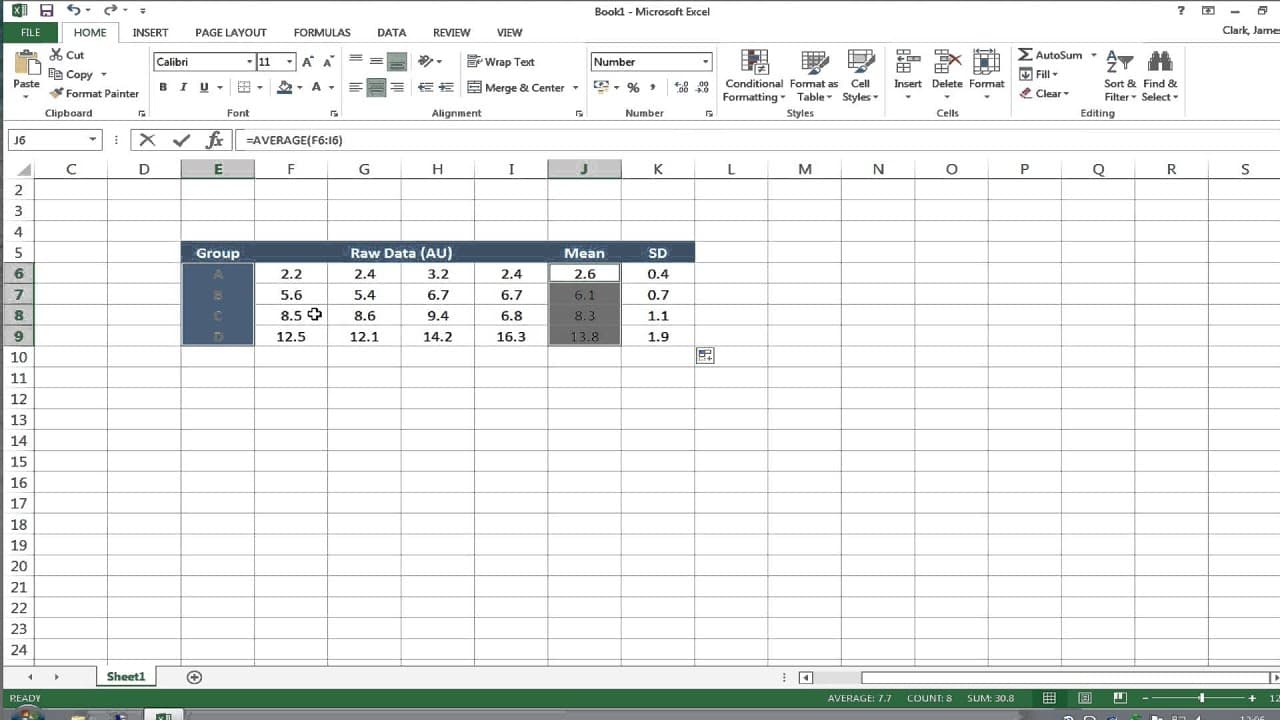
hello this is a very quick tutorial looking at Microsoft Excel version 2013 for Windows and how to plot a graph showing the mean and the standard deviation of that mean as error bars on the graph what we have on the screen in front of us is some fictitious data are just typed into the cells showing four replicates in four different groups a b c and... Read More
Key Insights
- 👻 Excel 2013 allows users to easily calculate the mean and standard deviation of a dataset using specific formulas.
- 💁 Formatting the decimal places of mean and standard deviation cells is essential for clarity and precision.
- 📊 Adding error bars to a graph in Excel requires customizing the error bar options, which can be found in the chart elements menu.
Install to Summarize YouTube Videos and Get Transcripts
Explore YouTube Video Summarizer or Get YouTube Transcript Extractor
Questions & Answers
Q: How can I calculate the mean and standard deviation in Excel versions prior to 2013?
In Excel 2013, you can use the formulas "=AVERAGE()" to calculate the mean and "=STDEV()" to calculate the standard deviation. In earlier versions of Excel, these formulas might be slightly different.
Q: Can I change the number of decimal places for the mean and standard deviation cells?
Yes, you can format the cells by selecting them, right-clicking, choosing "Format Cells," and adjusting the decimal places in the Number tab.
Q: How can I plot error bars in Excel if the specific option is not available?
If you can't find the error bars option immediately, you can select the bars in your graph and go to "Add Chart Element" > "More Error Bar Options" to customize the error bars.
Q: Is it possible to customize error bars for each individual bar in the graph?
Yes, you can customize error bars individually by selecting a specific data point on the graph and adjusting the positive and negative error values in the floating box that appears.
Summary & Key Takeaways
-
The tutorial demonstrates how to calculate the mean and standard deviation of a dataset using Excel formulas.
-
It shows how to format the mean and standard deviation cells and extend the formulas to other rows.
-
The tutorial then explains how to create a bar graph and add error bars by customizing the error bar options.
Read in Other Languages (beta)
Share This Summary 📚
Summarize YouTube Videos and Get Video Transcripts with 1-Click
Try YouTube Summary with ChatGPT & Claude or YouTube Transcript Generator
Explore More Summaries from Dory Video 📚






Summarize YouTube Videos and Get Video Transcripts with 1-Click
Try YouTube Summary with ChatGPT & Claude or YouTube Transcript Generator