Is It Easy to Use the Mars SLA 3D Printer for Beginners?
TL;DR
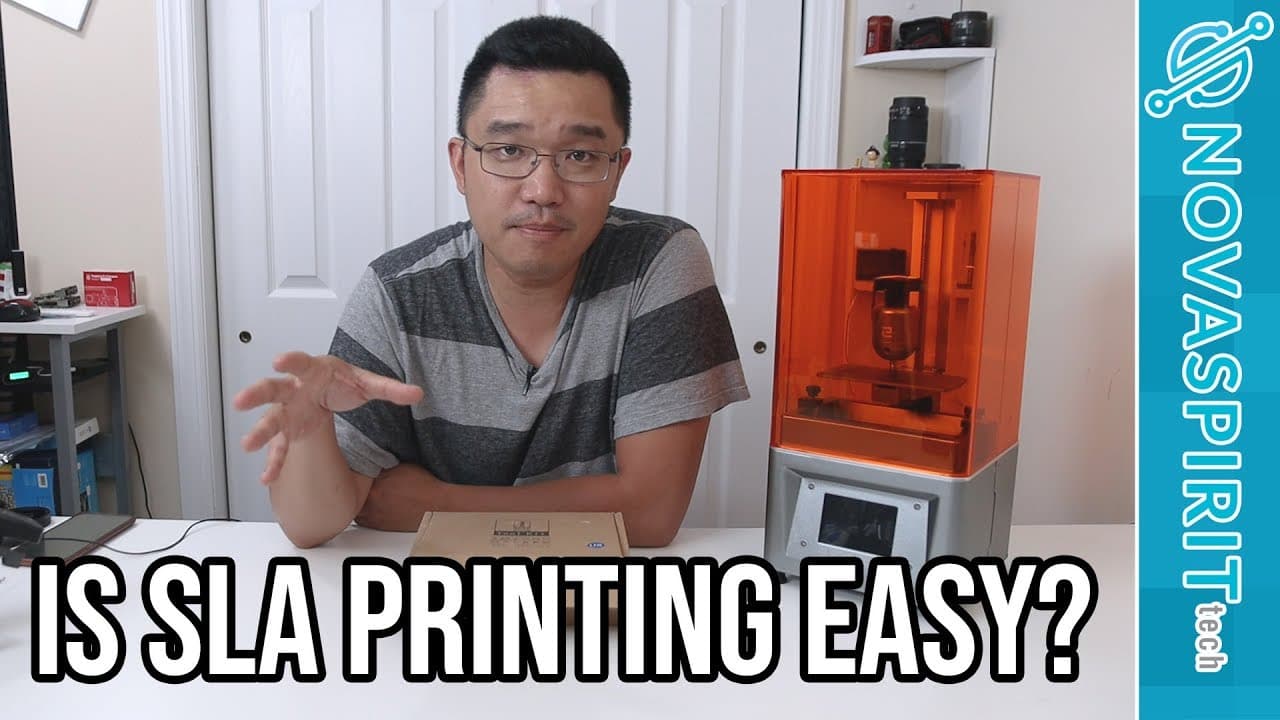
Yes, the Mars SLA 3D printer is user-friendly and suitable for beginners. It includes essential tools and clear instructions, making the setup process accessible, although leveling the print bed requires attention. While printing speed is slower than traditional FDM printers, the high-quality prints produced make it a worthwhile investment for those interested in detailed models.
Transcript
hey guys what's going on it's dawn here from Nova spirit Tech and today we are gonna be taking a look at the Mars SLA 3d printer so let's get started elgu was nice enough to send me this 3d printer as a product for product review and that's what I'm here to do today now I always wanted an SLA 3d printer and I wanted one for a very long time but I w... Read More
Key Insights
- 🖨️ The Mars SLA 3D printer is designed with intuitive features that make it accessible to novice users, easing the learning curve associated with SLA printing.
- 😷 Included tools and safety gear, such as gloves and masks, are essential for handling resin safely and effectively during the printing process.
- 🖨️ The printer's setup requires careful attention, particularly when leveling the print bed, which can significantly affect print success and quality.
- 👣 Users need to understand the relationship between model dimensions and print time, as height tends to be the critical factor in SLA printing duration.
- 🖨️ Even though the printer is slower than standard FDM printers, the complexity of the prints achievable with SLA technology justifies the wait for many users.
- 👂 The sound produced by the printer during operation is manageable, but users should be aware of potential noise levels during prolonged printing sessions.
- 👾 Dawn noted that while the printer's build and material quality are commendable, the design of the lid could pose space challenges for storage.
Install to Summarize YouTube Videos and Get Transcripts
Explore YouTube Video Summarizer or Get YouTube Transcript Extractor
Questions & Answers
Q: What tools are included with the Mars SLA 3D printer?
The Mars SLA 3D printer kit comes with gloves, an AC/DC adapter, Allen wrenches, wood screws, snips, a plastic spatula, filters for pouring resin back, and a protective UV shield. These tools are crucial for setting up the printer, handling the resin, and maintaining safety during the printing process, especially for beginners who might not have all these supplies on hand.
Q: How does Dawn describe her experience with the leveling of the print bed?
Dawn found leveling the print bed to be straightforward, contrary to her initial intimidation. She simply had to loosen and tighten screws to achieve the right height. The instructions were clear, allowing her to raise the platform and secure it easily. This ease of leveling is significant for novice users who might be apprehensive about setting up the printer.
Q: What challenges did Dawn face during her first print?
During her first print attempt, Dawn underestimated the time required due to the height of the models she selected. She initially chose larger models that would take three hours to print but opted for smaller ones to reduce the duration. This phase taught her about the relationship between print height and duration in SLA printing, which is crucial for effectively managing print jobs.
Q: What is Dawn's assessment of the print quality produced by the Mars SLA printer?
Dawn was impressed with the print quality produced by the Mars SLA printer, emphasizing that the fine resolution is suitable for intricate designs, such as jewelry and small figurines. The high-quality prints met her expectations, demonstrating the printer's capability to produce detailed objects, despite the slower print speeds when compared to traditional 3D printers.
Q: How did Dawn handle the resin during the printing process?
Dawn managed the resin by using a tray to catch any spills while pouring it back into the bottle after printing. She emphasized the importance of using filters to remove debris, ensuring the resin remains clean for future use. Additionally, she handled the resin carefully, maintaining safety by wearing gloves and a mask to minimize exposure to any possible irritation from fumes.
Summary & Key Takeaways
-
Dawn receives the Mars SLA 3D printer for review and shares that her previous experience with SLA printing is minimal, but her initial experience shows that it's user-friendly and intuitive for beginners.
-
The printer includes essential tools and materials, like gloves, filters, and an instruction manual, that help new users navigate the setup, though the setup process can be time-consuming.
-
After successfully leveling the print bed and completing a small print, Dawn praises the quality of the prints but notes that SLA printing is slower than traditional filament printing, which could be a disadvantage for those needing larger quantities.
Read in Other Languages (beta)
Share This Summary 📚
Summarize YouTube Videos and Get Video Transcripts with 1-Click
Try YouTube Summary with ChatGPT & Claude or YouTube Transcript Generator
Explore More Summaries from Novaspirit Tech 📚






Summarize YouTube Videos and Get Video Transcripts with 1-Click
Try YouTube Summary with ChatGPT & Claude or YouTube Transcript Generator