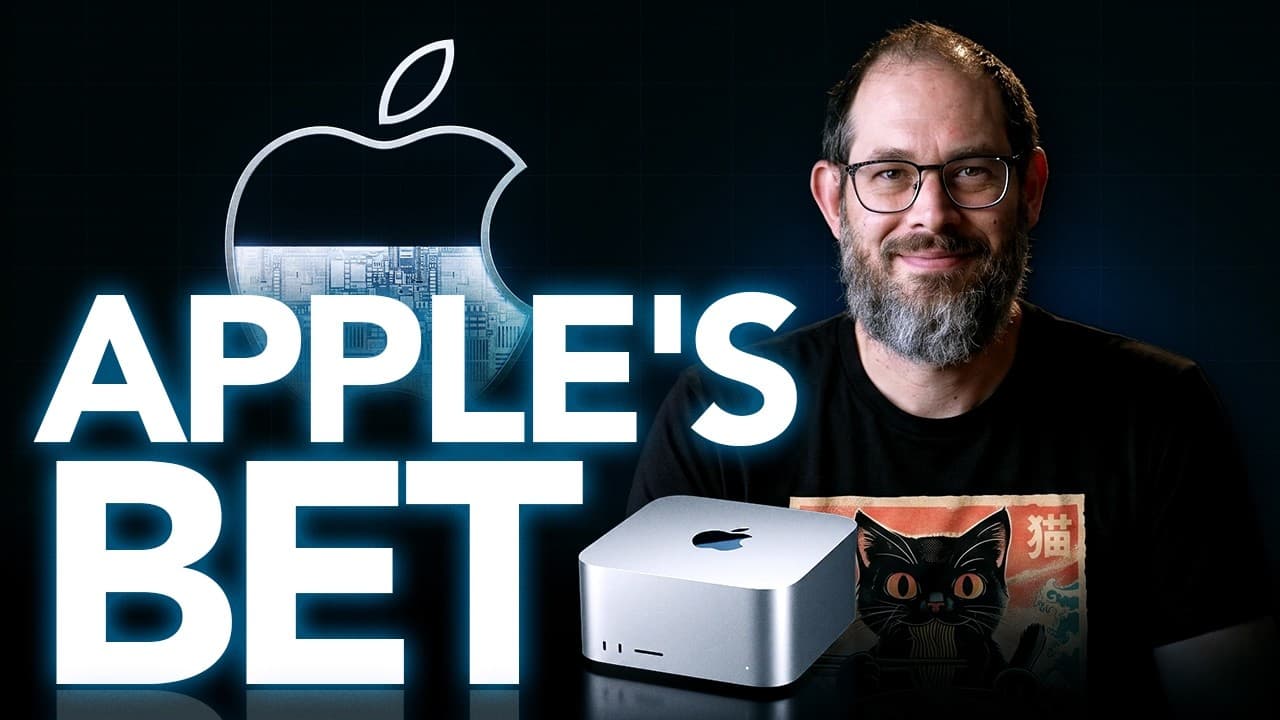
How to own local AI with Apple’s new Mac lineup
TL;DR
Local AI on the new Mac line offers a ladder from basic to high memory machines. The key choice is between owning local intelligence on a desktop or renting via frontier cloud, with memory and bandwidth shaping how many agents you can run. Apple signals a shift toward practical on device AI for prosumers.
Transcript
Apple just refreshed the entire desktop Mac line around local AI. The machines began arriving September 22nd, although the headline 512 gigabyte configuration does not arrive until late October. Very Apple. At first glance, this looks like Apple challenging Nvidia for AI compute. Now, I know what you're thinking. 512 GB still will not hold every en... Read More
Key Insights
- Local AI on the desktop Mac line is designed to let buyers own and run models on device rather than rent all compute from the cloud.
- The memory ladder from Mac Mini to Studio determines how many agents and how large a local model can operate simultaneously.
- Apple places the M6 at the bottom of the line to emphasize urgency and leave room for stronger chips in higher tiers.
- There is no M6 Pro or Ultra yet, which reflects a staged rollout and a focus on immediate local compute needs.
- The strategy contrasts cloud frontier agents with smaller, cheaper local intelligence that can run on device.
- Buyers must decide between owning local intelligence and paying for electricity versus renting tokens with a cloud model.
- Apple markets the Mac as a computer where an AI agent can live, integrating AI into the everyday Mac experience.
- Pricing is premium, reinforcing the shift toward high-end local AI hardware rather than low-cost accessibility.
- More videos from this channel:
- More from this channel: AI News & Strategy Daily | Nate B Jones
Install to Summarize YouTube Videos and Get Transcripts
Explore YouTube Video Summarizer or Get YouTube Transcript Extractor
Questions & Answers
Q: How does Apple’s new Mac lineup change the way I run AI models locally
Apple’s new Mac lineup is built around local AI with a memory and bandwidth ladder that lets a user run multiple agents on device. The M6 at the base supports lighter local models, while higher tiers like M5 Pro, M5 Max, and M5 Ultra offer more memory and bandwidth to support several models or agents. This structure is designed to enable on device inference without token meters, though it comes at premium hardware prices.
Q: What does putting the M6 at the bottom of the line imply
Placing the M6 at the bottom signals urgency and a staged strategy. It shows Apple wants to provide some level of local compute now, while reserving room for more powerful chips later. This placement also emphasizes that the overall goal is an ecosystem where AI can run locally on a Mac, not just in the cloud, even as higher tiers provide more capability.
Q: How many agents can you run on the different Mac configurations
The memory and bandwidth on each configuration determine how many agents can run concurrently. The base Mac Mini with M6 supports lighter local models and core agents, while the M5 Pro increases memory to 64 GB, and the M5 Max/Ultra top out at 128 GB and 512 GB respectively, enabling multiple agents or larger local models. The exact number depends on the agent sizes and workloads.
Q: What is the fundamental bet Apple is making about AI models
Apple bets that a meaningful share of AI work can be done locally on well equipped desktops, justifying owning hardware rather than paying recurring cloud costs. They argue that frontier intelligence may still live in the cloud for many tasks, but a substantial portion of everyday work can run efficiently on device, making the upfront hardware investment worthwhile.
Q: How does this launch relate to Nvidia and cloud frontier computing
The launch positions Apple as offering a complete desktop AI machine with local inference, contrasting with frontier cloud compute like Nvidia’s solutions. It suggests a dual path where Apple supports local agents on device while frontier agents move to cloud infrastructures, creating a broader market where both owning and renting AI are viable options.
Q: What is the role of memory bandwidth in running local AI on these Macs
Memory bandwidth directly affects how large a local model can be and how many agents can run in parallel. Higher bandwidth in the M5 Pro, M5 Max, and M5 Ultra enables more demanding workloads, larger models, and simultaneous agents, which is essential for transforming a Mac into a capable on device AI workstation.
Q: Why would someone choose the lower memory Mac Mini over higher end models
A lower memory Mac Mini is suitable for running smaller local models and a single or a few agents, providing a practical on device AI option at a lower price point. It serves as an always-on desk side machine that can support ongoing tasks, apps, and a modest local model, making it a stepping stone toward more capable configurations.
Q: What are the implications for future Apple device integration with AI
The integration implies a broader Apple ecosystem where AI agents on a Mac can sync with iPhone, iPad, and other devices, enabling a cohesive AI workflow across the ecosystem. This suggests Apple intends to unify hardware, software, and AI models into a seamless experience, reinforcing the idea of owning intelligence on the device.
Summary & Key Takeaways
-
Apple rebuilt the desktop Mac line around local AI and presents a memory and bandwidth ladder from Mac Mini to Studio to support multiple agents.
-
The strategy emphasizes owning local intelligence over renting cloud frontier compute, while acknowledging that frontier agents are moving to cloud services.
-
Pricing and chip placement (M6 at the bottom, M5 Pro/Max/Ultra higher) signal urgency to place local AI capabilities in a broad market.
-
The platform aims to balance practical on device models with the ecosystem and future cloud developments, suggesting a mixed model rather than a pure on device or cloud approach.
Read in Other Languages (beta)
Share This Summary 📚
Summarize YouTube Videos and Get Video Transcripts with 1-Click
Try YouTube Summary with ChatGPT & Claude or YouTube Transcript Generator
Explore More Summaries from AI News & Strategy Daily | Nate B Jones 📚





Summarize YouTube Videos and Get Video Transcripts with 1-Click
Try YouTube Summary with ChatGPT & Claude or YouTube Transcript Generator