How to Install Starcraft on Raspberry Pi 4
TL;DR
To install the original Starcraft on a Raspberry Pi 4, first extract the installation files from a Windows machine. You'll need the game ISO and specific libraries to set up Wine. Use terminal commands to mount the ISO and execute the game, ensuring that you have the correct display settings for optimal gameplay.
Transcript
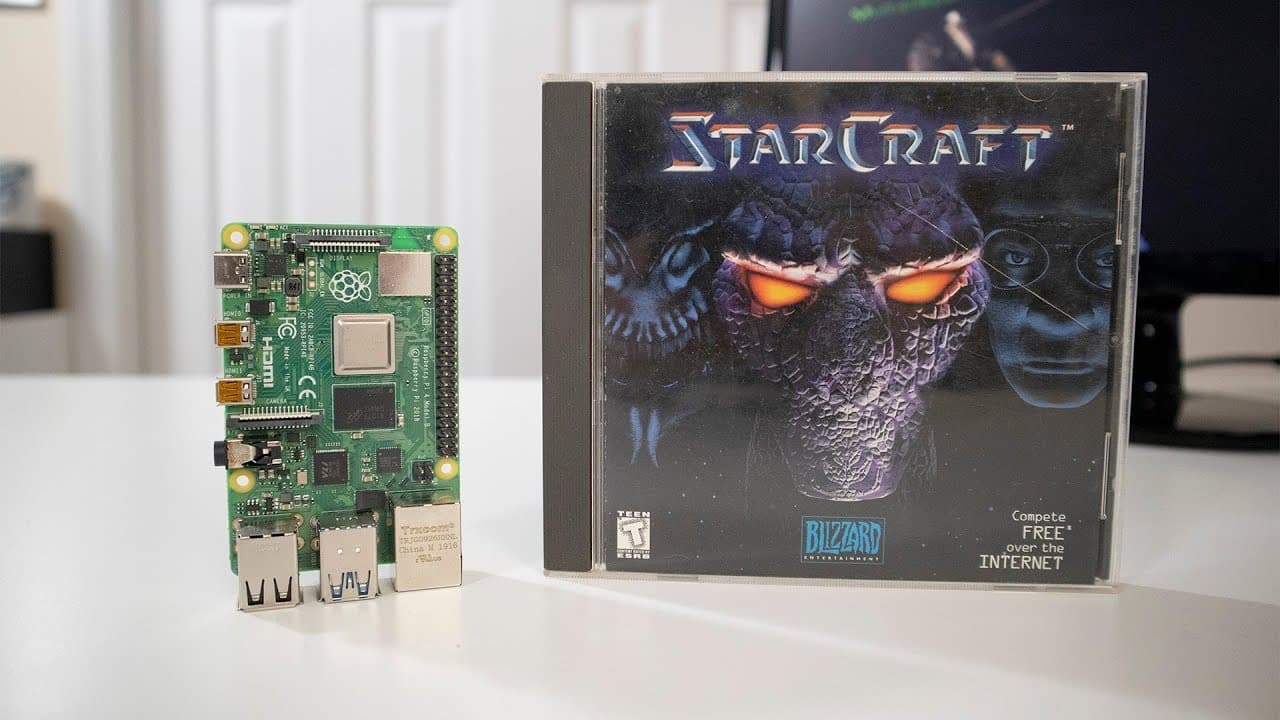
hey guys what is going on it's down here from Nova spirit Tech and today we are going to be installing Starcraft on our Raspberry Pi 4 and this is something I want to do right after my doom 3 video but yeah took a little bit of time I still actually have my original Starcraft CD imagine that I lived through high school with this so let's get starte... Read More
Key Insights
- 🎮 The video highlights the nostalgia of playing original games like Starcraft from the 90s, with firsthand accounts from the host.
- 🥶 Utilizing the Raspberry Pi for retro gaming can rejuvenate interest in old favorites and introduces a new audience to classic titles.
- 📁 Extracting ISO files using appropriate command-line techniques is crucial for those looking to run older games on modern systems.
- 📚 The importance of external tools, such as Wine and specific libraries, showcases the adaptability of the Raspberry Pi platform for diverse applications.
- 🎮 Successful gameplay experience relies heavily on properly configured display settings and optimizations to ensure smooth visuals.
- 👾 The community aspect of retro gaming is emphasized, inviting viewers to share their experiences and questions in the comments.
- 👾 The tutorial serves as a bridge between nostalgia and modern technology, providing a practical application for retro titles on contemporary hardware.
Install to Summarize YouTube Videos and Get Transcripts
Explore YouTube Video Summarizer or Get YouTube Transcript Extractor
Questions & Answers
Q: What prerequisites are necessary for installing Starcraft on a Raspberry Pi?
To install Starcraft on a Raspberry Pi, you need an original copy of the game, specifically both Starcraft and Brood War, and a Windows computer for extracting necessary installation files. Additionally, the installation involves using tools like Wine to run Windows applications on the Raspberry Pi.
Q: How does one extract files from the Starcraft ISO to install on the Raspberry Pi?
The extraction process requires mounting the ISO files using terminal commands on the Raspberry Pi. By copying the essential installation files from the mounted ISO and transferring them to the appropriate directory, the game can then be prepared for running.
Q: What role does Wine play in running Starcraft on the Raspberry Pi?
Wine acts as a compatibility layer that allows Windows applications to run on non-Windows operating systems. In this case, it helps run Starcraft on the Raspberry Pi's ARM architecture by translating the necessary executable files into a format the Raspberry Pi can execute.
Q: Is the installation process documented in the video user-friendly for beginners?
The installation process involves several terminal commands and steps that may be challenging for beginners. However, the video provides a comprehensive guide through verbal explanations and visual demonstrations, making it accessible for those willing to follow along carefully.
Summary & Key Takeaways
-
The video showcases the process of installing the original Starcraft game on a Raspberry Pi 4, starting with the necessary files and tools required for the installation.
-
It emphasizes the need for a Windows computer to extract installation files from the game’s ISO, along with required additional files for successful installation on the Raspberry Pi.
-
The tutorial shows various terminal commands to mount ISO files and set up an environment using Wine, which allows the game to run on the Raspberry Pi.
Read in Other Languages (beta)
Share This Summary 📚
Summarize YouTube Videos and Get Video Transcripts with 1-Click
Try YouTube Summary with ChatGPT & Claude or YouTube Transcript Generator
Explore More Summaries from Novaspirit Tech 📚






Summarize YouTube Videos and Get Video Transcripts with 1-Click
Try YouTube Summary with ChatGPT & Claude or YouTube Transcript Generator