How to automate AI video editing with Claude Code
TL;DR
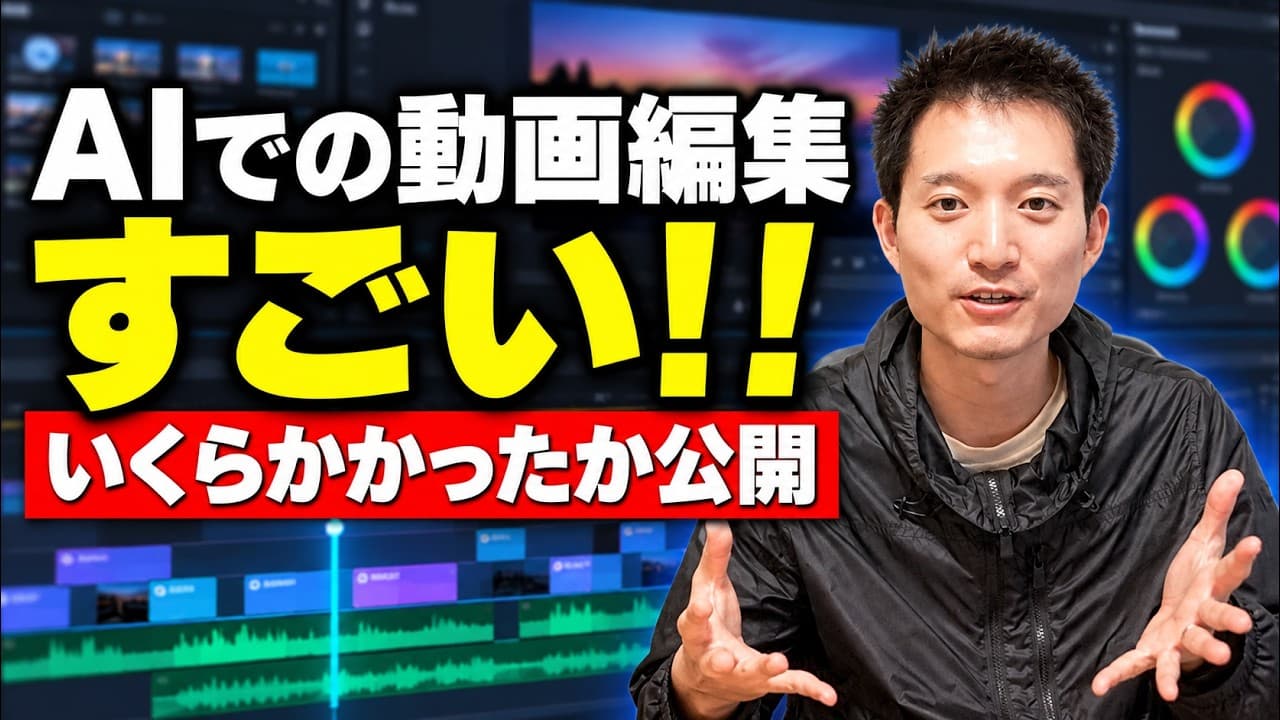
Claude Code can automate video editing from a raw take by using predefined skills for cutting, captioning, B-roll, and telops, while tracking time and cost. The demonstration shows prompt-based editing, real costs, and final quality, making AI editing more feasible for creators. We also cover setup, prompts, and practical limits.
Transcript
Hi there, hello. I'm Keto. This channel covers the latest AI updates and use cases. Please be sure to subscribe to the channel. So, I’m recording this video on a whim, but by using the AI agent Claude and Claude Code, we can make video editing really simple. Things like cutting, removing filler words and dead air, adding subtitles, inserti... Read More
Key Insights
- AI editing progress is proven by a live workflow using Claude Code, including telop, B-roll, transitions, and on screen annotations.
- The key to automation is a well crafted prompt that specifies the exact edits, motion, and placement of overlays and graphics.
- Costs are monitored in real time via credits, with a live balance check as the edit runs, illustrating financial feasibility for creators.
- The process uses multiple asset types, such as camera footage and audio transcripts, to ensure synchronized output and accurate captions.
- Emphasis movements and telop animations are pre defined in the skill set to streamline real time editing decisions.
- The exercise demonstrates how to crop and place raw footage in specific screen regions to simulate camera movement and focus transitions.
- Remote control capability lets the editor supervise the process from a mobile device, increasing flexibility during long edits.
- The final output quality is evaluated against expectations, highlighting both opportunities and current limitations of AI driven video editing.
Install to Summarize YouTube Videos and Get Transcripts
Explore YouTube Video Summarizer or Get YouTube Transcript Extractor
Questions & Answers
Q: What is Claude Code used for in the video editing process?
Claude Code is used to automate the video editing workflow, applying a pre defined set of editing skills such as telop, B roll inserts, captions, and transitions. The host runs a one take prompt to specify exactly which effects to apply, how to position overlays, and which timing cues to use. This demonstrates how AI can handle routine editing tasks at scale while the user retains control over the final polish.
Q: How does the host measure the time and cost of the AI edited video?
The host measures time by starting a timer when the edit begins and stopping when the final render is achieved. Cost is tracked through Claude Code credits, with a live balance shown during the process. This setup provides a transparent view of the actual resources consumed, making it possible to estimate future projects and budget accordingly.
Q: What four points does the host plan to cover in the video?
The four points are the prompt specifics used to drive Claude Code, the actual time taken for the edit, the cost in terms of credits, and the quality of the final edited video. These four elements are presented to give a complete picture of the feasibility and practicality of AI driven video editing.
Q: What assets are used for the AI edited video in the demonstration?
The demonstration uses two video files: a high quality camera video and a separate audio recording. The host also mentions a black screen video for audio, which helps the transcription and timing align with the visuals. These assets together enable a cohesive final edit with accurate captions and synchronized audio.
Q: How are telop movements and transitions chosen in the workflow?
Telop movements and transitions are selected using a pre built skill set that includes specific telop patterns like bottom left movement and whiteboard handwriting, plus transitions such as blur cross. The host copies these instructions into Claude Code to ensure consistent effects across the final edit and to enable quick replication in future projects.
Q: Why does the host use Claude Code remote control during editing?
Remote control allows the host to supervise and approve edits from a mobile device, so he can manage the editing process while away from the computer. This increases flexibility and ensures the edit can proceed with minimal interruptions, which is particularly valuable for time sensitive content or long running render jobs.
Q: What is the audience takeaway regarding AI video editing feasibility?
The audience is shown a real world demonstration that AI driven editing can perform key tasks such as cutting, captioning, and B roll insertion, though it also reveals current limitations. The practical takeaway is that AI editing is feasible for routine tasks, but may still require human oversight for final polish and creative decisions.
Q: What future improvements does the video imply for AI editing tools?
The video implies that improvements will focus on more natural motion, more reliable captioning quality, broader asset handling, and better integration with production workflows. As AI editing tools mature, predictability and cost efficiency will improve, enabling more creators to adopt these tools for regular content production.
Summary & Key Takeaways
-
The video demonstrates a full end to end AI driven editing workflow using Claude Code, starting from a raw video and ending with an edited piece. It explains the four main points of evaluation: prompts, cost, time, and final output quality. Key steps include selecting telop patterns, B roll, and transitions.
-
The host shares the actual prompts and workflow, including how to prepare assets, load two video files, and monitor credits and time. It emphasizes transparency and replicability so viewers can reproduce the results.
-
Overall, the video argues that AI assisted editing is becoming practical for creators at the current level, showing the real world constraints and what remains to be improved, while providing actionable steps to implement Claude Code in a production workflow.
Read in Other Languages (beta)
Share This Summary 📚
Summarize YouTube Videos and Get Video Transcripts with 1-Click
Try YouTube Summary with ChatGPT & Claude or YouTube Transcript Generator
Explore More Summaries from KEITO【AI&WEB ch】 📚


Summarize YouTube Videos and Get Video Transcripts with 1-Click
Try YouTube Summary with ChatGPT & Claude or YouTube Transcript Generator