How to Learn from Research Talks and Paper Walkthroughs on YouTube

Oct 28, 2026
4 min read
0 views
Nobody reads every paper in their field anymore. Clinicians keep up between patients, lab scientists face more alerts than they can open, and many people now follow research through talks, podcasts, and recorded journal clubs instead. That works, as long as what you learn from a talk can be traced back to the paper.
Many papers now come with a video: a conference talk, grand rounds, a lab seminar, a recorded journal club, or a walkthrough by someone who read it carefully. A 20-minute talk can be the fastest way into a 30-page paper. The catch is that a talk is easy to watch and hard to keep. A week later you remember that it was good, not what it showed.
This guide shows how to learn from research talks on YouTube with Glasp: skim with the summary, highlight the claims in the transcript, keep each one tied to its moment in the video, and connect it to the paper.
What you need: the free Glasp extension for Chrome, Safari, Firefox, Edge, Brave, or Opera (how to install it).
Step 1: Skim the talk with the Summary tab
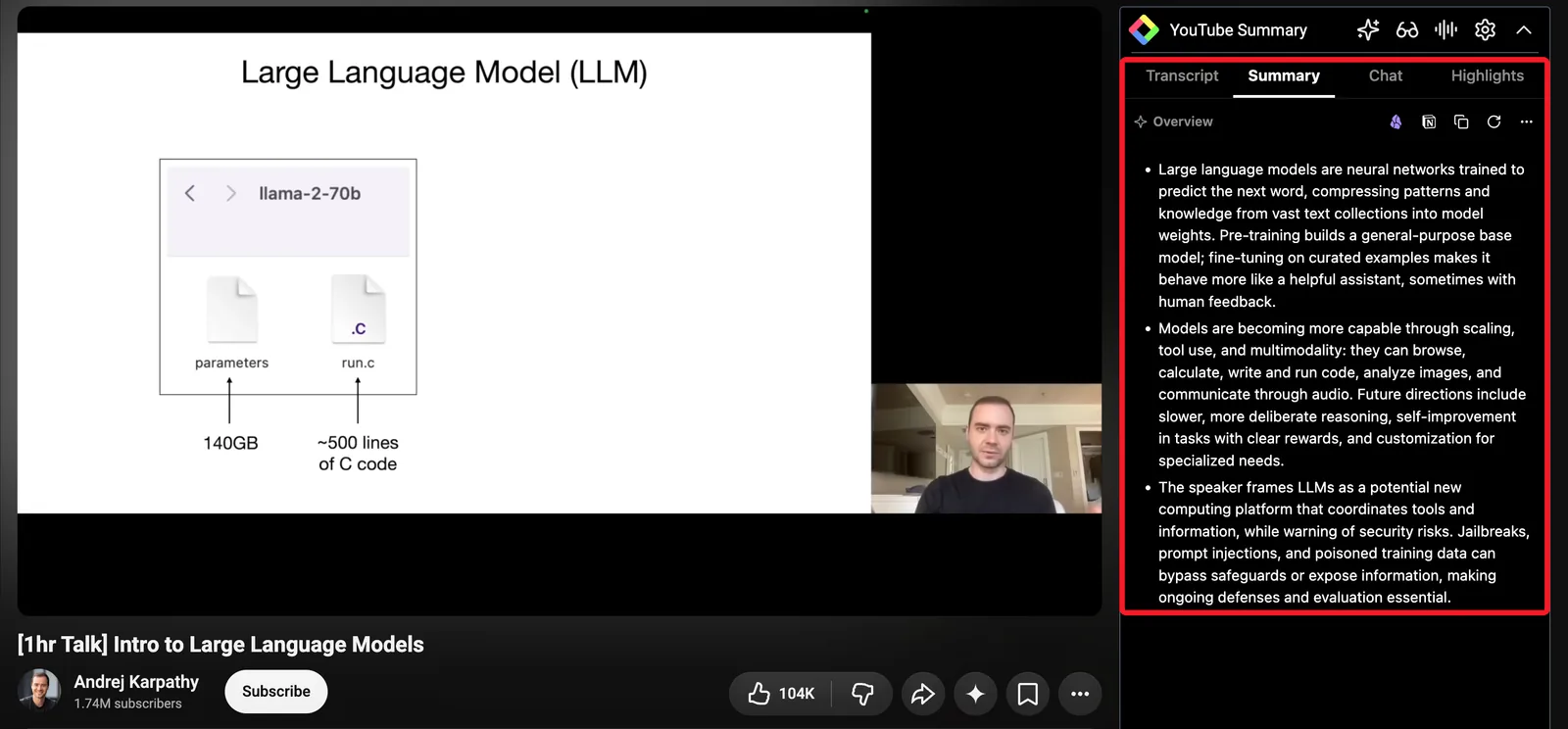
Open the talk on YouTube. The Glasp panel appears next to the video. Click Summary to see what the talk covers and where, so you can decide which part is worth watching closely.
If the talk is in a language you read slowly, you can have the summary written in your own language. See How to Summarize a YouTube Video in Your Own Language.
Step 2: Highlight the claims in the transcript
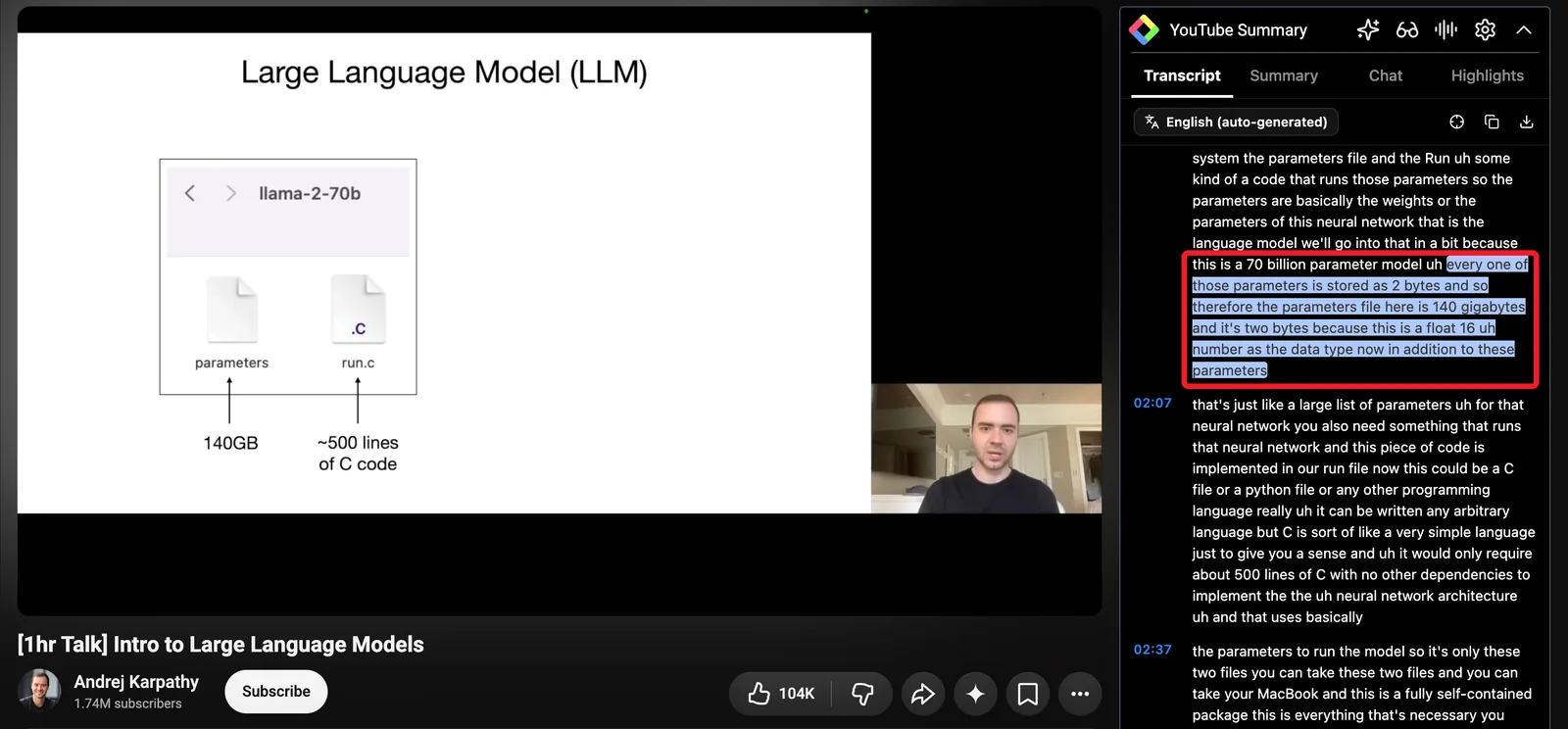
Open the Transcript tab and highlight the lines that carry the talk:
The question the speaker sets out to answer.
The key result, with its number when one is given.
The limitation the speaker admits, often near the end or in the Q&A.
Each highlight keeps its timestamp, so one click takes you back to that moment, slide and all.
Step 3: Add a note that links the talk to the paper
A talk often explains why a result matters more clearly than the paper does, and skips the details the paper has. Write a short note next to the highlight: "see Table 2 in the paper," "the talk is clearer than section 4," "the Q&A raises a confound."
Step 4: Tag the talk and the paper the same way
Use the same tag on the talk and on the paper itself, for example sleep-memory or thesis-ch2. When you highlight the paper on PubMed Central, arXiv, or a publisher's site (how to highlight research papers online), the tag page then shows the talk and the paper side by side.
Step 5: Ask your own highlights later
Everything you highlight is on your Glasp profile, searchable. With the Glasp MCP Connector, Claude or ChatGPT can search your highlights for you:
"What did the talks I highlighted say about the limits of this method? Include the video links."
AI answers can be wrong. Use them to find your own highlights, then check the talk or the paper before you cite it.
FAQs
Can a talk replace reading the paper?
For deciding whether a paper matters to you, often yes. For anything you will rely on, no. Speakers simplify, round numbers, and skip the conditions a result depends on. Highlight the claim in the talk, tag the paper the same way, and check the claim in the paper before you use it.
Does this work on any YouTube video?
It works on videos that have captions, which most conference talks and lectures do. For videos without captions, see What to do when a YouTube video has no transcript.
Are highlights linked to the exact moment in the video?
Yes. Highlights in the transcript keep their timestamp.
Can I read the summary in another language?
Yes. Choose your Summary Language in the Glasp panel's settings. The transcript stays in the language the talk is given in.
Is it free?
Highlighting, notes, and tags are free. The free plan includes 3 Glasp AI summaries per 7 days.
Before you leave
If you have any questions, please refer to the FAQ or contact us.
👉 X
See you next time,
Glasp team