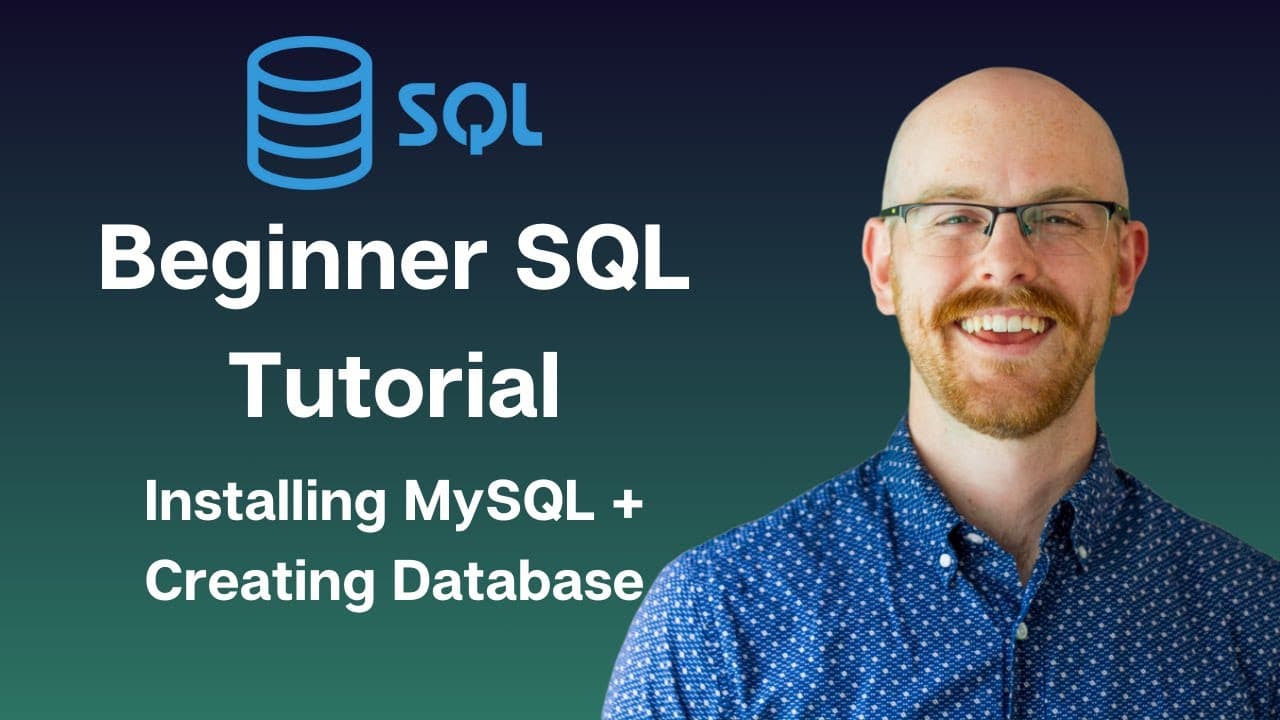
How to Install MySQL and Create a Database
TL;DR
Install MySQL with the Developer Default setup, configure the server with password authentication, and open the local instance in MySQL Workbench. Then download the provided SQL script, execute it with the lightning button, check the output for successful operations, and refresh the Schemas panel to confirm that the Parks and Recreation database and its three tables were created.
Transcript
what's going on everybody today we are going to be starting our MySQL tutorial series now the entire MySQL series will be broken up into three smaller series we'll have our beginner our intermediate and are Advanced this lesson is the very first lesson in the beginner Series where we're going to walk through all of the beginner or the basics of MyS... Read More
Key Insights
- MySQL installation starts at the MySQL downloads page, where the operating system and installer package are selected. The lesson uses a Windows machine and chooses the larger MySQL Installer Community download instead of the smaller web installer, which retrieves installation components from the web.
- Developer Default is the selected setup type because it installs the components needed for the tutorial without selecting every available MySQL product. Other installer choices shown include Server Only, Client Only, Full, and Custom, but the lesson keeps the default option.
- Installation requirements may include the Microsoft Visual C++ Redistributable package, which should be downloaded and installed if the installer identifies it as missing. The lesson disregards an unmet Visual Studio requirement because Visual Studio is not needed for the planned tutorial activities.
- MySQL Server and MySQL Workbench are the most important installed components for this course. The installer also offers other products and connectors, and the lesson installs the presented selection before moving from product installation to server configuration.
- Server configuration retains the default type and networking values, including the displayed port settings. Password authentication is used instead of the legacy authentication method, and the user must create, confirm, save, and later provide the server password when required.
- The MySQL server is configured as a Windows service and set to start automatically when the system starts. After applying the configuration, the router needs no additional configuration, while the samples and examples step can optionally add sample databases.
- MySQL Workbench connects to a local instance that exists only on the user's machine, rather than a database hosted in the cloud. Its query editor is used to write or execute SQL, while the Schemas panel displays available databases and their objects.
- The provided Parks and Recreation SQL script creates the course database, creates three tables, and inserts data into those tables. Clicking the lightning button executes the script, and refreshing the Schemas panel makes the newly created database and tables visible.
Install to Summarize YouTube Videos and Get Transcripts
Explore YouTube Video Summarizer or Get YouTube Transcript Extractor
Questions & Answers
Q: How do you download the MySQL installer for this tutorial?
Open the MySQL installer downloads page provided in the description and verify that the correct operating system is selected. The lesson uses Windows and chooses MySQL Installer Community, the larger package containing the installer, rather than MySQL Installer Web Community. When prompted to log in or create an account, select the option to start the download without doing either.
Q: Which MySQL setup type should a beginner select?
Select Developer Default unless you already understand the available components and need a different configuration. The installer also displays Server Only, Client Only, Full, and Custom choices. Developer Default installs the products needed for the tutorial without installing everything MySQL offers. The lesson identifies MySQL Server and MySQL Workbench as the most important components in the resulting installation list.
Q: What should you do when the MySQL installer reports missing requirements?
Review the requirements listed by the installer before continuing. A commonly displayed requirement in the lesson is the Microsoft Visual C++ Redistributable package. Use the download option, install that package, and return to the installer so the requirement disappears. The lesson also shows a Visual Studio requirement but continues without satisfying it because Visual Studio is not needed for the tutorial work.
Q: How should MySQL Server authentication be configured?
Keep the displayed server type and networking settings unchanged unless you know that different port or X Protocol port values are required. Choose password authentication rather than the legacy authentication method. Create and confirm a password, save it, and check it when requested. That password is also used later when connecting during configuration of optional samples and examples.
Q: Should MySQL Server run as a Windows service?
The lesson keeps the option to configure MySQL Server as a Windows service enabled. It also retains the setting that starts the server automatically when the system starts. After these selections, proceed to the final configuration step and execute it so the chosen settings are applied. The tutorial does not make additional changes to these Windows service options.
Q: Are the MySQL router, samples, and examples required?
The installer lists the router and samples and examples as products to configure, but the lesson says only the server truly needs configuration. The router page requires no changes and can be finished immediately. Samples and examples are optional. Providing the password, connecting, and executing that step adds sample databases that can be inspected later, but they are not required for the course database.
Q: How do you create the Parks and Recreation database in MySQL Workbench?
Open the local MySQL instance in Workbench, then choose the option to open a SQL script in a new query tab. Download the Parks and Recreation database creation file from the GitHub link in the description and open it. The script creates the database, creates three tables, and inserts the supplied data. Click the lightning button to execute all of its SQL statements.
Q: How do you verify that the MySQL database was created successfully?
After executing the SQL script, inspect the output area at the bottom of MySQL Workbench. The lesson shows successful create-table and insert operations, including an output reporting six rows affected. Next, click the refresh button in the Schemas panel. The Parks and Recreation database should appear, and expanding its Tables section should reveal the three tables created by the script.
Summary & Key Takeaways
-
The setup begins by downloading the MySQL Community installer for the appropriate operating system. On Windows, the lesson selects the larger installer rather than the smaller web installer, skips account creation, keeps Developer Default as the setup type, and installs the included products after reviewing any listed software requirements.
-
Server configuration uses the default networking settings, password authentication, and the Windows service options offered by the installer. The MySQL server remains configured to start when the system starts. Sample databases can also be added during configuration, while MySQL Shell can be left unopened when setup finishes.
-
After MySQL Workbench opens, the local instance provides the query editor and Schemas panel. The supplied Parks and Recreation SQL file creates a database, creates three tables, and inserts their data. Executing the script and refreshing Schemas reveals the new database and its tables for later lessons.
Read in Other Languages (beta)
Share This Summary 📚
Summarize YouTube Videos and Get Video Transcripts with 1-Click
Try YouTube Summary with ChatGPT & Claude or YouTube Transcript Generator
Explore More Summaries from Alex The Analyst 📚



Summarize YouTube Videos and Get Video Transcripts with 1-Click
Try YouTube Summary with ChatGPT & Claude or YouTube Transcript Generator