How to customize Claude Code with mods and prompts
TL;DR
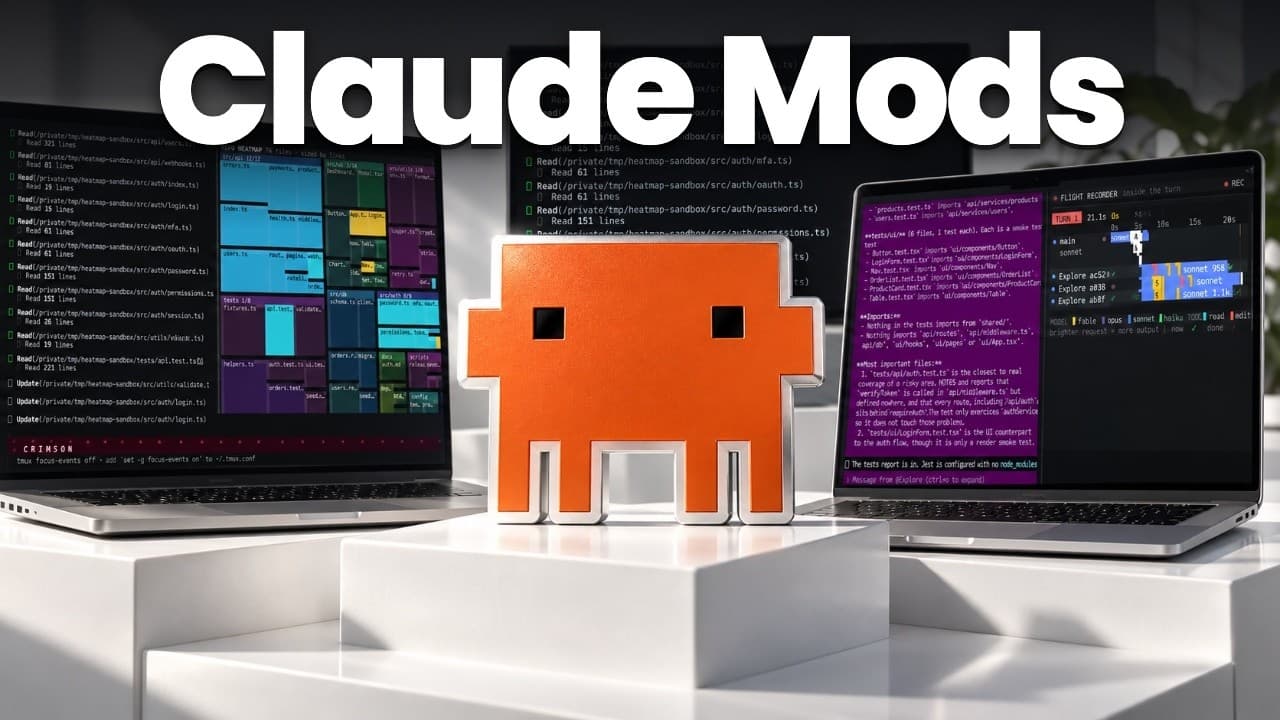
Claude Code mods let you customize behavior using plain language without coding. The video demonstrates 10 practical mods, explains the difference between prompts, skills, and mods, and shows how to install and use them in the desktop app. It covers features like heatmaps, flight recorder, a model router, and session bookmarks for better workflows.
Transcript
Imagine you're buying a car and you drive it home exactly the way that it came from the factory. The seats, the lights, the dashboard, all the default setting. That's how a lot of us use clawed code today. We open it, type a request, and we use all the default settings it gives you out of the box. But sometimes with a car, you want to add ambient l... Read More
Key Insights
- Mods in Claude Code are built as simple lines of code that inject behavior into your workspace, enabling plain language customization.
- A mod can alter visuals, such as background color, and add interface elements like a decorative pet for visualization purposes.
- Prompt, skill, and mod are distinct constructs: prompts are requests, skills are reusable task templates, and mods inject behavior.
- Mods can be installed via plugins and scoped to either the user or a specific project, offering flexibility in deployment.
- The system provides tools like a heat map and flight recorder to monitor file activity and model usage during a session.
- A model router can orchestrate multiple sub agents in parallel, selecting models based on defined criteria to optimize performance and cost.
- Output management features such as receipts and bookmarks help users summarize and reference work sessions without losing context.
- Removing mods is supported, allowing users to revert to a clean, default Claude Code environment when needed.
Install to Summarize YouTube Videos and Get Transcripts
Explore YouTube Video Summarizer or Get YouTube Transcript Extractor
Questions & Answers
Q: What are Claude Code mods and why would you use them?
Claude Code mods are modular lines of code that modify or extend the behavior of Claude Code inside the desktop app. They let you customize appearance, automate tasks, and track activity using plain language rather than custom coding. You would use them to tailor your workspace to your workflow, add features you need, and manage sessions more efficiently, often without consuming extra AI credits for routine tasks.
Q: How do prompts, skills, and mods differ in Claude Code?
Prompts are the immediate requests you issue to Claude Code, for example asking it to summarize notes. Skills are reusable instruction templates that guide a task across sessions. Mods are the actual injected code pieces that extend functionality, enabling new behaviors such as visualization of touched files, heatmaps, or automatic project scoped changes. Understanding these roles helps you design workflows that are modular and repeatable.
Q: Can mods be applied to a single project or all chats?
Yes, mods can be scoped either to a user level or a project level, and in team configurations they can be shared across projects. This means you can have a universal setup you apply to every chat or tailor particular mods to specific workspaces, ensuring consistency where needed and specialization where beneficial.
Q: What is the heat map mod used for?
The heat map mod visualizes where in a repository most files are touched during a change, giving you a quick overview of which areas are most active. This helps prioritize code reviews, identify hotspots, and understand the distribution of work across design, core documents, and databases, informing better project planning and collaboration.
Q: What is the flight recorder in Claude Code used for?
The flight recorder tracks each request as it moves through Claude Code, showing token usage, model selection, and the sequence of actions taken. This enables you to monitor performance, verify which models and components are used, and identify bottlenecks or inefficiencies in the workflow, supporting cost awareness and debugging.
Q: How does the model router mod work?
The model router mod allows you to define parallel agents or subagents that inspect different aspects of a project, such as structure and tests, and then summarize the results. It demonstrates how to combine multiple models or configurations to optimize outcomes, often selecting cheaper or faster models to balance accuracy and cost.
Q: What are the output management features like receipts and bookmarks?
Receipts provide concise summaries of files and outputs created during a session, while bookmarks let you tag and reference important results later. Together they help you keep track of what was produced, streamline reviews, and quickly locate relevant artifacts without sifting through the entire session history.
Q: What steps are shown to install and remove mods in Claude Code?
The video shows installing a mod via a plugin mechanism, then demonstrates applying a new mod to an ongoing session without leaving the app. It also covers how to restart a session to apply changes globally or per project, and mentions that you can remove mods to revert to the default setup, restoring baseline behavior.
Summary & Key Takeaways
-
This guide introduces Claude Code mods as injectable lines of code that add behavior to a workspace, enabling non technical users to tailor their Claude Code experience. It demonstrates basic examples like changing themes and removing a pet, then expands to more sophisticated workflows. The core message is that mods provide modular customization without an IDE.
-
The video distinguishes prompts, skills, and mods, explaining that prompts are requests, skills are reusable tasks, and mods are modular code pieces that can be applied to projects or users. It also explains the concept of hooks and how mods can operate without consuming AI credits in many cases.
-
Finally, the video showcases a suite of practical mods including a heat map, flight recorder, model router, and output tracking tools. It emphasizes monitoring, cost awareness, and session management to improve productivity when using Claude Code across projects.
Read in Other Languages (beta)
Share This Summary 📚
Summarize YouTube Videos and Get Video Transcripts with 1-Click
Try YouTube Summary with ChatGPT & Claude or YouTube Transcript Generator
Explore More Summaries from Mark Kashef 📚
Summarize YouTube Videos and Get Video Transcripts with 1-Click
Try YouTube Summary with ChatGPT & Claude or YouTube Transcript Generator