How to create viral Instagram carousels to grow followers
TL;DR
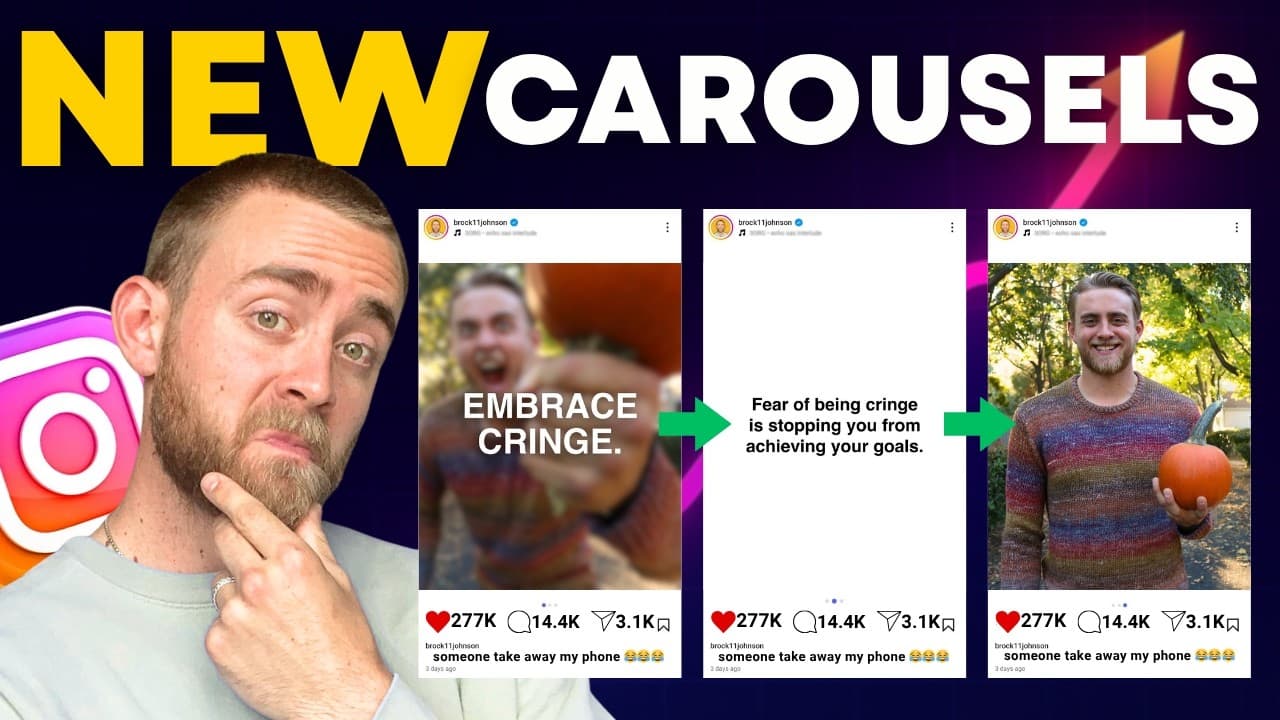
Eight fresh Instagram carousel ideas can boost engagement and follower growth. Stop motion, this versus that, gamified, crossframe, surprise proposal, surrealist, plus a few more concepts are explained with practical steps. Carousels outperform reels in engagement and are easy to produce with basic tools like Canva.
Transcript
Here are eight brand new viral, trending, hot offthe- press Instagram carousel ideas. Number one, the stopmotion carousel. In order to achieve this stopotion carousel effect, basically what you need is the first slide to be a video. You want this video to be pretty stationary. So, set up your camera on a tripod and then have the subject of the vide... Read More
Key Insights
- Carousels are among the highest engagement formats on Instagram, making them a powerful growth tool.
- Stopmotion carousels require a stationary first slide video and a final reveal video to maximize viewer swipe-through.
- This versus that carousels rely on split top and bottom halves to create contrasting ideas that can stand alone.
- Gamified carousels engage viewers by inviting them to find differences or invest to reach certain slides.
- Crossframe carousels use bleeding images to create a seamless two-panel effect that looks complex but is simple to implement in Canva.
- Surprise proposal carousels use a horizontal first slide and a second slide reveal to play with expectations and drive interaction.
- Surrealist carousels explore dreamlike compositions to captivate audiences and invite interpretation and sharing.
- Overall, carousels achieve higher engagement when they mix visual intrigue with interactive or relatable themes.
Install to Summarize YouTube Videos and Get Transcripts
Explore YouTube Video Summarizer or Get YouTube Transcript Extractor
Questions & Answers
Q: How to start a stopmotion carousel for Instagram growth?
To start a stopmotion carousel, you need a first slide that is a video and stationary, shot on a tripod. Add text on top like Hold the dots and scroll to encourage viewers to scrub through. Include several slides with minor changes between them and finish with a new video as the grand reveal. This creates anticipation and engagement.
Q: What makes the this versus that carousel effective?
This versus that carousels use top and bottom halves of images to contrast two concepts side by side. Each slide can stand alone and does not need to form a single narrative. The contrast, such as a video of yourself on top and a different outcome on bottom, sparks curiosity and encourages swiping across multiple slides.
Q: How can you implement the gamified carousel concept?
Gamified carousels present a game or challenge on the first slide and follow with slides that reveal answers or progress. Examples include spot the AI image or a sequence where reaching certain slides grants viewers a sense of belonging or achievement. This format keeps viewers scrolling to see the outcome.
Q: What is the crossframe carousel and how is it created?
The crossframe carousel uses two images arranged so the top bleeds into the bottom image. Create it by cropping two halves of different images, then align them so the top image bleeds into the bottom one. Canva can simplify this by enabling image layering and a background remover to enhance the effect.
Q: How do you execute the surprise proposal carousel?
Shoot a horizontal image of a proposal setup with the person on the left and space on the right. The first slide shows the proposal, while the second slide reveals what the person is proposing to, such as a game or a piece of equipment. This twist boosts curiosity and shares personality.
Q: What is required to create a surrealist carousel?
A surrealist carousel uses dreamlike or fantastical imagery to capture attention and invite interpretation. While the exact steps vary, the approach centers on combining unusual visuals and subtle narrative cues across slides to keep viewers guessing and encourage shares.
Q: Why are carousels more engaging than reels right now?
Carousels are more engaging because they encourage users to swipe through multiple slides, increasing time on post and interaction. The format allows creators to deliver segmented ideas, reveal details gradually, and experiment with layout variations that capture attention in a scroll-heavy feed.
Q: What practical tools help create Instagram carousels easily?
Practical tools include Canva for layout and bleed effects, plus simple editing techniques like background removal to create seamless crossframe transitions. Starting with a clear concept, keep slides visually consistent with minor changes, and plan the sequence to maximize swipes and interaction.
Summary & Key Takeaways
-
Carousel ideas are a key tactic for growth on Instagram in 2025, with stopmotion and this vs that layouts achieving high engagement. The guide explains beginner to advanced techniques using simple steps, plus practical Canva tips to implement multi-image frames. Execution is approachable and designed to encourage interaction.
-
The presenter emphasizes that carousels currently have higher engagement than reels, and that creating a sequence with minimal visual changes across slides can boost scroll-stopping effects. Practical examples include split screens, bleed-through frames, and this versus that contrasts to maintain viewer interest.
-
The video offers actionable instructions on shooting, editing, and posting carousels, including how to use mid-slide callbacks and the last slide for a grand reveal. It also covers how to balance text and imagery for clear storytelling without needing advanced design software.
Read in Other Languages (beta)
Share This Summary 📚
Summarize YouTube Videos and Get Video Transcripts with 1-Click
Try YouTube Summary with ChatGPT & Claude or YouTube Transcript Generator
Explore More Summaries from Build Your Tribe 📚





Summarize YouTube Videos and Get Video Transcripts with 1-Click
Try YouTube Summary with ChatGPT & Claude or YouTube Transcript Generator