How to Automate AI Avatar Videos for Social Media
TL;DR
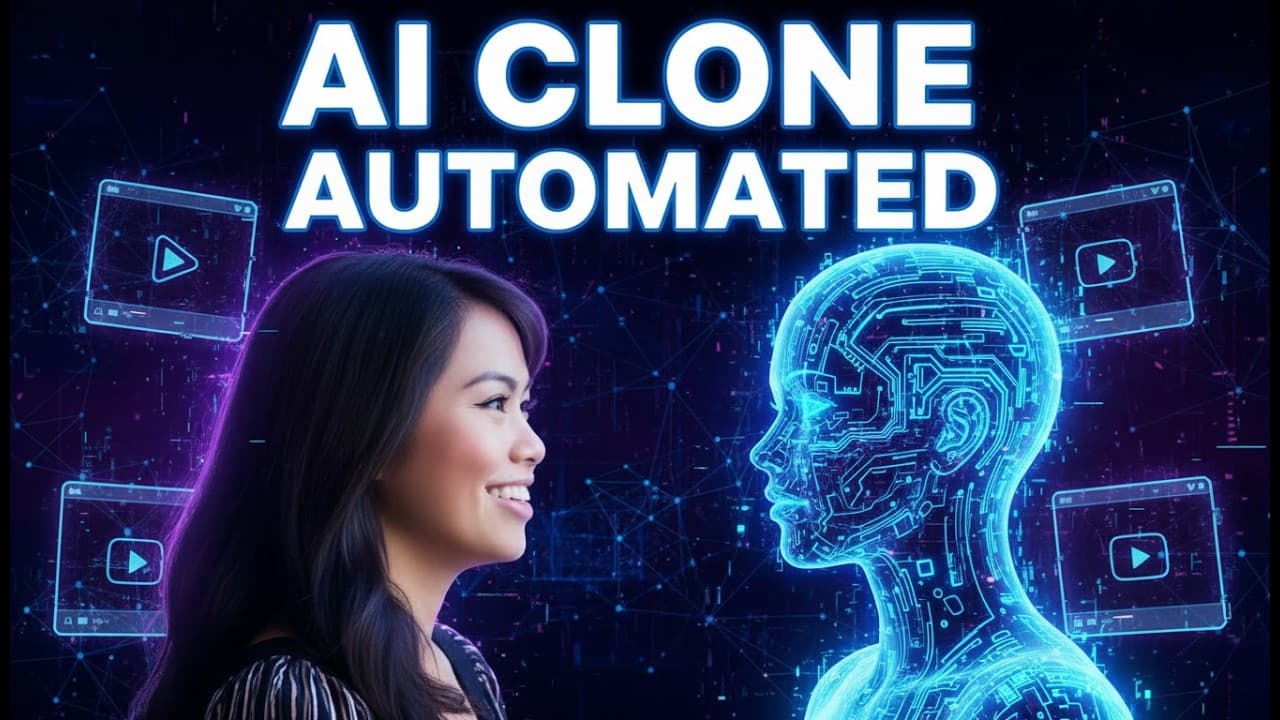
Build an automated short-form video workflow by connecting Perplexity for research and scripts, OpenAI for captions, HeyGen for the talking avatar, and Make.com for orchestration and publishing. The workflow can generate approximately 25-second vertical videos, but HeyGen API credits, Make.com execution limits, platform character limits, and avatar rendering delays must be handled carefully.
Transcript
in this video I'm going to walk you through how to make a 100% AI clone system that automatically researches interesting topics writes a video script writes a video caption creates your AI Avatar and then publishes it to multiple social platforms at the same time without having to pay $150 for a share so that you can fully automate your short form ... Read More
Key Insights
- Perplexity is used as the research and scriptwriting stage because its internet access supports current topics, practical guidance, breaking news, and searches for viral news from the previous 48 hours. Its output is passed directly into later modules as the avatar’s spoken text.
- The script prompt is designed for approximately 25 seconds of speech, a sixth-grade reading level, practical examples, and a negative opening hook. It also requires script-only output so that the automated avatar does not speak formatting, notes, or intermediate thoughts.
- OpenAI generates a roughly 50-word caption from the completed script. The requested structure contains a descriptive paragraph, three questions viewers might search, and five relevant hashtags, reflecting the creator’s report that about 35% of her weekly TikTok views come from search.
- HeyGen creates the talking-avatar video from the written script and a selected avatar voice. The workflow can adjust voice speed, pitch, and emotion, with the demonstrated configuration using an excited emotion to make the delivery sound less monotone.
- High-quality avatar source footage is a continuous five-minute recording made with a high-resolution camera, natural sunlight, direct eye contact, and limited gestures. Stitched one-minute clips, pauses, cuts, excessive movement, or looking away can produce awkward results or cause HeyGen to reject the footage.
- HeyGen’s web application and API have different pricing conditions. The Creator plan is described as $29 per month with unlimited videos made through the web app, while API testing includes 10 free monthly credits and the $99 monthly starting plan includes 100 credits.
- Vertical short-form videos should be configured at 720 pixels wide and 1280 pixels high. The generated title can combine the niche and date for internal identification, while caption visibility remains optional depending on whether the creator wants to use HeyGen’s caption style.
- Rendering delays require explicit sleep modules before the workflow continues. The demonstrated automation waits five minutes and then another three minutes, although the free Make.com plan is described as having a five-minute execution timeout that may prevent the second waiting module.
Install to Summarize YouTube Videos and Get Transcripts
Explore YouTube Video Summarizer or Get YouTube Transcript Extractor
Questions & Answers
Q: How do you automate AI avatar videos for social media?
Create a scenario in Make.com and connect sequential modules for Perplexity, OpenAI, HeyGen, waiting, and social publishing. Perplexity researches the selected niche and writes the spoken script. OpenAI turns that script into a caption, while HeyGen generates the talking-avatar video. Add sleep modules so rendering can finish, then publish the completed content to multiple social platforms.
Q: How should the Perplexity prompt for an AI avatar script be written?
Tell Perplexity to research current, relevant information within a clearly defined niche and create a monologue for an AI avatar. The demonstrated prompt requests practical advice, easy examples, approximately 25 seconds of spoken content, and a sixth-grade reading level. It also requests a negative hook in the first two sentences and requires only the finished script as output.
Q: Why must an automated script prompt request output only?
Script-only output prevents the avatar from speaking notes, formatting instructions, or intermediate thoughts produced during research and writing. The prompt should explicitly say not to include anything except the video script. This constraint is especially important in a fully automated workflow because the Perplexity response is passed directly into HeyGen as the text the selected avatar voice will speak.
Q: How can an AI-generated social video caption support search discovery?
The caption can include a paragraph explaining the source topic, three questions that viewers might use to find the content, and five relevant hashtags. The demonstrated workflow asks OpenAI to produce approximately 50 words in this structure. The creator emphasizes search-oriented descriptions because about 35% of her weekly TikTok views are reported to come from search.
Q: How do you record high-quality footage for a HeyGen avatar?
Record five continuous minutes of yourself speaking directly to the camera with no pauses, cuts, or stitched clips. Use a high-resolution camera, with an iPhone described as sufficient, and record outside in natural sunlight or shade if the light is harsh. Maintain direct eye contact and avoid excessive gestures or body movement, which can look awkward in the generated avatar.
Q: How much does HeyGen API video generation cost in this workflow?
The transcript distinguishes between videos created through HeyGen’s web application and videos generated in bulk through its API. The Creator plan is stated as $29 per month with unlimited web-app videos. For API use, 10 free credits are available each month and produce 10 avatar videos, while the starting scale plan costs $99 per month for 100 credits.
Q: What HeyGen settings are needed for short-form vertical videos?
Select the avatar and its automatically created voice from the connected HeyGen account, set the voice type to text, and map the Perplexity script into the input field. Voice speed, pitch, and emotion can be adjusted, with excited used in the example. For vertical short-form output, set the width to 720 and the height to 1280 pixels.
Q: How should Make.com handle the time HeyGen needs to render a video?
Place sleep modules after the HeyGen generation step so the scenario waits before trying to use the finished video. The example uses a 300-second delay, which equals five minutes, followed by another three-minute wait. The transcript notes that Make.com’s free plan appears to have a five-minute execution timeout, so the second delay may require a paid plan with a longer timeout.
Summary & Key Takeaways
-
The base workflow uses Make.com to connect research, writing, video generation, delays, and social publishing. Perplexity researches current topics and creates a short monologue, OpenAI converts that script into a search-oriented caption, and HeyGen turns the text into a vertical talking-avatar video suitable for short-form platforms such as TikTok and Instagram Reels.
-
The research prompt defines the niche, requests current and practical advice, targets an approximately 25-second monologue, and specifies a sixth-grade reading level. It also asks for a negative hook in the first two sentences and strictly limits the response to the final script, preventing notes or intermediate reasoning from reaching the avatar.
-
A convincing HeyGen avatar depends on strong source footage and correct automation settings. The recommended recording is five continuous minutes in high resolution, with natural sunlight, direct eye contact, restrained movement, and no stitched clips. In Make.com, the video should use the generated voice, text input, and a 720 by 1280 frame.
Read in Other Languages (beta)
Share This Summary 📚
Summarize YouTube Videos and Get Video Transcripts with 1-Click
Try YouTube Summary with ChatGPT & Claude or YouTube Transcript Generator
Explore More Summaries from Sabrina Ramonov 🍄 📚


Summarize YouTube Videos and Get Video Transcripts with 1-Click
Try YouTube Summary with ChatGPT & Claude or YouTube Transcript Generator