How to start a Shopify print on demand store for beginners
TL;DR
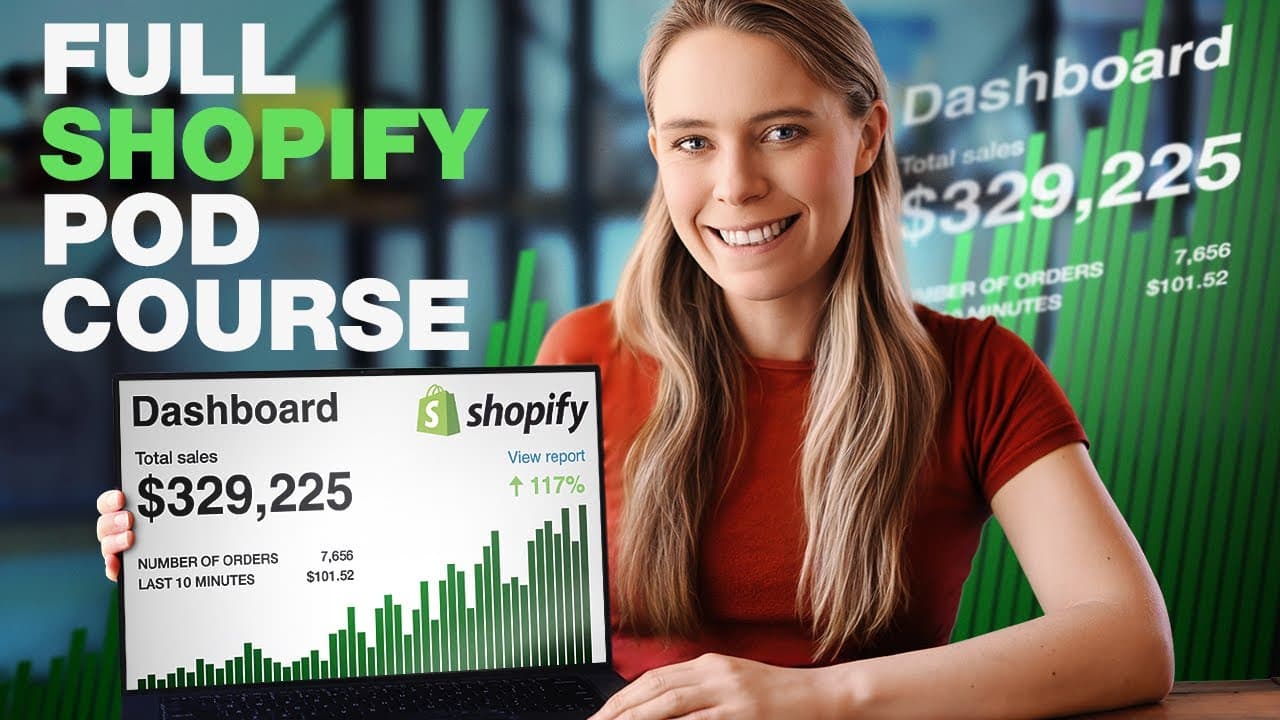
Begin by signing up for a free Shopify trial, install a free craft theme, then add a free print on demand partner account such as Printify. Set up products, shipping, and payments, and publish your store. The approach minimizes risk and enables automation for ongoing sales and fulfillment.
Transcript
- Can I show you how anyone including beginners can build a simple yet high converting print on demand store from scratch? And can I show you the exact free tools and apps that I use to earn passive income every day by creating and selling my own print on demand products with Shopify so that you can use them too? Well? That's the challenge I've set... Read More
Key Insights
- Shopify offers a free trial to start a store, lowering barrier to entry for beginners.
- Use a free Shopify theme and only one free app to keep costs low while testing concepts.
- Print on demand works by creating orders that are fulfilled by a print shop after purchase.
- Printify is presented as a main POD option with extensive product catalogs for customization.
- The order flow is automated: a sale triggers fulfillment without manual intervention.
- Choosing the right base country affects shipping speed and cost for customers.
- Selecting a USA based POD provider helps English speaking customers get faster shipping.
- Global shipping setup is advised to maximize the potential customer base.
- More videos from this channel:
- More from this channel: Wholesale Ted
Install to Summarize YouTube Videos and Get Transcripts
Explore YouTube Video Summarizer or Get YouTube Transcript Extractor
Questions & Answers
Q: How do I start a free Shopify store for print on demand using the trial period
To start for free you sign up for a Shopify trial, which gives you access to the store backend for a limited time. You then choose a free theme, install it, and connect a free print on demand provider like Printify. This enables product creation, order processing, and automated fulfillment once you publish your store.
Q: What is the first step to set up a POD store according to the video
The first step is to create your Shopify account via the free trial, then customize the store by selecting and installing a free theme. After the theme is in place, you add a free print on demand app and begin importing products. This establishes the storefront and prepares it for orders.
Q: Which free tools are recommended in the tutorial for starting a POD store
The tutorial recommends using free Shopify themes, a single free app for integration, and a free Printify account. It also mentions free mockup lifestyle photos and other free resources for designing products without incurring upfront costs, keeping the initial investment minimal while validating the concept.
Q: Why would you choose Printify as the POD provider in this guide
Printify is highlighted because it provides an extensive product catalog across different print shops and supports automated order fulfillment. It connects with Shopify to automatically create orders, charge the customer, and send the design to the print shop, enabling a largely passive business model ideal for travelers or solopreneurs.
Q: How does order fulfillment work in the described POD setup
When a customer buys a product, the POD app triggers fulfillment with the selected print shop. The app charges the base product price, prints the design, and ships directly to the customer. The store owner receives the difference as profit, with Shopify handling the payment flow.
Q: What country settings are suggested for the store in the video
The video suggests selecting the country you legally operate from and targeting the USA due to its English speaking market. It notes that choosing a USA based POD provider can improve speed and cost for US customers while still allowing international operations through Printify.
Q: What are the perceived benefits of using free tools for a new POD store
Free tools reduce upfront risk and allow beginners to test ideas without heavy investment. The approach enables quick setup, automated order handling, and scalable growth as profits come in. It also helps maintain low operating costs while validating demand before expanding with paid options.
Q: What is the revenue model described for a POD store
Revenue comes from selling products at a market price while the POD provider charges a base price for production. The difference between the sale price and base production cost is profit. Automation ensures orders are fulfilled without manual intervention, supporting a passive income model when scaled.
Summary & Key Takeaways
-
This video walks beginners through creating a Shopify print on demand store using free themes and a free POD provider, prioritizing low upfront costs and automation. It covers store setup, product creation, and how orders flow from sale to fulfillment. The method emphasizes minimal risk due to on demand production and automated fulfillment.
-
The demonstrator outlines selecting a country, targeting US customers, and using free tools to design products and source mockups, ensuring legal and cost considerations are kept simple for new sellers.
-
The tutorial stresses a step by step workflow from account creation to live store publication, including traffic strategies and the importance of using free apps and avoiding paid options to keep initial spend low.
Read in Other Languages (beta)
Share This Summary 📚
Summarize YouTube Videos and Get Video Transcripts with 1-Click
Try YouTube Summary with ChatGPT & Claude or YouTube Transcript Generator
Explore More Summaries from Wholesale Ted 📚


Summarize YouTube Videos and Get Video Transcripts with 1-Click
Try YouTube Summary with ChatGPT & Claude or YouTube Transcript Generator