How Do Machine Learning Engineers Use MLflow and Databricks for MLOps? Full Course
TL;DR
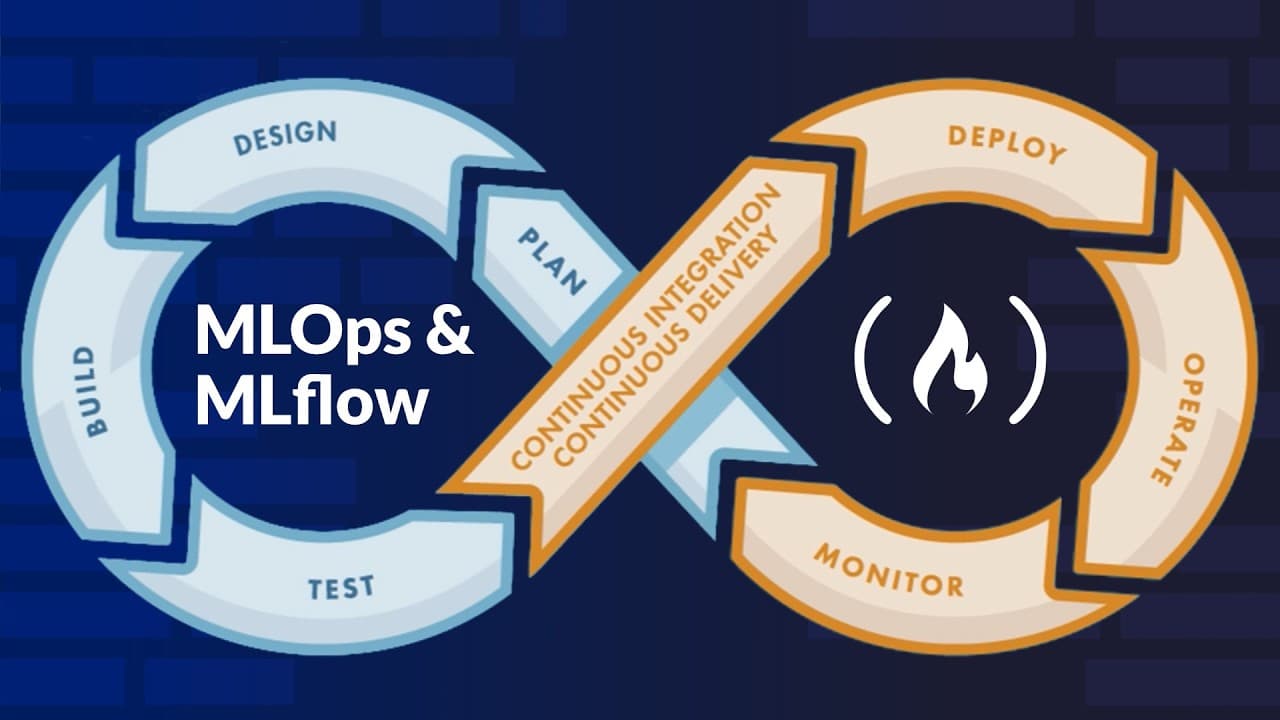
MLflow tracks experiments and manages models by recording the parameters, metrics, versions, prompts, and other metadata needed across the machine learning life cycle. An ML experiment comprises five components: code, data, parameters, randomness, and environment. The course progresses from local setup to production deployment through a centralized tracking server and Databricks integration, so read on for practical guidance on building reproducible, scalable ML workflows.
Transcript
This course is an end to-end guide to mastering ML flow, the industry standard for managing the machine learning life cycle. This course offers a deep dive into the internal mechanics and architectural patterns of ML ops. From your first local experiment to deploying productionready models via a centralized tracking server, you're going to gain the... Read More
Key Insights
- MLflow is the industry standard for managing the machine learning life cycle, covering everything from a first local experiment to deploying production-ready models via a centralized tracking server for reproducible, scalable ML systems.
- An ML experiment encapsulates five core components: code, data, parameters, randomness, and environment. The environment is frequently overlooked, but the packages used during training must be considered part of the experiment.
- Machine learning outcomes are probabilistic rather than deterministic because they deal with data and randomness, so a 'version' means something closer to decision history than a traditional software code version.
- Git only captures code changes, which is why ML systems need a different form of tracking. Tweaking hyperparameters can produce drastically different results, so those parameters must be logged separately.
- Jupyter notebooks don't scale because they lack structured metadata, have no inherent execution order, provide no auditability, and offer no safe rollbacks to a previous healthy model version.
- MLflow may be unnecessary for solo academics or one-to-two-person research teams, since adopting these tools wastes time when there is little collaboration or organizational requirement.
- Auditability must be taken seriously in tightly regulated organizations with heavily enforced compliance checks, and this cannot be achieved through a notebook without proper experiment tracking.
- Getting started with MLflow locally involves creating a virtual environment with venv, installing the mlflow package, importing mlflow, calling set_experiment, and running a local server to open the UI on localhost.
Install to Summarize YouTube Videos and Get Transcripts
Explore YouTube Video Summarizer or Get YouTube Transcript Extractor
Questions & Answers
Q: What is MLflow used for in machine learning and MLOps?
MLflow is used to manage the machine learning life cycle, from local experiments to production-ready model deployment through a centralized tracking server. It supports experiment tracking, parameter and metric logging, model versioning, model life-cycle workflows, and LLM operations such as managing, loading, and evaluating prompts.
Q: Why do ML systems need experiment tracking beyond Jupyter notebooks?
Jupyter notebooks lack structured metadata and an inherent execution order, making it difficult to track how many models were trained within or across notebooks. They also do not provide the auditability and safe rollback capabilities needed for production ML systems and organizations with heavily enforced compliance checks.
Q: What are the five components of a machine learning experiment?
An ML experiment encapsulates code, data, parameters, randomness, and environment. The environment is often overlooked, but the packages used during training must be treated as part of the experiment.
Q: Why is Git alone insufficient for tracking ML experiments?
Git captures code changes, while an ML result also depends on data, parameters, randomness, and environment. Because changing tuning parameters or hyperparameters can produce drastically different results, those settings must be logged separately as part of the experiment.
Q: How does ML model versioning differ from software versioning?
Traditional software produces deterministic outputs from a given piece of code, so a version generally refers to code. Machine learning outcomes are probabilistic because they involve data and randomness, making a model version closer to a decision history that includes the parameters and hyperparameters used.
Q: How do you set up MLflow locally?
Create a dedicated folder, build and activate a virtual environment with venv, and install the MLflow package. Then import mlflow in a Python script, call set_experiment, run a local server, and open the MLflow interface on localhost.
Q: How are experiments and runs created in MLflow?
Call set_experiment to name or select an experiment; anything logged afterward is attached to that experiment. Use start_run to create the context in which parameters and other run information are logged, and the resulting data can be explored through the SQLite database.
Q: When might a team not need MLflow?
MLflow may be unnecessary for a solo academic or a research team of only one or two people with little collaboration or organizational demand. In that situation, adopting experiment-management tooling can consume more time than it saves.
Summary & Key Takeaways
-
The course is an end-to-end guide to mastering MLflow for managing the machine learning life cycle, from local experiments to production deployment via a centralized tracking server. It covers experiment tracking, parameter and metric logging, model versioning, MLOps workflows, and LLM ops such as managing, loading, and evaluating prompts.
-
MLflow exists because ML projects typically start messy with one notebook, one dataset, one model, and one person. As teams grow, this ad hoc approach fails since notebooks lack structured metadata, execution order, auditability, and safe rollbacks needed for production ML systems.
-
Setup begins locally by creating a folder, building a virtual environment with venv, and installing MLflow. After importing mlflow and calling set_experiment, anything logged afterward attaches to that experiment. Using start_run creates a context for logging parameters, and data can be explored via the SQLite database.
Read in Other Languages (beta)
Share This Summary 📚
Summarize YouTube Videos and Get Video Transcripts with 1-Click
Try YouTube Summary with ChatGPT & Claude or YouTube Transcript Generator
Explore More Summaries from freeCodeCamp.org 📚





Summarize YouTube Videos and Get Video Transcripts with 1-Click
Try YouTube Summary with ChatGPT & Claude or YouTube Transcript Generator