How to Learn JavaScript and Three.js by Building 5 Beginner Projects
TL;DR
Start learning Three.js by creating a scene, camera, and renderer, then add simple geometry, materials, lighting, controls, and animation. Bobby Row’s JavaScript tutorial develops those fundamentals through five standalone projects covering textures, a 3D globe, particle effects, scroll-triggered animation, and interactive Rapier physics. Read on for the recommended roadmap and the techniques demonstrated in each project.
Transcript
Welcome to this project-based course where you will master fundamental JavaScript and 3JS by building five impressive standalone projects. Developed by Bobby Row, this course provides a step-by-step road map to creating amazing 3D web experiences with 3JS. You'll begin by learning how to apply textures and then immediately dive into building your f... Read More
Key Insights
- Three.js is a JavaScript library that simplifies creating 3D graphics on the web.
- The core components of Three.js are the scene, camera, and renderer.
- Textures in Three.js can be applied to 3D models to enhance realism.
- Particle effects in Three.js can simulate fire, smoke, and sparkles.
- Scroll animations in Three.js can create interactive and dynamic web experiences.
- Rapier is a physics engine that can be integrated with Three.js for realistic simulations.
- The importance of lighting in Three.js cannot be overstated; it transforms flat scenes into lifelike environments.
- Experimentation and iteration are key to mastering Three.js and creating unique 3D experiences.
Install to Summarize YouTube Videos and Get Transcripts
Explore YouTube Video Summarizer or Get YouTube Transcript Extractor
Questions & Answers
Q: How do beginners get started with Three.js?
Start small by placing a cube in a scene, adding a camera, and setting up a renderer. Then add orbit controls, experiment with materials and lighting, and animate simple meshes before moving on to models, textures, shaders, and physics.
Q: What are the five beginner projects in this JavaScript and Three.js tutorial?
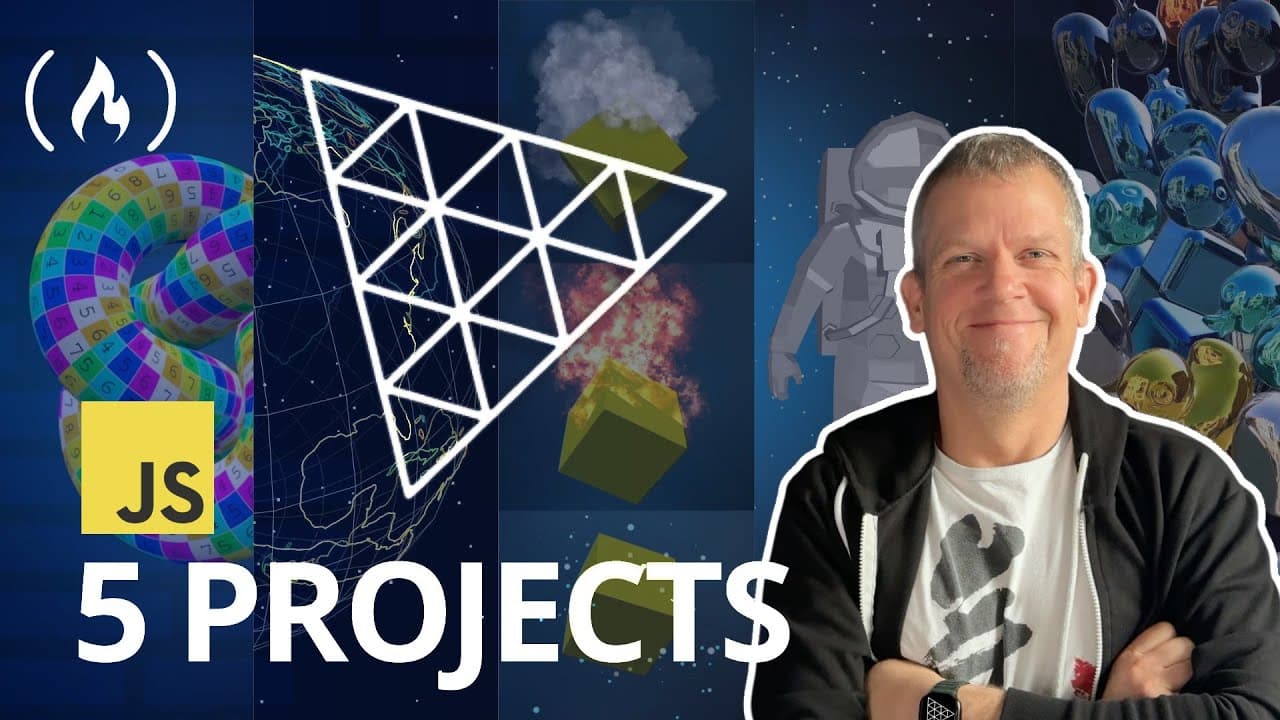
The five standalone projects cover applying textures, building a 3D globe with country outlines, creating fire, smoke, and sparkle particles, implementing smooth scroll-triggered animation, and making an interactive scene with Rapier physics. Because each project is standalone, learners can skip around.
Q: What are the three main components of a Three.js project?
The three main components are the scene, camera, and renderer. The scene contains what happens, the camera establishes the view, and the renderer brings the result to the screen.
Q: What are geometries, materials, and meshes in Three.js?
Geometries define shapes such as cubes and spheres, while materials define their appearance, such as shiny metal, red plastic, or glowing neon. A mesh combines a geometry with a material to create an object that can be rendered and animated.
Q: How are textures applied to Three.js models?
A TextureLoader loads an image, which can then be assigned to a material’s map property for its color channel. The tutorial also applies textures to normal and roughness channels, adjusts horizontal and vertical wrapping, and repeats a texture to control how it covers a model.
Q: How does the tutorial build a 3D globe in Three.js?
The globe project creates a 3D globe floating among stars and includes country outlines. It is presented as the first major project after the introductory texture work.
Q: What particle and animation effects are created in the course?
The particle project demonstrates fire, smoke, and sparkles. Another standalone project creates smooth animation triggered by webpage scrolling.
Q: What should intermediate and advanced Three.js learners study next?
Intermediate learners can load GLTF models, explore textures and environment maps, and refine animation with mathematical functions and conditional logic. Advanced learners can study performance techniques, shaders, Rapier physics, and React Three Fiber.
Summary & Key Takeaways
-
This tutorial guides beginners through mastering JavaScript and Three.js by building five projects. Start with applying textures to 3D models, then create a floating globe with country outlines. Next, explore particle effects like fire and smoke. Implement scroll-triggered animations and build interactive scenes with physics using Rapier. Each project is standalone, offering a comprehensive learning experience.
-
Learn to apply textures in Three.js, manage aspect ratios, and use normal and roughness maps for realistic materials. Create a 3D globe with starry backgrounds and country outlines. Add depth with fog and experiment with random colors. These techniques enhance the visual appeal of 3D scenes.
-
Explore particle effects by creating smoke, fire, and sparkly dot effects. Understand the role of rotation in particle systems. Learn to link Three.js scenes to the DOM for scroll-triggered animations. Incorporate models, apply materials, and add starfields for dynamic web experiences. Improve mouse interactivity and integrate GLTF models for advanced projects.
Read in Other Languages (beta)
Share This Summary 📚
Summarize YouTube Videos and Get Video Transcripts with 1-Click
Try YouTube Summary with ChatGPT & Claude or YouTube Transcript Generator
Explore More Summaries from freeCodeCamp.org 📚




Summarize YouTube Videos and Get Video Transcripts with 1-Click
Try YouTube Summary with ChatGPT & Claude or YouTube Transcript Generator