How to Use Docker and Kubernetes for DevOps
TL;DR
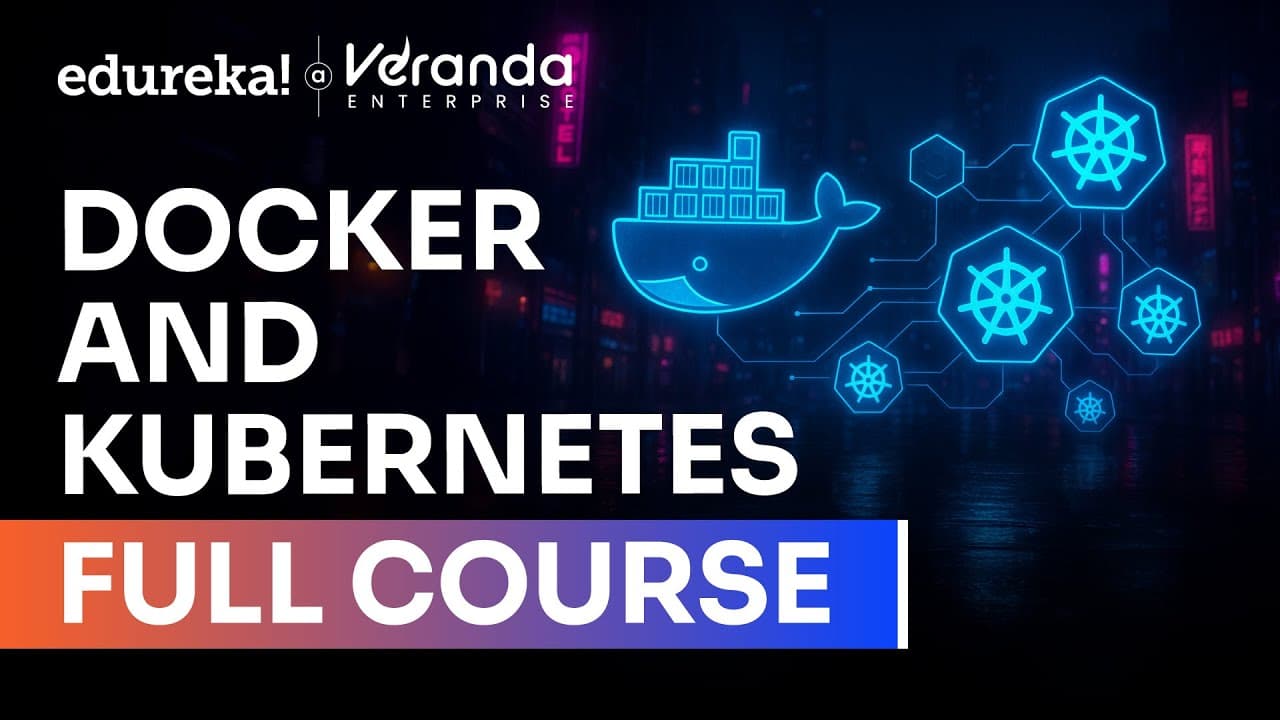
Docker packages applications with their dependencies into portable container images, while Kubernetes manages containerized workloads across clusters through networking, scaling, deployments, and production operations. Containers use Linux namespaces for isolated system views and control groups for resource limits, providing a lightweight alternative to assigning a separate virtual machine to every application component.
Transcript
Hello everyone and welcome to the Docker and Kubernetes full course. This course is designed to help you understand how modern applications are built and deployed at scale. We will start with the basics of Docker where you will learn about containers, images and how to create and manage them. You will also explore key Docker components and commands... Read More
Key Insights
- Containers are isolated processes that run within the host operating system. They avoid the separate operating-system processes required by each virtual machine, allowing more application components to share the same hardware while consuming primarily the resources required by their own workloads.
- Linux namespaces provide container isolation by giving each process its own view of system resources. Resources such as file systems, process IDs, and user IDs can be organized into separate namespaces, making a containerized process appear as though it is the only process using its environment.
- Linux control groups limit the resources available to a containerized process. Configured restrictions can apply to CPU, memory, and network bandwidth, preventing one process from consuming capacity reserved for other workloads and providing resource separation similar to applications running on different machines.
- Docker is a platform for packaging, distributing, and running applications with their environments. A package can contain required libraries or an operating-system file system, giving the application consistent file contents across development and production hosts even when those hosts use different Linux distributions.
- Docker images contain an application file system and execution metadata. Unlike monolithic virtual-machine images, Docker images consist of reusable layers, so a machine only needs to download missing layers when it already has matching layers from another container image.
- Docker registries store images and enable their transfer between people and computers. Developers can push an image from the machine where it was built, then pull and run it on another Docker host. Registries may be public or restricted to authorized people and machines.
- Docker containers are Linux containers created from Docker images. A running container operates as a process on the Docker host while remaining isolated from other processes, enabling teams to assign one container to each application instead of grouping multiple applications inside a resource-heavy virtual machine.
- Kubernetes is a container orchestration platform that manages containers across clusters. Its responsibilities include networking, scaling deployments, service discovery, rolling updates, configuration through ConfigMaps and Secrets, persistent storage, and maintaining smooth application operation within production environments.
Install to Summarize YouTube Videos and Get Transcripts
Explore YouTube Video Summarizer or Get YouTube Transcript Extractor
Questions & Answers
Q: What is the difference between containers and virtual machines?
Containers run as isolated processes within a host operating system, while each virtual machine carries its own operating-system instance and associated system processes. That difference makes containers more lightweight and allows more application components to run on the same hardware. Containers are therefore suitable when growing numbers of small services would make individually configured virtual machines costly in hardware and administrative effort.
Q: How do Linux containers isolate applications on one host?
Linux containers rely on namespaces and control groups. Namespaces give each process a separate view of resources such as the file system, process IDs, and user IDs, making the process appear alone in its environment. Control groups limit resources such as CPU, memory, and network bandwidth, preventing one containerized process from consuming capacity that should remain available to other processes.
Q: What is Docker used for in application deployment?
Docker packages, distributes, and runs applications together with their required environments. A package can include application code, libraries, dependencies, file-system contents, and metadata identifying the executable to start. The resulting image can run locally or be uploaded to a registry, downloaded by another Docker host, and executed with consistent file contents across development and production systems.
Q: What are Docker images, registries, and containers?
A Docker image is the package containing an application's file system and execution metadata. A registry is a public or private repository that stores images and supports pushing and pulling them between machines. A container is the isolated Linux process created when an image is run. Together, these concepts support packaging, sharing, and executing applications consistently on Docker hosts.
Q: Why are Docker images built from reusable layers?
Docker images use layers that can be shared and reused across multiple images. When a machine already has layers obtained from another image, it only needs to download the missing layers required by the new image. This differs from distributing large monolithic virtual-machine images and makes Docker's packaged application environments simpler to transfer among computers running Docker.
Q: How does Docker keep environments consistent across machines?
Docker bundles an application with the file-system contents, libraries, and other dependencies it requires. The application therefore sees the same packaged files on a development computer and a production server, even when those hosts run different Linux distributions or contain different installed libraries. The host kernel may differ, but the packaged application environment remains consistent from the application's perspective.
Q: What does Kubernetes manage in a container environment?
Kubernetes manages containerized applications across clusters. The covered responsibilities include networking, scaling deployments, service discovery, rolling updates, configuration through ConfigMaps and Secrets, and persistent storage. It is also used to help applications operate smoothly in production environments, where teams need coordinated deployment and management rather than handling growing numbers of containers individually on separate hosts.
Q: How do Docker and Kubernetes support DevOps projects together?
Docker provides containerization by packaging applications and their environments into portable images that run as isolated containers. Kubernetes provides orchestration by deploying and managing those containers across clusters, including scaling, networking, updates, and storage. The course also connects them with CI/CD integration, Helm application packaging, monitoring, logging, and hands-on cluster and application management for cloud-native DevOps work.
Summary & Key Takeaways
-
Containers isolate application processes while sharing the host operating system, reducing the resource overhead associated with separate virtual machines. Linux namespaces provide each process with an isolated view of system resources, while control groups restrict consumption of CPU, memory, and network bandwidth so one workload cannot consume resources reserved for another.
-
Docker packages an application, its libraries, dependencies, file system, and execution metadata into a portable image. Images can be uploaded to public or private registries, downloaded to other Docker hosts, and started as isolated containers. Layer sharing makes image distribution more efficient when required layers already exist on the destination machine.
-
Kubernetes orchestrates containers across clusters and supports networking, workload scaling, deployments, service discovery, rolling updates, configuration, secrets, and persistent storage. The course connects these capabilities with Docker Compose, Helm, CI/CD integration, monitoring, and logging to develop practical skills for operating cloud-native applications and real-world DevOps projects in production environments.
Read in Other Languages (beta)
Share This Summary 📚
Summarize YouTube Videos and Get Video Transcripts with 1-Click
Try YouTube Summary with ChatGPT & Claude or YouTube Transcript Generator
Explore More Summaries from edureka! 📚




Summarize YouTube Videos and Get Video Transcripts with 1-Click
Try YouTube Summary with ChatGPT & Claude or YouTube Transcript Generator