How to Automate Common Tasks with Python
TL;DR
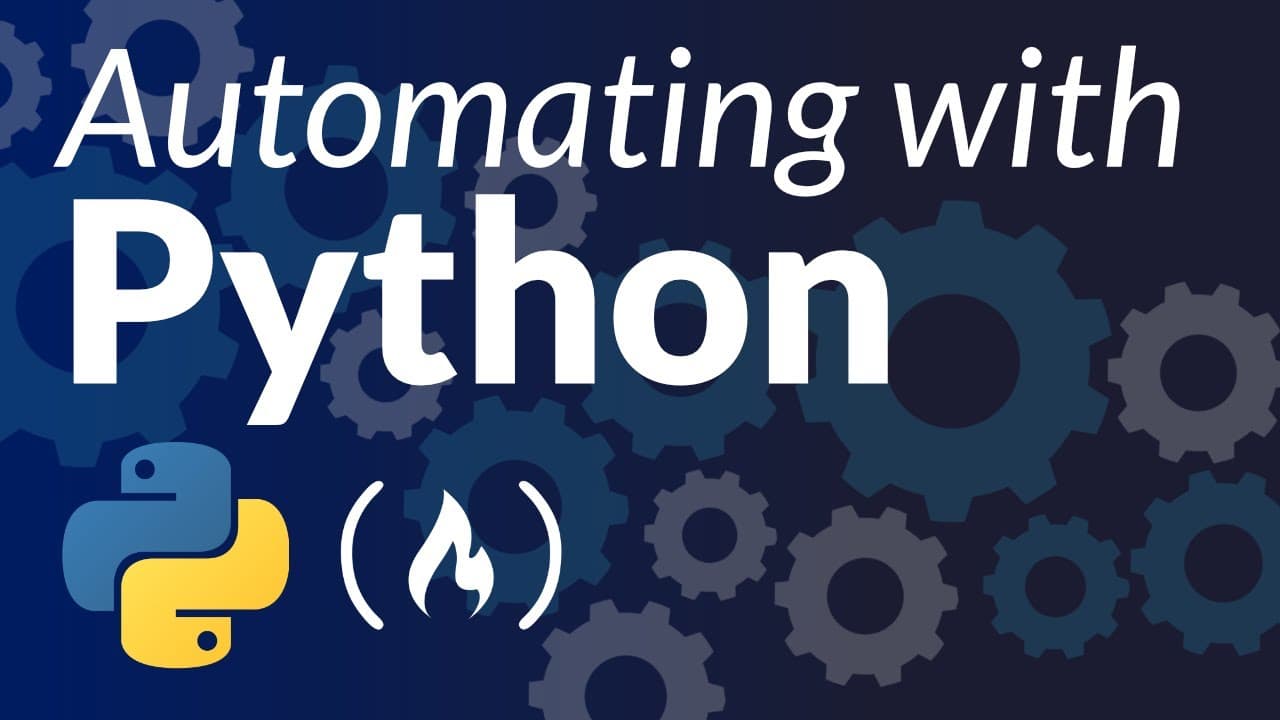
Python can automate common workflows by combining specialized packages with a clear sequence of input, processing, and output steps. The course applies this pattern to web scraping, email delivery, video downloads, PDF table extraction, resume parsing, image conversion, and news summarization, beginning with a Hacker News headlines emailer built using Requests, Beautiful Soup, SMTP, MIME, and datetime.
Transcript
In this course, you will learn how to automate a bunch of different things in Python. You will learn about web scraping, automating downloads, extracting from PDFs, automated image processing, building an automated new summarizer and more. The instructor for this course is Abdul, also known as one little coder. He has been creating courses fo... Read More
Key Insights
- Python automation is presented through concrete projects, including a Hacker News emailer, TED Talk downloader, PDF table extractor, bulk resume parser, image type converter, and automated news summarizer. Each project applies Python packages to a recurring task that would otherwise require repeated manual effort.
- The Hacker News emailer is organized as a pipeline: retrieve the front page, parse the downloaded HTML, extract required story components, arrange them into an email body, authenticate the sender, and deliver the message. This architecture separates content acquisition, transformation, formatting, and transmission.
- Requests is used to issue the HTTP GET request and retrieve the Hacker News webpage. The returned response object contains the page content, which the script accesses before passing it to an HTML parser for structured extraction.
- Beautiful Soup is used to parse downloaded webpage content and locate the information needed for the digest. The project targets components such as story titles, links, scores, and domain names, then combines those extracted values into a news-style presentation.
- The required external packages are Requests and Beautiful Soup, which the course installs with pip3 from PyPI. The environment is checked by opening a Python 3 console and importing requests, bs4, and the BeautifulSoup object with its capitalized name.
- SMTP, MIME email utilities, and datetime are built into the Python installation used by the course. SMTP handles email authentication and transactions, MIME tools construct the email body, and datetime supplies the current system date and time for the subject line.
- The email subject includes the current date so each automated delivery can be identified as a new message. The script obtains the system date and time after importing its packages, then uses that information when constructing the outgoing email.
- The extraction function accepts a URL, announces that it is retrieving Hacker News stories, and creates a temporary string for formatted output. It then downloads the URL, accesses the response content, parses the HTML, and prepares the selected information for the final email body.
Install to Summarize YouTube Videos and Get Transcripts
Explore YouTube Video Summarizer or Get YouTube Transcript Extractor
Questions & Answers
Q: How do you build a Hacker News emailer with Python?
Build the automation as a sequence of connected steps. Use Requests to retrieve the Hacker News front page, pass the response content to Beautiful Soup, and extract story components such as titles, links, scores, and domain names. Arrange those values into a readable email body, authenticate with Gmail through SMTP, add the required sender information, and send the composed message to the intended recipients.
Q: What Python packages are required for the headlines emailer?
The project uses Requests for HTTP requests, Beautiful Soup for web scraping, smtplib for email authentication and transactions, MIME utilities for creating the email body, and datetime for working with the current date and time. Requests and Beautiful Soup must be installed as external libraries. The course states that smtplib, email MIME utilities, and datetime are already included with the Python installation.
Q: How do you install Requests and Beautiful Soup for Python?
Open a terminal after confirming that Python is installed, then use pip3 to install the Requests package and Beautiful Soup. The package installer retrieves them from PyPI and installs them in the Python environment. Verify the installation by opening the Python 3 console and importing requests. For Beautiful Soup, import bs4, or import the BeautifulSoup object from bs4 using capital B and S letters.
Q: How does Python retrieve webpage content for web scraping?
The script imports Requests and calls its get function with the webpage URL. The result is stored as a response object, and the actual webpage data is accessed through the response content. That content is then passed to Beautiful Soup with an HTML parser, producing a parsed representation from which the script can select the specific website components needed for the automation.
Q: What information does the Hacker News scraper extract?
The scraper is designed to select the useful components of Hacker News stories rather than reproduce the entire webpage. The course identifies story titles, links, scores, and domain names as relevant examples. Those values are extracted from the parsed page content and arranged so the resulting email contains recognizable news entries with titles, destinations, and supporting story information.
Q: How is the automated email body created in Python?
The script begins with an empty string that acts as a placeholder for email content. Inside the extraction function, another temporary string is created for generated material. The body starts with a heading for the top Hacker News stories, uses bold text and line breaks for readability, and then adds the scraped story details in a structured format resembling a news presentation.
Q: Why does the Python emailer use the datetime module?
The datetime module supplies the current system date and time for the outgoing email subject line. Including the appropriate date helps distinguish each automated message and makes it clear that a new digest has arrived on a different day. The script imports datetime with its other dependencies and extracts the current value before assembling and sending the email.
Q: What automation projects are included in the Python course?
The course includes a Hacker News headlines emailer, a TED Talk downloader, a table extractor for PDF files, an automated bulk resume parser, an image type converter, and an automated news summarizer. The available transcript focuses on the first project, including environment setup, web scraping, webpage structure, email construction, Gmail authentication, and delivery through Python.
Summary & Key Takeaways
-
The course introduces practical Python automation through projects that handle web content, downloads, documents, resumes, images, and news. Its first project retrieves the Hacker News front page, extracts useful story details, formats those details as a readable email, authenticates through Gmail, and sends the finished digest to designated recipients.
-
The Hacker News emailer requires Requests and Beautiful Soup as external packages. Requests retrieves webpage content through an HTTP GET request, while Beautiful Soup parses that content and selects the required components. SMTP, MIME email utilities, and datetime are included with Python and support authentication, message construction, and dated subject lines.
-
The project script imports its dependencies, records the current system date and time, creates placeholders for generated content, and defines a function that accepts a URL. That function downloads the page, parses its HTML, and prepares selected story information for an email body designed to resemble a structured news presentation.
Read in Other Languages (beta)
Share This Summary 📚
Summarize YouTube Videos and Get Video Transcripts with 1-Click
Try YouTube Summary with ChatGPT & Claude or YouTube Transcript Generator
Explore More Summaries from freeCodeCamp.org 📚




Summarize YouTube Videos and Get Video Transcripts with 1-Click
Try YouTube Summary with ChatGPT & Claude or YouTube Transcript Generator