How to Capture Images from a Vintage Electron Microscope
TL;DR
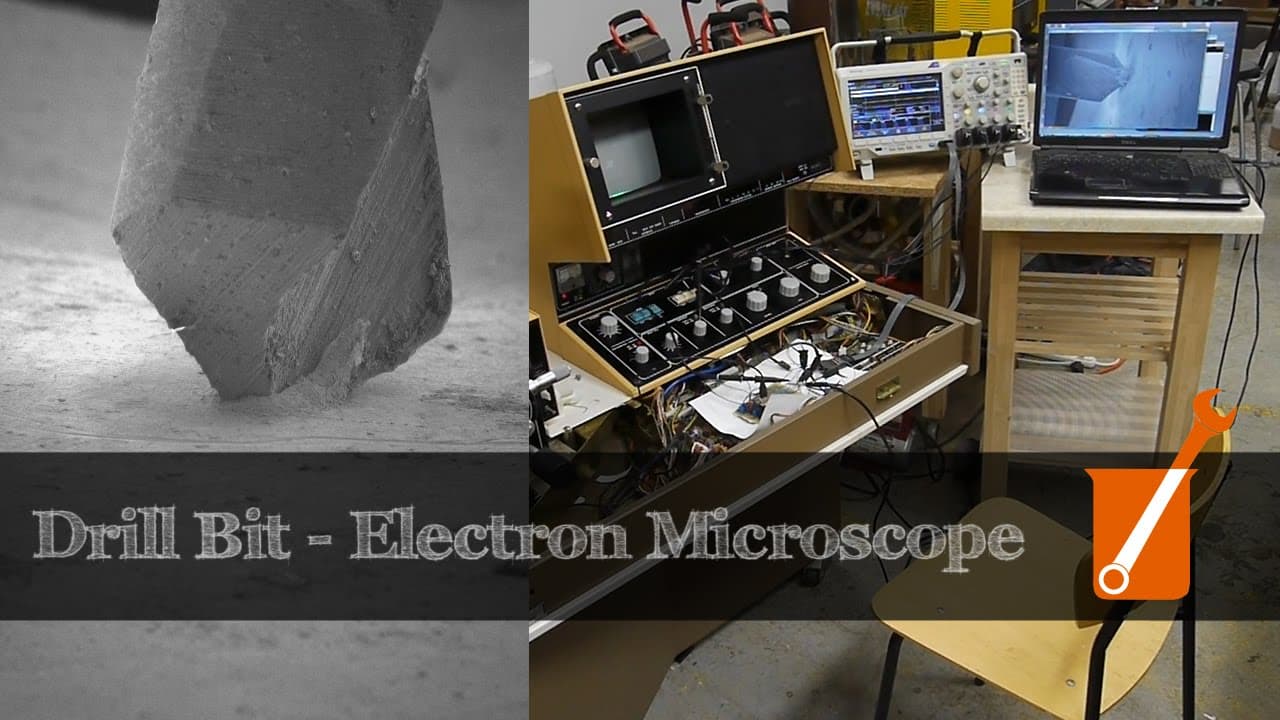
To capture images from a vintage scanning electron microscope (SEM), you can build a system that digitizes the SEM's analog video signal using a microcontroller, then transfer the data to a modern computer via USB. This setup allows for real-time image display and capture, enabling you to visualize and save detailed images directly from the SEM.
Transcript
today on Applied Science I'm going to describe how I built an image capture system for this vintage scanning electron microscope this allows me to connect a modern computer to it and capture images directly but first let's take a look at an animation that I made today using this system this is a two millimeter drill bit drilling into some lead meta... Read More
Key Insights
- 🌉 System bridges vintage SEM output to modern computer for real-time imaging.
- 📡 Analog signal processing enables efficient capture and digitization for image display.
- 🏓 USB data transfer optimized using ping pong buffers and sync pulse synchronization.
- 💗 ADC sampling synchronized with sync pulses for precise imaging timing.
- 🍵 Microcontroller firmware efficiently handles ADC sampling and USB transmission.
- 👶 System showcases integration of legacy equipment with new technology for enhanced functionality.
- 💗 Sync pulse separation and video signal processing ensure optimal digitization of SEM output.
Install to Summarize YouTube Videos and Get Transcripts
Explore YouTube Video Summarizer or Get YouTube Transcript Extractor
Questions & Answers
Q: How does the image capture system convert SEM analog output to digital?
The system starts with the analog video signal from SEM, which is digitized using a microcontroller. The digital values are then transmitted over USB to a computer for real-time display and image capture.
Q: How does the image capture system handle slow scan image capture?
The system slows down the scan rate to achieve high-resolution images, reconstructing frames from sync pulses and analog data. It captures around 1,000 lines per frame, taking about 11 seconds.
Q: How does the system optimize the analog signal for digitization?
The system utilizes op-amps for signal reduction and offset adjustment to fit the dynamic range for digitization. Separate circuits handle the video and sync pulses, ensuring efficient signal separation.
Q: How does the microcontroller manage data transfer over USB?
The microcontroller uses ping pong buffers to prevent contention between ADC data and USB transmission. It optimizes buffer size for USB transactions and synchronizes ADC sampling with sync pulses for accurate timing.
Summary & Key Takeaways
-
Image capture system built to digitize SEM output for modern computers.
-
Analog signal from SEM fed into microcontroller, digitized, and transferred to computer via USB.
-
Real-time image display and capture enabled through processing script on computer.
Read in Other Languages (beta)
Share This Summary 📚
Summarize YouTube Videos and Get Video Transcripts with 1-Click
Try YouTube Summary with ChatGPT & Claude or YouTube Transcript Generator
Explore More Summaries from Applied Science 📚
Summarize YouTube Videos and Get Video Transcripts with 1-Click
Try YouTube Summary with ChatGPT & Claude or YouTube Transcript Generator