How to Get Better Results From Claude Code
TL;DR
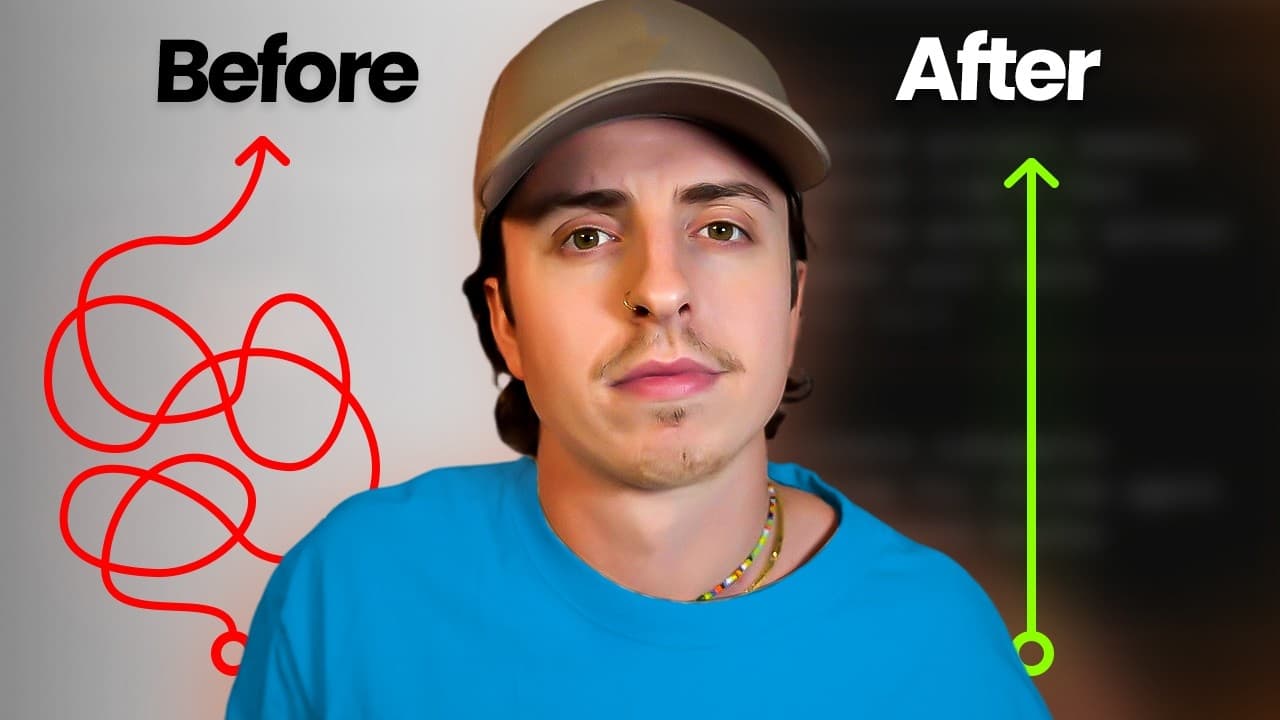
Better Claude results come from managing attention, prioritizing quality, planning before execution, and building verification into every workflow. Divide work by effort, centralize notifications, gather simulated stakeholder feedback, connect relevant external systems, question whether each process is necessary, translate abstract goals into concrete tasks, and ship good work instead of waiting for perfection.
Transcript
There are hundreds of clawed code tutorials out there, but all of them are ignoring the most important factor. The reality is if you, the person watching this, doesn't use the tool properly, then nothing else matters. So, today I'm bringing down these six fixes you need to make to 10x your output. Each fix comes from problems that I've identified a... Read More
Key Insights
- Human attention is the bottleneck when AI can execute continuously but people cannot. The recommended response is to assign complex work to fresh morning hours and move simpler, repetitive tasks to a lower-effort afternoon slot, reducing the risk of exhaustion and poor judgment.
- AI and humans contribute different strengths to a workflow. AI is effective at fast, continuous execution and large-scale pattern matching, while people provide judgment, taste, and the ability to decide when work is genuinely finished and suitable for delivery.
- Centralized notifications reduce attention lost to context switching. The creator uses Slack as the central business hub, with Claude automations and loops reporting through webhooks into dedicated channels instead of sending updates across many disconnected tools.
- Quality is more valuable when producing content and work becomes inexpensive. AI-generated emails, reports, and other deliverables can damage personal or company brand equity when they are submitted without thoughtful review, even if the system produces them quickly and at high volume.
- Pre-submission feedback is a form of AI time travel. A simulated board of thought leaders, an internal end-user focus group, or a manager clone can critique work before delivery, allowing weaknesses to be corrected before the actual stakeholder sees the result.
- Planning and verification outperform repeated reactive prompting. The gardener model defines goals, identifies missing information, lets AI execute a plan, and establishes tests for completion, while the sculptor model repeatedly prompts and manually adjusts each intermediate response.
- Explicit verification instructions can improve autonomous completion. Adding a requirement to verify that work functions, fix failures, and rerun checks encourages Claude to catch problems before returning the result instead of making the user discover errors afterward.
- AI is not the right first response to every inefficient process. The five-step AI enhancement framework begins by questioning each requirement and asking whether a process step is necessary, since some business procedures persist only because nobody chose to remove them.
Install to Summarize YouTube Videos and Get Transcripts
Explore YouTube Video Summarizer or Get YouTube Transcript Extractor
Questions & Answers
Q: How can I get better results from Claude Code?
Better results begin with changing the surrounding workflow, not merely writing more prompts. Protect your attention, schedule complex judgment-heavy work during fresh hours, define a plan before execution, and tell Claude how to verify completion. For important deliverables, add feedback from simulated experts, customers, or managers before submission, then require failed checks to be fixed and rerun.
Q: How should I organize my day for AI-assisted work?
Separate work into high-effort and low-effort categories. Put intellectually complex tasks in the hours when your attention is freshest, and reserve simpler or repetitive tasks for later in the day. The creator uses an AM slot for complex work and a PM slot for relaxed work, matching human judgment demands to available energy while letting AI handle continuous execution.
Q: How can I reduce context switching from AI automations?
Route automation updates into one central communication hub instead of allowing different tools to send notifications in every direction. The creator uses Slack for the entire business, connects Claude automations and loops through Slack webhooks, and assigns specific channels to specific automations. This arrangement preserves attention by making updates easier to find, review, and manage in one place.
Q: Why should AI workflows prioritize quality over quantity?
Producing more material becomes less valuable when AI makes production easy, while poor deliverables can weaken a personal or company brand. People notice emails and reports that appear automated but lack thought. Every customer-facing or professional output can improve trust or damage it, so AI should create stronger feedback and revision cycles rather than simply multiplying the amount produced.
Q: How can Claude provide feedback before I submit work?
Create reusable feedback skills that represent the people whose judgment matters. An “ask the board” skill can draw on public content from four or five thought leaders in a relevant field. An internal focus group can represent the end user, while a manager clone can use a manager’s posts, Slack messages, and emails to assess work before actual submission.
Q: What does planning before prompting mean in Claude Code?
Planning means defining the intended result, identifying missing information, and establishing verification criteria before asking Claude to execute. One suggested instruction is to state the task and ask Claude to interview you about gaps in your knowledge. After the plan is complete, Claude can perform the work and check the result, reducing repeated cycles of prompting, waiting, and manual correction.
Q: How can I make Claude verify its own work?
Add explicit verification language to CLAUDE.md that requires Claude to confirm the work functions and that the task is complete before returning it. If verification fails, instruct it to fix the problem and rerun the check. Connect relevant external systems through MCP servers or APIs when real-world data is needed, and use expert or customer feedback skills for nontechnical deliverables.
Q: When should I avoid using Claude for a business process?
Avoid treating every inefficiency as an AI problem. Before introducing Claude, question every requirement and determine whether the process step is necessary at all. The creator’s five-step AI enhancement framework begins with this examination because many business processes continue simply because nobody removed them. Deleting an unnecessary requirement can be more effective than automating it with another tool.
Summary & Key Takeaways
-
Human attention, not AI execution speed, is often the limiting factor in AI-assisted work. Schedule intellectually demanding tasks during your freshest hours, reserve repetitive work for later, consolidate automation notifications in Slack, and use remote access and voice tools so working with Claude does not require constant desk time or typing.
-
As content and task production become easier, quality grows more important. Protect brand equity by creating feedback systems before submitting work. Suggested approaches include a board modeled on public thought-leader content, an internal focus group representing the end user, and a manager clone built from relevant posts, messages, and emails.
-
Effective AI workflows begin with planning, continue through delegated execution, and end with verification. Claude should interview users to uncover planning gaps, test whether its output works, and revise failures. External connections can provide real-world data, while a broader productivity framework questions unnecessary requirements before treating every inefficiency as an AI problem.
Read in Other Languages (beta)
Share This Summary 📚
Summarize YouTube Videos and Get Video Transcripts with 1-Click
Try YouTube Summary with ChatGPT & Claude or YouTube Transcript Generator
Explore More Summaries from Austin Marchese 📚




Summarize YouTube Videos and Get Video Transcripts with 1-Click
Try YouTube Summary with ChatGPT & Claude or YouTube Transcript Generator