How to Scale AI Work With Autonomous Agents
TL;DR
Move beyond chat-based assistance by letting AI access relevant files and systems, complete tasks directly, and verify its own output. Scaling to parallel agents requires objective and taste-based checks, carefully limited permissions, and independent assignments that prevent agents from interfering with one another, while later stages turn repeatable processes into scheduled Claude skills.
Transcript
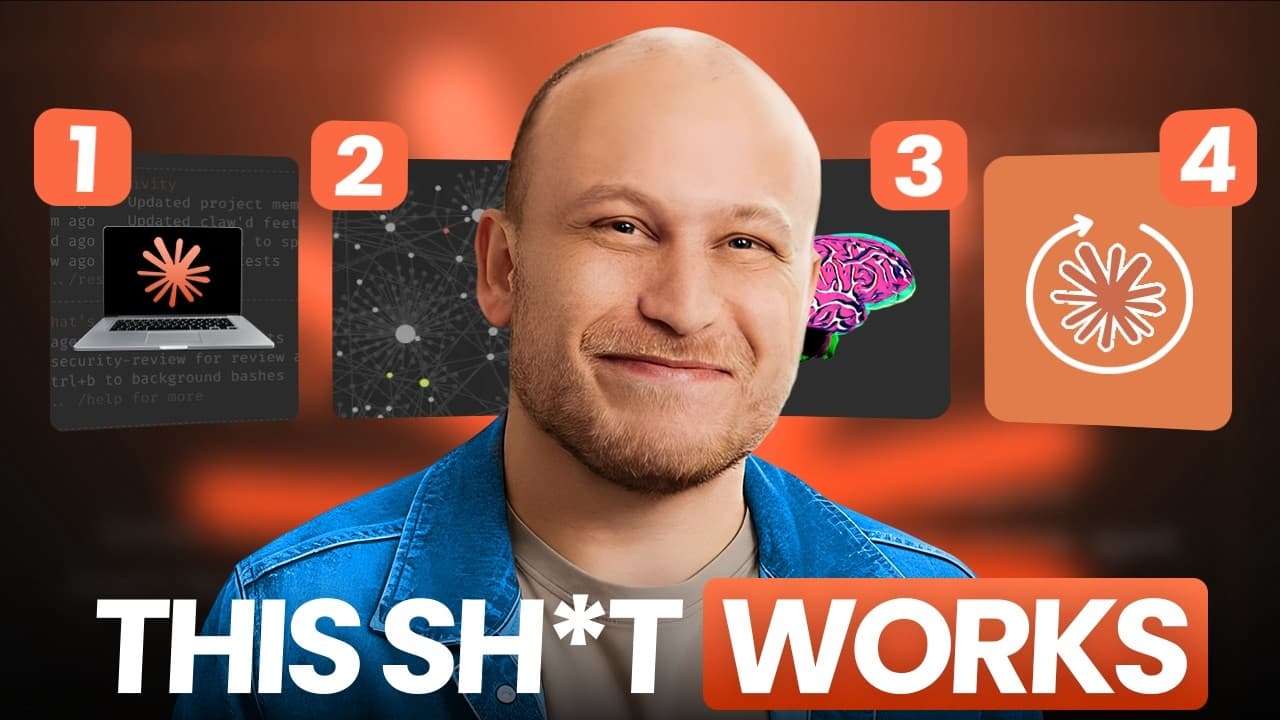
Boris Cherny, the creator of Claude Code, said something that shocked me. Inside every company, there is one person who uses AI to 10x their output while everyone else around them struggles to keep up. So, to help with this, Boris shared four steps that separates these AI power users from everyone else. But, the problem is his advice is extremely t... Read More
Key Insights
- AI-assisted work is defined by execution, not conversation. An agent should retrieve relevant information and edit documents or files directly, reducing the manual copying and pasting that keeps users trapped in a slow, closely supervised workflow.
- A shared project folder is a practical collaboration layer between a person and Claude. Creating a personal AI system folder, running the init command, and opening the same folder in Obsidian makes AI-created files easier to produce, inspect, and organize.
- External connections reduce unnecessary information transfer. Connecting systems such as Notion gives the agent direct access to relevant data, which removes the need to bring outside material into the chat manually before useful work can begin.
- Human attention is the main bottleneck in closely supervised AI work. When users believe they must inspect every response and file edit, they cannot look away, delegate complete tasks, or gain the benefits of several agents operating at the same time.
- Parallel AI work requires end-to-end delegation and self-checking. The orchestrator should review finished products instead of following every intermediate action, enabling five to ten agents to work concurrently on separate assignments without overwhelming the human reviewer.
- Rule-based verification is an objective pass-or-fail quality system. Coding examples include linting, automated tests, and type checks, while non-technical examples include checking required colors, fonts, punctuation choices, and measurable engineering rules or regulations.
- Taste-based verification evaluates qualities that do not have a single objective answer. AI can assess whether a design looks good, an idea meets a quality threshold, or writing is concise, but the criteria require context and continued refinement over time.
- Agent permissioning is the practice of allowing useful autonomy while limiting irreversible risk. Claude Code's auto mode approves less risky actions and requests human permission for risky ones, creating room for independent execution without granting uncontrolled access.
Install to Summarize YouTube Videos and Get Transcripts
Explore YouTube Video Summarizer or Get YouTube Transcript Extractor
Questions & Answers
Q: How do you move beyond using AI only in a chat window?
Move from asking AI for answers to letting it perform work directly. Give the agent access to an appropriate project folder and connect the external systems it needs, such as Notion. It should retrieve information and edit files itself, reducing the repeated copying and pasting of prompts, source material, and generated output between separate applications.
Q: How can Claude Code support non-coding work?
Claude Code can work directly with files on a computer, so its usefulness is not limited to programming. Create a dedicated personal AI system folder through Claude Desktop, add it to Claude Code, and run the init command. Claude can then create or edit documents in that workspace, while a tool such as Obsidian can make the files easier to navigate.
Q: What separates AI-assisted work from basic AI chat?
Basic chat produces responses that a person often has to move elsewhere manually. AI-assisted work gives the model the ability to retrieve information and change files on the user's behalf. The practical test is whether the user still copies outside data into Claude or copies Claude's output into other locations. If so, the workflow remains unnecessarily manual.
Q: How can one person manage multiple AI agents in parallel?
The person must act as an orchestrator who assigns separate work to agents and reviews completed products rather than monitoring every intermediate step. Boris Cherny describes one engineer coordinating five to ten agents at once. For this model to work, agents need end-to-end tasks, self-verification, suitable permissions, and boundaries that prevent their assignments from interfering with one another.
Q: Why is automated verification essential for parallel AI agents?
Automated verification prevents human review from becoming the new bottleneck. If one person must inspect every response and edit produced by several agents, parallel execution creates more material than the person can efficiently review. Rule-based and taste-based checks allow agents to examine their own results, so the orchestrator can focus on final products and important exceptions.
Q: What is the difference between rule-based and taste-based verification?
Rule-based verification checks objective requirements with clear pass-or-fail outcomes, such as whether a report uses specified colors, fonts, or punctuation. Taste-based verification evaluates subjective quality, such as whether a design looks good, an idea meets a quality bar, or writing is concise. Both types need context, and taste criteria should be refined as the system is used.
Q: How should permissions be configured for autonomous AI agents?
Permissions should give agents enough freedom to finish tasks without exposing systems to avoidable permanent damage. The suggested approach is Claude Code's auto mode, which uses a preset configuration to approve actions considered less risky and asks the user before risky actions. This balances productive autonomy with human control over operations that could have serious consequences.
Q: What are the four stages of the AI productivity playbook?
The progression starts with AI-assisted work, where one person works with one mostly supervised agent. It then advances to parallel building, where an orchestrator coordinates multiple self-checking agents. The later stages are identified as supervised autonomy and AI native. The description adds that the overall progression turns personal processes into Claude skills that can run on a schedule.
Summary & Key Takeaways
-
The four-step progression begins beyond basic chat use. Step one treats AI as an active assistant that can retrieve information and edit files, eliminating repeated copying and pasting. A shared folder, initialized in Claude Code and optionally viewed through Obsidian, provides a practical workspace where people and AI can collaborate directly.
-
Step two changes the user from a closely involved worker into an orchestrator of parallel agents. Each agent should complete an assignment from start to finish and check its own output. This arrangement can accelerate a backlog, but it succeeds only when automated verification replaces constant human inspection as the primary quality-control mechanism.
-
Safe autonomy depends on two foundations: reliable verification and constrained permissions. Rule-based checks enforce objective requirements, while taste-based checks evaluate subjective qualities such as clarity or design quality. Claude Code's auto mode can approve lower-risk actions while requesting permission for riskier ones, allowing agents to work independently without receiving unrestricted access.
Read in Other Languages (beta)
Share This Summary 📚
Summarize YouTube Videos and Get Video Transcripts with 1-Click
Try YouTube Summary with ChatGPT & Claude or YouTube Transcript Generator
Explore More Summaries from Austin Marchese 📚




Summarize YouTube Videos and Get Video Transcripts with 1-Click
Try YouTube Summary with ChatGPT & Claude or YouTube Transcript Generator