How to Connect Slack to n8n for Message Automation
TL;DR
Create a Slack app, grant its bot the required scopes, install it in your workspace, and connect its OAuth 2 credentials or bot token to n8n. Add the app to the target channel, configure Slack Event Subscriptions with the n8n webhook, and subscribe to app mentions. When activating the workflow, replace the test webhook with the production URL.
Transcript
So, this is the quickest and easiest way to connect Slack to any event. So, I'm setting up a new Slack workspace. So, you guys know I'm walking through every single step. So, I just gave it a name. I'm giving it my name. I don't need to invite anyone else. I'm creating my first channel and I'm starting with the limited free version. Okay. So, now t... Read More
Key Insights
- A Slack app is the connection point between a Slack workspace and an n8n workflow. It can be created from scratch on the Slack Apps page, named, and assigned to the specific workspace where the automation will operate.
- Slack and n8n support two related workflow functions: a Slack Trigger can listen for channel activity, while a Slack message node can send content back to a selected channel. Each function requires appropriate app configuration and credentials.
- Bot token scopes define what the Slack app and connected n8n workflow can do. The walkthrough adds app mentions read and channels read, while also identifying channel joining and chat permissions as options that can be customized for the bot's intended behavior.
- OAuth 2 authorization can connect an n8n Slack credential by displaying the requested workspace permissions and asking the user to allow them. A bot user OAuth token copied from Slack can also be saved as an access-token credential in n8n.
- A Slack app must belong to the target channel before it can post there. The "not in channel" error is resolved by mentioning the app inside the channel and using Slack's prompt to add it as a channel participant.
- Slack Event Subscriptions connect incoming events to the n8n Slack Trigger. The n8n webhook must be pasted into Slack as the request URL while the trigger is listening, allowing Slack to verify the endpoint.
- The app mention event makes the workflow run when someone mentions the Slack app in a channel. The incoming trigger data includes the message text, which can be mapped into another node, such as an AI agent's user-message prompt.
- The production webhook must replace the test webhook when the n8n workflow is activated. An event subscription configured only with the test URL will stop reaching the trigger after n8n switches the active workflow to its production endpoint.
Install to Summarize YouTube Videos and Get Transcripts
Explore YouTube Video Summarizer or Get YouTube Transcript Extractor
Questions & Answers
Q: How do you create a Slack app for an n8n workflow?
Open the Slack Apps section, which is also available at api.slack.com/apps, and select the option to create a new app. Build the app from scratch, give it a name, and assign it to the Slack workspace where the automation will run. After creating it, Slack opens the configuration panel used for permissions, installation, tokens, and event subscriptions.
Q: How do you connect Slack credentials to n8n?
Open the Slack node in n8n and create a new credential. One method is to choose OAuth 2, connect the account, select the correct Slack workspace, review the requested permissions, and click allow. Another method is to copy the bot user OAuth token from the installed Slack app and save it in n8n as an access-token credential.
Q: Which Slack bot scopes are configured for the n8n connection?
The walkthrough adds app mentions read and channels read under the Slack app's bot token scopes. It also points out that permissions for joining channels and working with chat can be added depending on what the bot needs to do. These scopes communicate which Slack actions and information are available to the connected app and n8n workflow.
Q: Why does n8n show a "not in channel" Slack error?
The error appears because the Slack app has not yet been added to the selected channel. Go to that Slack channel, mention the newly created app, and send the message. Slack then prompts you to invite the app. After accepting the prompt, return to n8n and test the Slack message node again to confirm it can post.
Q: How do you configure a Slack webhook for an n8n trigger?
Copy the webhook from the n8n Slack Trigger, then open Event Subscriptions in the Slack app configuration and enable events. Paste the copied webhook into the request URL field. In n8n, choose a channel that already contains the app and start the trigger's test step. Retry verification in Slack while the trigger is listening so the URL can be accepted.
Q: How do you trigger an n8n workflow from a Slack mention?
In the Slack app's Event Subscriptions panel, open the section for subscribing to bot events and add the app mention event. Save the changes, then start listening with the Slack Trigger in n8n. When a user mentions the app in the configured Slack channel and includes a message, Slack sends the event and its text to the workflow.
Q: How can an AI agent respond to Slack messages through n8n?
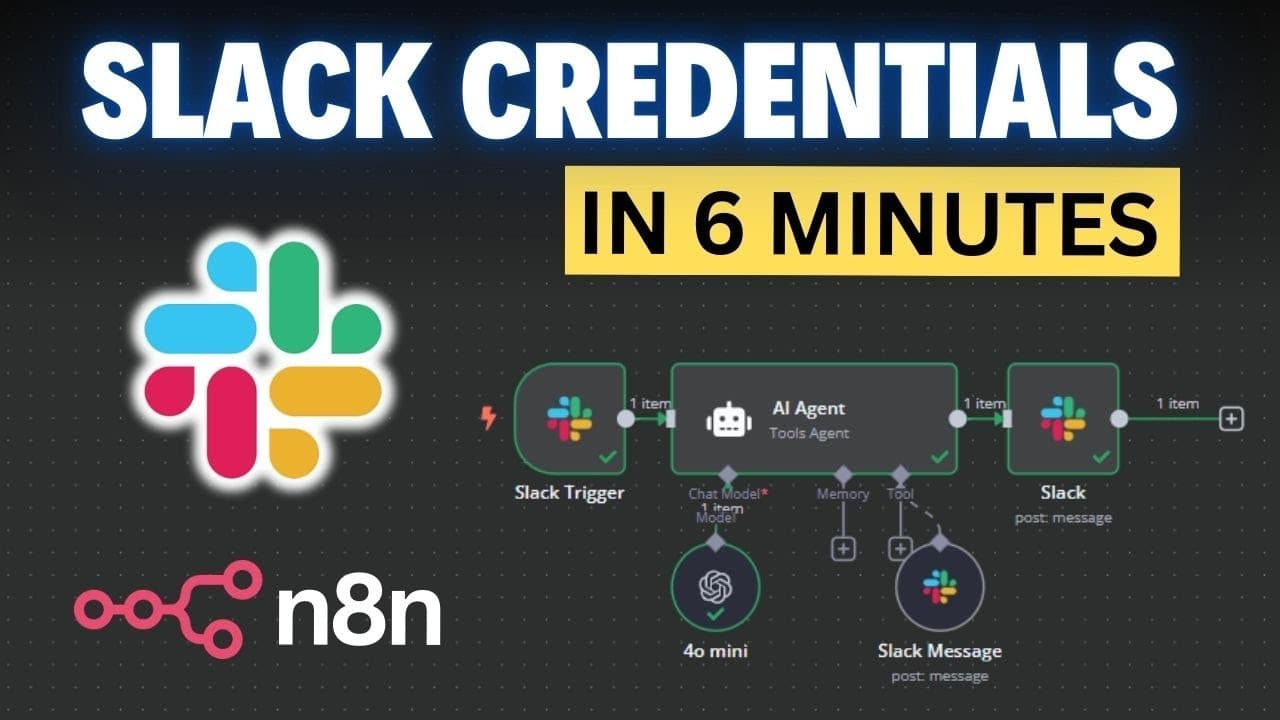
Connect the Slack Trigger to an AI agent and map the incoming Slack text into the agent's user-message prompt. Then connect the agent to a Slack message node and map the agent's output into the outgoing message text. During a live test, mentioning the app with a request sends the text to the agent and posts its response back to Slack.
Q: Why must the Slack webhook change when an n8n workflow becomes active?
The initial Slack Event Subscription is configured with n8n's test webhook URL, which works while the trigger is running in test mode. Activating the workflow switches the trigger to its production URL. Copy that production webhook, replace the test request URL in Slack, and let Slack verify it so events continue reaching the active workflow.
Summary & Key Takeaways
-
Create a Slack app from scratch at the Slack Apps page, assign it to the intended workspace, and configure its bot token scopes. Install the app in that workspace, then connect it to n8n by authorizing through OAuth 2 or by copying the bot user OAuth token into an access-token credential.
-
Add the Slack app to the channel where n8n should send and receive messages. If n8n reports a "not in channel" error, mention the app in that channel and accept Slack's invitation prompt. Once added, the Slack message node can select the channel and successfully post test messages.
-
For incoming Slack events, copy the n8n Slack Trigger webhook into Slack Event Subscriptions, enable events, and subscribe to the app mention bot event. Pass the received text to an AI agent and send its output through a Slack message node. Replace the test webhook with the production URL before activation.
Read in Other Languages (beta)
Share This Summary 📚
Summarize YouTube Videos and Get Video Transcripts with 1-Click
Try YouTube Summary with ChatGPT & Claude or YouTube Transcript Generator
Explore More Summaries from Nate Herk | AI Automation 📚






Summarize YouTube Videos and Get Video Transcripts with 1-Click
Try YouTube Summary with ChatGPT & Claude or YouTube Transcript Generator