How to Add Voice to n8n AI Agents With ElevenLabs
TL;DR
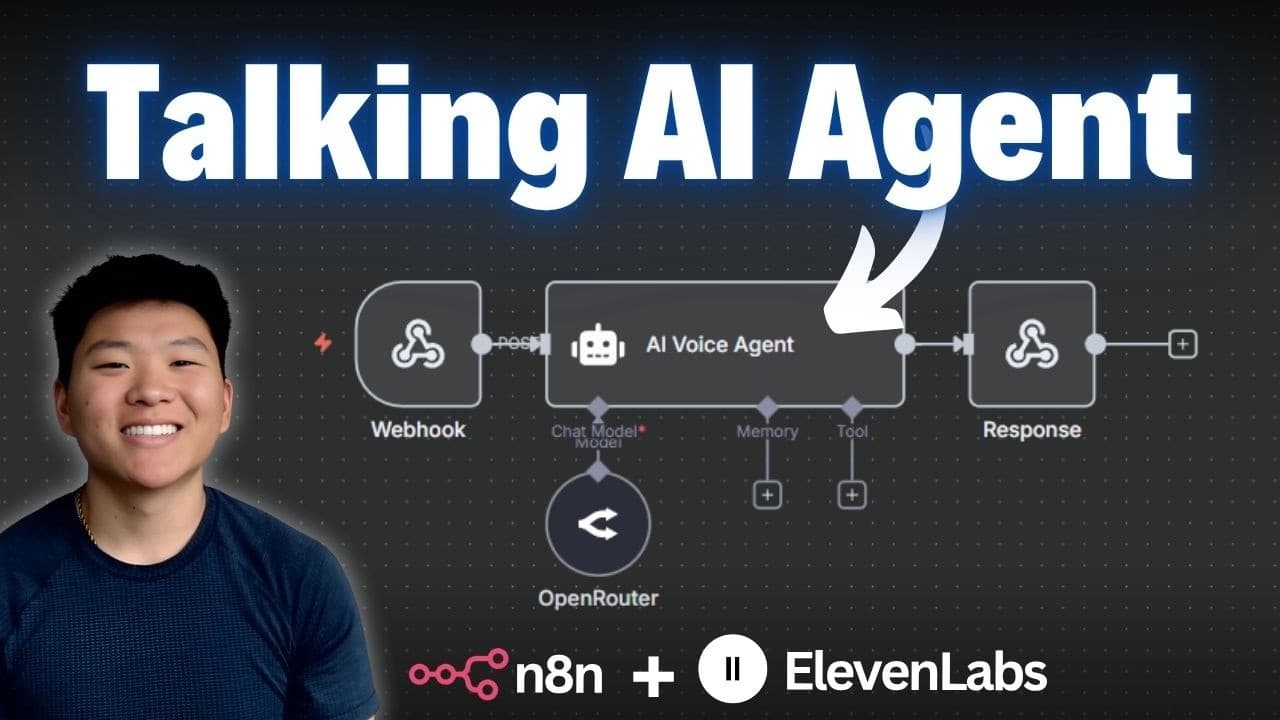
Connect voice to n8n AI agents two ways: send an audio file through Telegram that gets transcribed, processed by an AI agent, and returned as speech via ElevenLabs; or use an ElevenLabs conversational AI agent for real-time voice conversations. Both need no coding, just an ElevenLabs API key and node connections.
Transcript
Today I'm going to be talking about the easiest way that we can connect voice to our Naden workflows or agents for a better experience for the user. There are two ways that we can do this. The first one is using 11 Labs to turn text into speech and send that over as an audio file. And then the second one is where we use an 11 Labs voice agent to ac... Read More
Key Insights
- There are two ways to add voice to n8n workflows: using ElevenLabs to turn text into speech and send an audio file, or using an ElevenLabs voice agent to have a real-time conversation.
- The first method processes audio-to-audio: a user sends a voice file, the agent processes the information, and it sends back another voice file, but it is not a live conversation.
- Telegram serves as both the trigger and the delivery channel. A Telegram trigger on 'message received' captures the incoming voice file, identifiable because the output shows the type audio/ogg.
- The ElevenLabs node is an n8n verified community node. To use it you must update your n8n version to the release that supports verified community nodes, then install it before its actions appear.
- ElevenLabs offers a 'transcribe audio or video' action that converts speech to text, looking for a binary file in a field called 'data', replacing OpenAI's transcribe recording node used in past tutorials.
- The AI agent by default looks inside a connected chat trigger node. Since none exists, you set the user message to 'defined below' and drag in the transcribed text field so it reads the transcription.
- ElevenLabs 'convert text to speech' needs both the text and a voice. You can pick a voice from a list (like Nate Herk, Jarvis, Archer) or copy a voice ID from the ElevenLabs voices page and choose by ID.
- The ElevenLabs plan the creator uses costs $5 a month, and he says he hardly ever meets the credit limit; a free tier is also available for starting out.
Install to Summarize YouTube Videos and Get Transcripts
Explore YouTube Video Summarizer or Get YouTube Transcript Extractor
Questions & Answers
Q: What are the two ways to add voice to an n8n AI agent?
There are two ways to connect voice to n8n workflows or agents. The first uses ElevenLabs to turn text into speech and send it over as an audio file, processing audio-to-audio but without a live conversation. The second uses an ElevenLabs voice agent to have a real-time, back-and-forth conversation with the user. The video walks through both methods live, and neither requires any coding, just an API call or webhook setup.
Q: How do you capture a voice message in n8n using Telegram?
You add a Telegram node as the trigger set to 'on message received' and execute the step so it listens in your Telegram channel. When you send a voice message, the trigger captures it, and you can tell it is a voice file because the output shows the type audio/ogg. You then add a Telegram 'get a file' node, drag in the file ID from the trigger, and execute it to download the actual voice file so it can be transcribed.
Q: How do you transcribe audio with ElevenLabs in n8n?
You add an ElevenLabs node, which is an n8n verified community node, and choose the 'transcribe audio or video' action. It requires an ElevenLabs API key credential. Once connected, the node turns speech into text and looks for a binary file in the field called 'data', which links to the downloaded voice file. Executing the step converts the audio into text, such as 'testing testing, can you hear me?' from the sample voice message.
Q: How do you get an ElevenLabs API key?
Sign up for an account at ElevenLabs, where you can start for free or use the $5 a month plan. In your profile, go to API keys and click 'create API key'. It asks for different permissions, so make sure text to speech and speech to speech have access, or turn off restrictions to give it access to everything. Create the key, then copy the value immediately because you cannot retrieve it again after closing, so save it somewhere safe.
Q: Why doesn't the AI agent read the transcription by default in n8n?
By default the AI agent is set to look inside a connected chat trigger node, which does not exist on this workflow. To fix this, you click into the agent and change the user message to 'defined below', then drag the text field from the transcription node into the box. This makes the agent look at the variable representing whatever was transcribed. You can also add a system prompt, such as making it a helpful assistant who is extremely funny.
Q: How do you convert the AI agent's text response back into speech?
You add another ElevenLabs node and choose 'convert text to speech'. You must give it the text to turn into speech and the voice to use. You can pick a voice from a list, including options like Nate Herk, Jarvis, and Archer, or select by ID. Then you drag the output of the AI agent into the text field and run the step, which produces an audio file of the spoken response ready to be sent back.
Q: How do you use a custom voice by ID in ElevenLabs?
If the voice you want is not in the n8n list, go to ElevenLabs, open voices on the left-hand side, and preview the different options. Once you find one you like, open it and click 'copy voice ID'. Back in the workflow, instead of choosing from a list, select 'choose by ID' and paste in the copied voice ID. This sets up the text-to-speech node to use that specific voice for the generated audio.
Q: How do you send the generated audio file back to Telegram?
You add a Telegram node and choose to send a file, specifically an audio file, rather than a message. You provide three things: the chat ID, pulled from the Telegram trigger's metadata by dragging it into the slot; the input type set to binary; and the data field, which Telegram automatically looks for. After executing, it reports the message has been sent, and an MP3 file appears in the Telegram chat. The workflow must be set to active for it to run automatically.
Summary & Key Takeaways
-
The tutorial covers the easiest way to connect voice to n8n workflows or agents. Two approaches are shown: using ElevenLabs to convert text to speech and send an audio file, and using an ElevenLabs voice agent for a real-time conversation. Both are walked through live with no coding required.
-
In the first method, a Telegram trigger captures a voice message, a Telegram 'get a file' node downloads it, and ElevenLabs transcribes the audio to text. An AI agent set to read the transcription generates a response using an OpenRouter chat model, configured with a system prompt to be funny.
-
The AI agent's text response is converted back to speech with ElevenLabs using a chosen voice, then sent to Telegram as an audio file using the chat ID from the trigger. After activating the workflow, a full test returns a spoken reply within seconds. The second method sets up an ElevenLabs conversational AI agent.
Read in Other Languages (beta)
Share This Summary 📚
Summarize YouTube Videos and Get Video Transcripts with 1-Click
Try YouTube Summary with ChatGPT & Claude or YouTube Transcript Generator
Explore More Summaries from Nate Herk | AI Automation 📚






Summarize YouTube Videos and Get Video Transcripts with 1-Click
Try YouTube Summary with ChatGPT & Claude or YouTube Transcript Generator