How Does the CapCut Plugin Transform ChatGPT into a Video Creator?
TL;DR
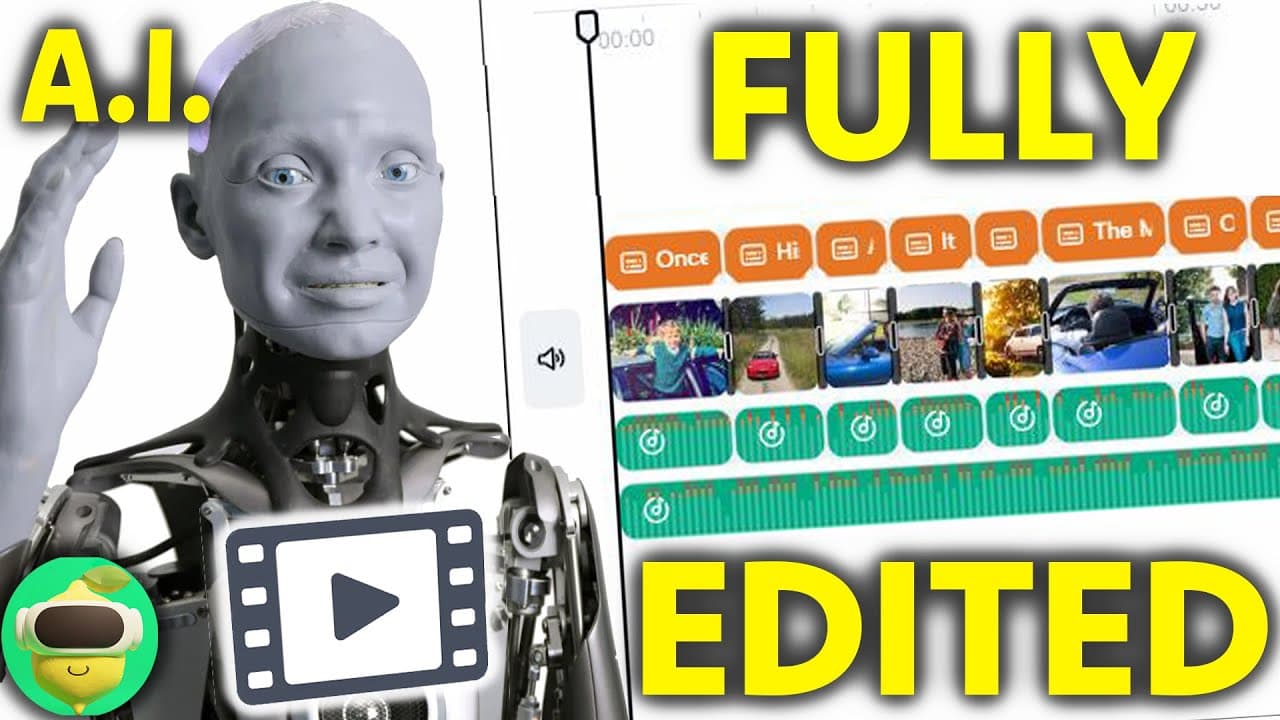
The CapCut plugin for ChatGPT allows users to easily create engaging videos by generating scripts and finding appropriate footage. It offers customization options like aspect ratio for platforms such as TikTok, and although the stock images may vary in quality, users can replace them for a polished final product.
Transcript
this might not be a surprise to you guys but I spend an awful lot of time looking at AI products and AI websites and AI tools just this past year I've probably looked at several hundred different ones and I can always tell when I come across one that I just have to make a video about because it blows my mind that much and that's what's happened tod... Read More
Key Insights
- 👲 The cap cut plugin for Chat GPT revolutionizes video editing by automating the process of generating scripts and suitable footage.
- 🥳 The plugin offers customization options, such as aspect ratio selection and background music choice.
- 👲 While the stock images provided by cap cut may not always be ideal, users have the flexibility to replace them with their own.
- 🎮 The plugin has the potential to streamline the video creation process for TikTok and YouTube content creators.
- ✊ The cap cut plugin, integrated with Chat GPT, showcases the power of AI in video editing and content creation.
- 👲 With future improvements, cap cut could become an invaluable tool for editors, streamlining the creation of captivating and polished videos.
- ✊ This AI-powered video editing plugin offers an exciting glimpse into the potential of AI technology in content creation.
Install to Summarize YouTube Videos and Get Transcripts
Explore YouTube Video Summarizer or Get YouTube Transcript Extractor
Questions & Answers
Q: How does the cap cut plugin for Chat GPT work?
The cap cut plugin uses Chat GPT to generate scripts based on user-provided information and then utilizes the cap cut video editing tool to compile suitable footage, animations, and transitions into a polished video.
Q: Can users customize the aspect ratio of the videos created with the cap cut plugin?
Yes, users can select the aspect ratio for the videos, including the option suitable for TikTok (9x16).
Q: Does the cap cut plugin provide access to high-quality images for the videos?
The cap cut plugin uses random stock images, which may not always be relevant or high-quality. However, users can replace these placeholder images with their own.
Q: Can users modify the generated videos after using the cap cut plugin?
Yes, the generated videos can be further edited and customized using the cap cut video editing tool, allowing users to change images, animations, transitions, and background music.
Summary & Key Takeaways
-
The cap cut plugin for Chat GPT enables users to generate scripts, find suitable footage, and merge them into polished videos.
-
The plugin offers various customization options, including aspect ratio selection for platforms like TikTok.
-
The generated videos are surprisingly good, with specific animations, transitions, and text overlays.
Read in Other Languages (beta)
Share This Summary 📚
Summarize YouTube Videos and Get Video Transcripts with 1-Click
Try YouTube Summary with ChatGPT & Claude or YouTube Transcript Generator
Explore More Summaries from MattVidPro AI 📚
Summarize YouTube Videos and Get Video Transcripts with 1-Click
Try YouTube Summary with ChatGPT & Claude or YouTube Transcript Generator