How to Choose a Podcast Setup for Any Budget
TL;DR
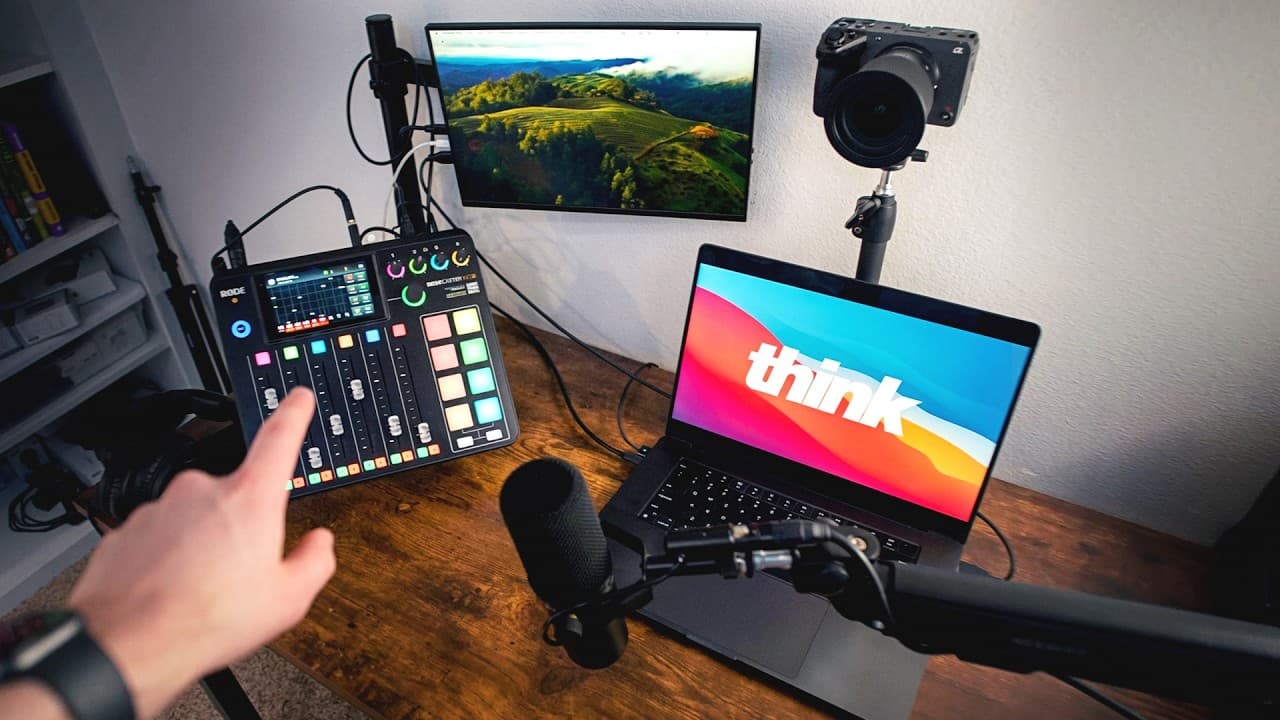
Start with a Fifine AM8 USB microphone, which costs about $50 to $65 and connects directly to a computer, smartphone, or tablet. For two-person recording, add a Focusrite Vocaster Two, XLR cables, and headphones for a setup totaling around $250. A RØDECaster system and Shure SM7dB provide greater control for frequent interviews, live streams, and professional studio work.
Transcript
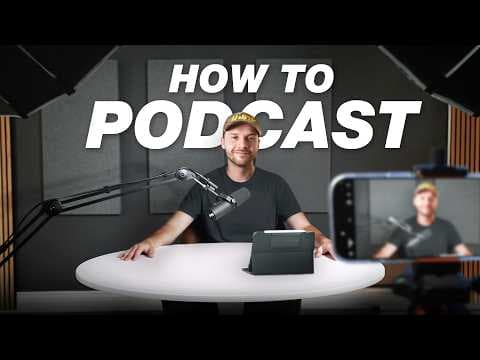
We've helped thousands of creators dial in their podcast setup. So, in this video, I'm breaking down exactly what you need to start a podcast at every budget level, from a single USB mic setup to a more professional studio build so you can choose the right podcasting kit for your needs. All right, let's just dive right into setup number one. And th... Read More
Key Insights
- A USB microphone is the simplest starting point for first-time and solo podcasters because it connects directly to a recording device with one cable. The Fifine AM8 costs about $50 to $65 and provides sound described as suitable for podcasting.
- The Fifine AM8 is designed for both immediate use and later expansion. It includes USB-C and XLR outputs, a headphone jack for real-time monitoring, volume controls, a mute button, and either a clip-on boom arm or tabletop stand, depending on the package.
- Riverside records locally on each participant's device, so Wi-Fi glitches do not have to reduce the quality of recorded audio or video. It supports solo sessions, remote guests, multiple camera sources, and video podcast recording at up to 4K resolution.
- Riverside combines several podcast production stages in one platform. Creators can record and edit audio and video, generate vertical social clips, and publish or distribute episodes to services including Spotify and Apple Podcasts without moving among multiple applications.
- An audio interface provides more flexibility for in-person podcasting than connecting microphones directly to a computer. The Focusrite Vocaster Two supports two XLR inputs, individual gain controls, headphone outputs, muting, auto gain, and some processing directly through the interface.
- The approximately $250 setup is presented as a practical baseline for co-hosted shows and budget-conscious creators who plan to take podcasting seriously. It combines the Vocaster Two with affordable XLR-capable microphones, XLR cables, and Audio-Technica ATH-M20x headphones.
- A RØDECaster system acts as an all-in-one professional podcast console by combining interface, mixer, and processing functions. It offers physical faders, onboard processing, sound pads, and centralized control over multiple microphones, headphones, and remote audio sources.
- The Shure SM7dB includes internal amplification, reducing the need for a separate gain-boosting device in some configurations. The original SM7B may require a Cloudlifter or FetHead, depending on the interface and setup used to supply microphone gain.
Install to Summarize YouTube Videos and Get Transcripts
Explore YouTube Video Summarizer or Get YouTube Transcript Extractor
Questions & Answers
Q: How can a beginner start a podcast on a small budget?
A beginner can start with a single Fifine AM8 USB microphone, which usually costs about $50 to $65. The microphone connects directly to a computer, smartphone, or tablet through one USB-C cable, keeping the technical setup minimal. It also provides a headphone jack for direct monitoring, volume controls, and a mute button. Pairing it with recording software such as Riverside creates a complete entry-level workflow.
Q: What microphone is recommended for a first podcast setup?
The recommended beginner microphone is the Fifine AM8 because it delivers podcast-level sound for about $50 to $65 while remaining simple to operate. It connects through USB-C and can include either a boom arm that clips to a table or a tabletop stand. Its XLR output also allows the same microphone to remain useful if the creator later adds an audio interface.
Q: Why is the Fifine AM8 useful for future upgrades?
The Fifine AM8 supports both USB-C and XLR connections. A beginner can initially plug it directly into a computer, smartphone, or tablet, then connect its XLR output to an interface such as the Focusrite Vocaster Two when more control is needed. This dual connection design lets creators expand into an in-person or co-hosted setup without immediately replacing their original microphone.
Q: How does Riverside protect podcast quality from Wi-Fi problems?
Riverside records the session locally on each participant's device rather than relying entirely on the live internet connection for the final media. As a result, a Wi-Fi glitch does not have to ruin the recorded audio or video. The platform can handle solo episodes and remote guests, while also supporting connected webcams and cameras for video podcasts recorded at up to 4K.
Q: What equipment is needed for a two-person podcast setup?
The suggested two-person setup uses XLR-capable microphones, XLR cables, a Focusrite Vocaster Two interface, and headphones such as the Audio-Technica ATH-M20x. The interface accepts two XLR microphones and provides separate gain controls and headphone outputs. It also includes mute and auto-gain functions, USB-C computer connectivity, and a 3.5 mm camera output. The total recommended setup costs around $250.
Q: What does the Focusrite Vocaster Two add to a podcast setup?
The Focusrite Vocaster Two adds centralized control for co-hosted and in-person recording. It has two XLR inputs, individual microphone gain controls, headphone outputs, dedicated muting and auto-gain controls, and some onboard audio processing. It can send audio to a computer through USB-C for recording in Riverside or output processed two-person audio directly to a camera through its 3.5 mm connection.
Q: When should a podcaster consider a RØDECaster system?
A RØDECaster system is suited to creators who view podcasting as a long-term project, conduct frequent interviews, run a business podcast, produce professional live streams, or want a more capable permanent studio. The RØDECaster Pro II or RØDECaster Duo supplies physical faders, onboard processing, sound pads, and control over multiple microphones, headphones, and remote audio sources from one console.
Q: What is the difference between the Shure SM7B and SM7dB?
The Shure SM7dB is an updated model with amplification built into the microphone. The original SM7B may need a separate Cloudlifter or FetHead to boost its gain signal, depending on the audio interface and overall configuration. Because the SM7dB contains its own preamp, an additional gain booster may not be necessary, though the exact requirement still depends on the connected interface and setup.
Summary & Key Takeaways
-
A first-time or solo podcaster can begin with a Fifine AM8 USB microphone for about $50 to $65. It connects to a computer, smartphone, or tablet through USB-C, includes direct headphone monitoring and volume controls, and can later join an XLR-based setup without requiring replacement of the microphone.
-
A roughly $250 two-person setup combines XLR microphones with a Focusrite Vocaster Two interface, XLR cables, and Audio-Technica ATH-M20x headphones. The interface supplies two XLR inputs, separate microphone gain controls, headphone outputs, muting, auto gain, processing, USB-C computer connectivity, and a camera output for video podcast recording.
-
A professional setup centers on a RØDECaster Pro II or RØDECaster Duo, paired with microphones such as the Shure SM7dB. The console offers physical faders, onboard processing, sound pads, and control of microphones, headphones, and remote audio sources. A quiet Neewer low-profile boom arm can complete the studio arrangement.
Read in Other Languages (beta)
Share This Summary 📚
Summarize YouTube Videos and Get Video Transcripts with 1-Click
Try YouTube Summary with ChatGPT & Claude or YouTube Transcript Generator
Explore More Summaries from Think Media 📚

Summarize YouTube Videos and Get Video Transcripts with 1-Click
Try YouTube Summary with ChatGPT & Claude or YouTube Transcript Generator