How to Master Claude Code's New Design Skill
TL;DR
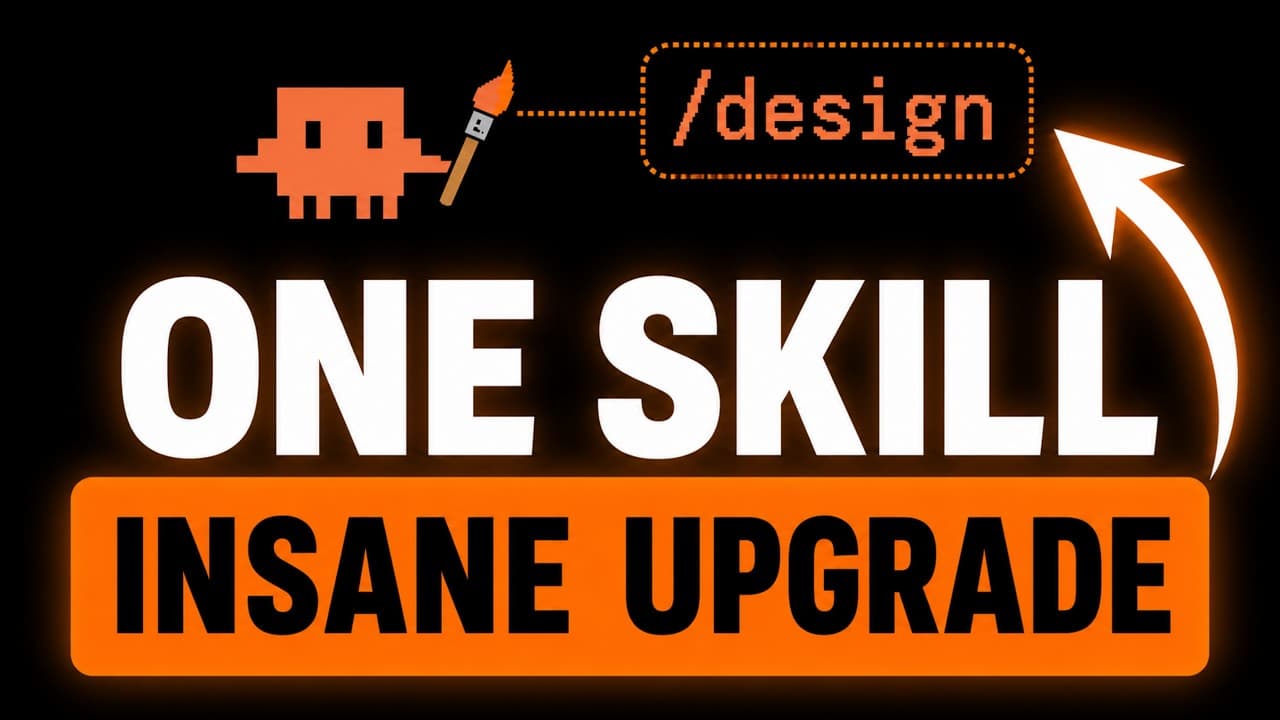
Use Claude Code's /design skill to generate several visual concepts, inspect and edit their properties, add tweakable controls, and turn the preferred version into code. The recommended workflow is to collect visual references, combine /design with supporting skills or asset tools, then iterate through the visual editor and targeted prompts until the design and content meet your needs.
Transcript
Claudeco just received its biggest upgrade to its front-end design capabilities in a long time with the brand new slashdesign skill. Now, the slashdesign skill essentially takes the best of the standalone claw design web app, which you see here, and inserts it into claw code itself. Instead of having to bounce between two separate applications or a... Read More
Key Insights
- The /design skill creates an editable artboard inside Claude Code, using a workflow similar to the standalone Claude Design web app. It lets users explore concepts, inspect components, adjust visual properties, and move from a selected design to coded implementation without an awkward transfer between applications.
- The desktop app displays the generated artifact in a side panel, keeping the prompt, design, and editing workflow together. When /design is used from the terminal, the artifact opens in a browser, which remains workable even though it is less integrated than the desktop experience.
- Multiple design variations can be requested in one prompt, including versions with substantially different visual and aesthetic styles. Comparing these alternatives before coding helps users choose a promising direction while changes remain fast and visually accessible through the generated artboard.
- Visual references give Claude Code more specific direction than a general design request. Screenshots of posters, landing pages, hero sections, or preferred styles can be attached as inspiration, with each reference guiding a separate generation while preserving room for a new interpretation.
- Pinterest, Landbook, and Dribbble are presented as useful places to collect design inspiration. Building a reusable reference library can reduce repeated searching and provide a consistent collection of visual styles that can be supplied whenever a new front-end design task begins.
- Skill stacking is a key advantage of using /design inside Claude Code. The design process can invoke supporting tools such as the Impeccable skill, which the transcript describes as identifying common AI-looking design patterns and applying stronger front-end design principles.
- External asset generation can be incorporated when relevant because the design process runs inside Claude Code. The demonstration gives Claude discretion to use an available MCP for poster assets, while also noting that outside images are optional rather than a requirement for effective designs.
- A tweaks panel accelerates iteration by exposing controls for elements such as paper color, text appearance, size, weight, and ruling. Users can request broad tweakability, make visual adjustments directly, and still return to prompting for larger changes to layout, style, or informational content.
Install to Summarize YouTube Videos and Get Transcripts
Explore YouTube Video Summarizer or Get YouTube Transcript Extractor
Questions & Answers
Q: How do you use the /design skill in Claude Code?
Enter /design and describe the visual asset you want Claude Code to create. The request can specify the format, subject, number of variations, and desired differences between styles. Claude Code then generates an editable artboard where you can inspect components and change their properties. After selecting a preferred version, you can continue refining it and ask Claude Code to implement the design in code.
Q: What workflow produces better results with Claude Code /design?
Start by collecting screenshots that represent the general aesthetic you want. Attach those references to the prompt and request separate concepts based on the appropriate images. Next, invoke relevant supporting skills or available asset-generation tools. Finally, compare the results, edit properties through the visual interface, request a tweaks panel, and use additional prompts for larger content or design revisions before choosing a version to code.
Q: Why should you provide reference images to Claude Code /design?
Reference images communicate aesthetic direction more clearly than a broad request for several different styles. Screenshots can show the visual qualities you like in a poster, landing page, hero section, or other front-end design. Claude Code can then create a new generation inspired by each reference. The goal is to provide a general visual direction, not merely rely on an abstract text description.
Q: Where can you find inspiration for Claude Code design projects?
The transcript recommends Pinterest for examples such as Instagram infographics, Landbook for web design and hero-section inspiration, and Dribbble for additional visual ideas. Save screenshots of designs and styles that appeal to you, then organize them into a reusable inspiration library. That library can be supplied to Claude Code on later projects, avoiding the need to repeat the discovery process every time.
Q: How does /design differ between the desktop app and terminal?
In the Claude desktop app, the generated design appears in a side panel, so the prompt and artifact remain together in one interface. When the same skill is used from the terminal, Claude Code creates an artifact that opens in a browser. The terminal workflow is described as less convenient than the desktop layout, but it still provides access to the generated design and its editing features.
Q: What can you change with the /design tweaks panel?
The tweaks panel can expose controls for many visual properties, including paper color, text appearance, text size, weight, and ruling. If a generated design has no tweakable controls, you can ask Claude Code to add them and request that the controls cover as much of the design as possible. These controls support rapid experimentation without requiring a new prompted generation for every small adjustment.
Q: How can other skills improve Claude Code /design output?
Because /design operates inside Claude Code, it can be combined with other installed capabilities during the same workflow. The demonstration repeatedly invokes the Impeccable skill, which is described as a free, open-source front-end design skill that recognizes common AI-looking output and applies better design principles. The transcript presents this combination as both more convenient and capable of producing better results than using the separate design web app alone.
Q: Can Claude Code /design make major changes after generation?
Yes. Direct controls are useful for small visual adjustments, but users can return to Claude Code and request broader revisions through prompts. The demonstration proposes selecting the second concept, discarding the other versions, and changing its content so it functions more clearly as an infographic explaining what /design provides. This allows both fine-grained property editing and substantial changes to content, structure, or overall direction.
Summary & Key Takeaways
-
Claude Code's /design skill brings an artboard-based design process into Claude Code, reducing the need to transfer work from the separate Claude Design web app. Users can request several variations, inspect individual components, modify their properties, add tweakable controls, select a preferred concept, and ask Claude Code to implement it in code.
-
The recommended workflow begins with inspiration. Collect screenshots from sources such as Pinterest, Landbook, or Dribbble, then provide them as aesthetic references for posters, landing pages, hero sections, or similar projects. Maintaining a reusable inspiration library can reduce repeated searching and give Claude Code clearer visual direction than a text-only prompt.
-
After supplying references, combine /design with additional capabilities available inside Claude Code. The demonstration invokes the Impeccable skill and optionally allows an MCP to generate external assets. Once concepts appear, use property controls, request an extensive tweaks panel, and issue targeted prompts for larger structural or content revisions before implementing the chosen design.
Read in Other Languages (beta)
Share This Summary 📚
Summarize YouTube Videos and Get Video Transcripts with 1-Click
Try YouTube Summary with ChatGPT & Claude or YouTube Transcript Generator
Explore More Summaries from Chase AI 📚




Summarize YouTube Videos and Get Video Transcripts with 1-Click
Try YouTube Summary with ChatGPT & Claude or YouTube Transcript Generator