How Does the Chat GPT Desktop App Assist with Coding?
TL;DR
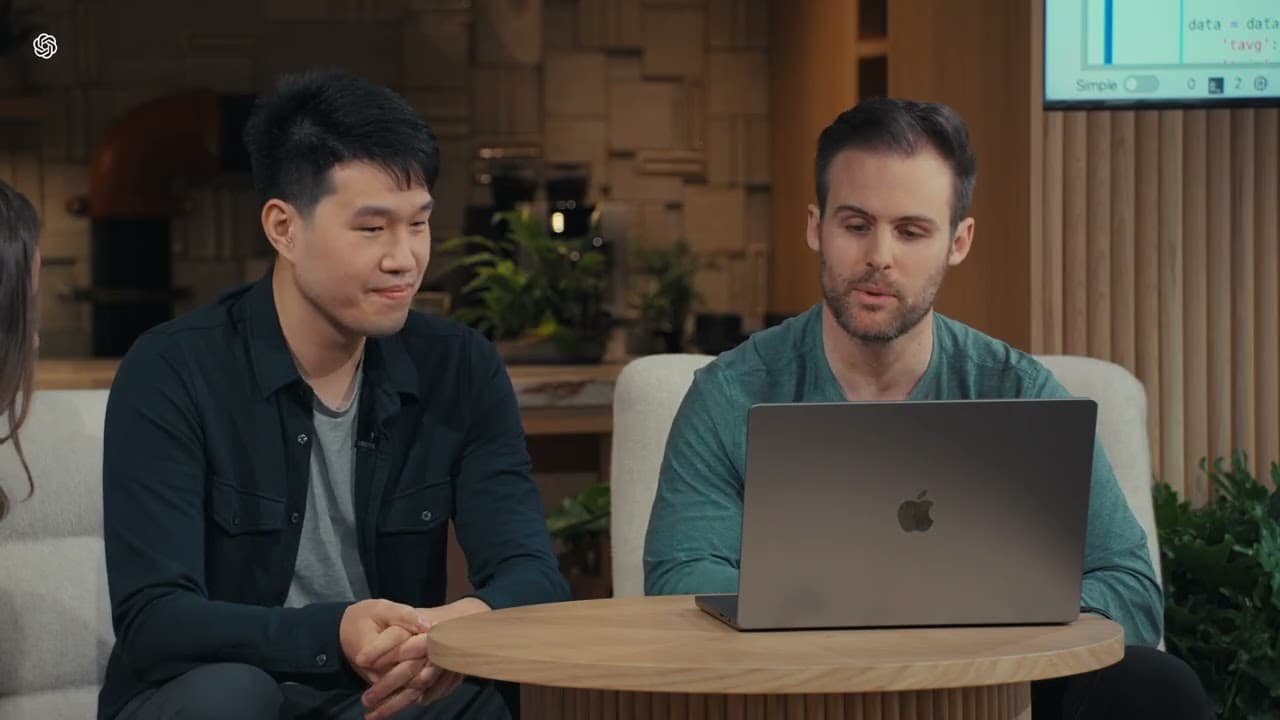
The Chat GPT Desktop App provides coding assistance by interacting with code and analyzing outputs, such as plots. It can describe code functionalities, explain the implications of specific functions, and summarize visual data, making it an effective tool for solving coding problems and understanding data visualizations.
Transcript
so let me take out um a computer for this okay so I'm going to open the chat gbt desktop app like miror was talking about before okay and to give a bit of background of what's going on so here we have um a computer and on the screen we have some code and then the chat gbt voice app is on the right so chat gbt will be able to hear me but it can't se... Read More
Key Insights
- 👨💻 The Chat GPT Desktop App enables interaction with code and assists in solving coding problems.
- 😀 Code can be shared with the app, and specific sections can be highlighted and explained.
- 🤣 The provided code fetches weather data, applies a rolling average for smoothing, annotates significant events, and generates a plot.
- 🤣 The "Fu" function within the code performs a rolling mean on temperature data, resulting in smoother temperature lines on the plot.
- ❓ The Chat GPT Desktop App has visual capabilities to analyze and describe plots shared with it.
- ❓ In the provided plot, average, minimum, and maximum temperatures for 2018 are displayed, with a notable annotation for a significant rainfall event.
- 😅 The hottest temperatures occur in July and August, with temperature ranges between approximately 25°C to 30°C (77°F to 86°F).
Install to Summarize YouTube Videos and Get Transcripts
Explore YouTube Video Summarizer or Get YouTube Transcript Extractor
Questions & Answers
Q: How does the Chat GPT Desktop App interact with code and assist with coding problems?
The Chat GPT Desktop App allows users to share code and receive assistance by highlighting and explaining specific portions of the code. It can provide explanations, guidance, and suggestions for improvement.
Q: What does the function "Fu" do in the provided code?
The "Fu" function takes in temperature data and a window size and applies a rolling mean to the average, minimum, and maximum temperature columns. This smoothing process reduces noise or fluctuations in the data, resulting in smoother temperature lines when plotting.
Q: How does the Chat GPT Desktop App analyze and describe the provided plot?
Once the plot is shared with the Chat GPT Desktop App, it can analyze the plot and provide a brief one-sentence overview. In this case, it describes the plot as displaying smoothed average, minimum, and maximum temperatures throughout 2018, with a notable annotation marking a significant rainfall event in late September.
Q: Which months exhibit the hottest temperatures, and what are the corresponding temperature ranges?
The hottest temperatures occur in July and August, with maximum temperatures ranging between approximately 25°C to 30°C (77°F to 86°F).
Summary & Key Takeaways
-
The video demonstrates how to use the Chat GPT Desktop App to interact with code and receive assistance with coding problems.
-
The featured code fetches weather data, applies a rolling average to smooth temperature data, annotates significant events, and displays the plot.
-
By utilizing the Chat GPT's vision capabilities, it can see the plot and provide a brief overview of its contents.
Read in Other Languages (beta)
Share This Summary 📚
Summarize YouTube Videos and Get Video Transcripts with 1-Click
Try YouTube Summary with ChatGPT & Claude or YouTube Transcript Generator
Explore More Summaries from OpenAI 📚


Summarize YouTube Videos and Get Video Transcripts with 1-Click
Try YouTube Summary with ChatGPT & Claude or YouTube Transcript Generator