How to Track Graphics to Footage in After Effects
TL;DR
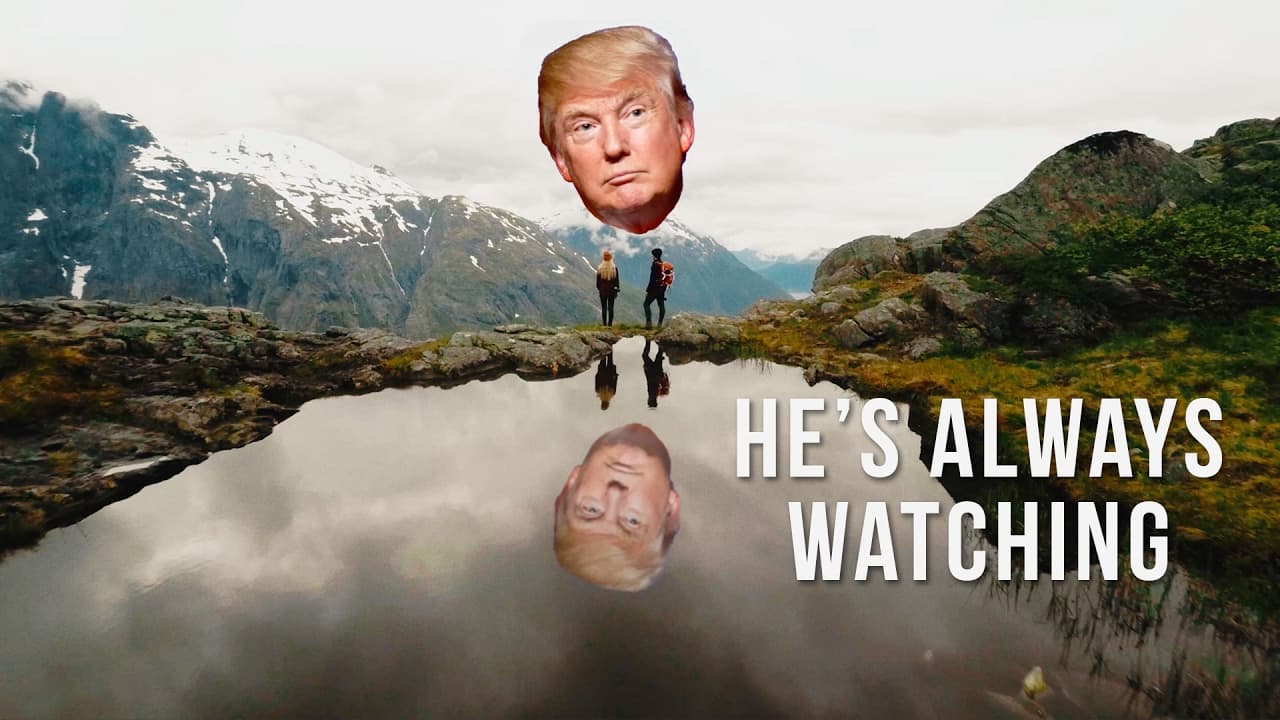
To track graphics to footage in After Effects, start by using the Track Camera tool on your moving footage. Create null objects from the tracked points to position your graphics in 3D space, ensuring they move naturally with the scene. Use detailed analysis for better tracking precision, and consider adding reflections and opacity effects for a more realistic integration.
Transcript
hey guys welcome to travel fields today you're going to learn how to track graphics to your footage but before we get into the tutorial I just want to say welcome to all the new subscribers there's like a ton more of you all of a sudden I think we've had something like 6,000 new subs in the last week which is pretty crazy that's like three times mo... Read More
Key Insights
- 👣 After Effects is essential for tracking graphics onto footage for dynamic visual effects.
- 👻 Movement in footage is necessary for effective tracking, allowing for seamless integration of graphics.
- 👀 Reflections can be added to tracked graphics for a more realistic look in video projects.
- 👣 Creative applications of tracked graphics include dynamic title sequences and visual effects like flying through text.
- 😥 Detailed tracking using advanced tools like detailed analysis can provide more tracking points and enhance the effect.
- 😷 Masking techniques can be used to create realistic interactions between tracked graphics and background elements.
- 👣 Fading in and out of different tracked elements can create smooth transitions and enhance storytelling.
Install to Summarize YouTube Videos and Get Transcripts
Explore YouTube Video Summarizer or Get YouTube Transcript Extractor
Questions & Answers
Q: What software is needed to track graphics onto footage?
After Effects is required to track graphics onto footage for dynamic effects and titles. It offers robust tools for motion tracking and 3D positioning.
Q: Can this technique be applied to any type of footage?
Yes, as long as there is movement in the footage, whether from handheld shots, drone footage, or gimbal shots, the tracking effect can be applied to enhance the visuals.
Q: How can reflections be added to tracked graphics for a more realistic look?
By duplicating the graphic layer and flipping it to create a reflection, then adjusting opacity and adding a slight blur, the reflection effect can be achieved for added realism.
Q: What are some creative ways to use tracked graphics in video projects?
Tracked graphics can be used for dynamic title sequences, integrating logos into footage, or creating visual effects like flying through text for captivating storytelling.
Summary & Key Takeaways
-
Tutorial on how to track graphics to footage using After Effects.
-
Demonstration of tracking text and images onto moving shots for dynamic visual effects.
-
Tips on creating realistic reflections and integrating graphics seamlessly into video clips.
Read in Other Languages (beta)
Share This Summary 📚
Summarize YouTube Videos and Get Video Transcripts with 1-Click
Try YouTube Summary with ChatGPT & Claude or YouTube Transcript Generator
Explore More Summaries from Matti Haapoja 📚
Summarize YouTube Videos and Get Video Transcripts with 1-Click
Try YouTube Summary with ChatGPT & Claude or YouTube Transcript Generator