What Are Claude Code Output Styles?
TL;DR
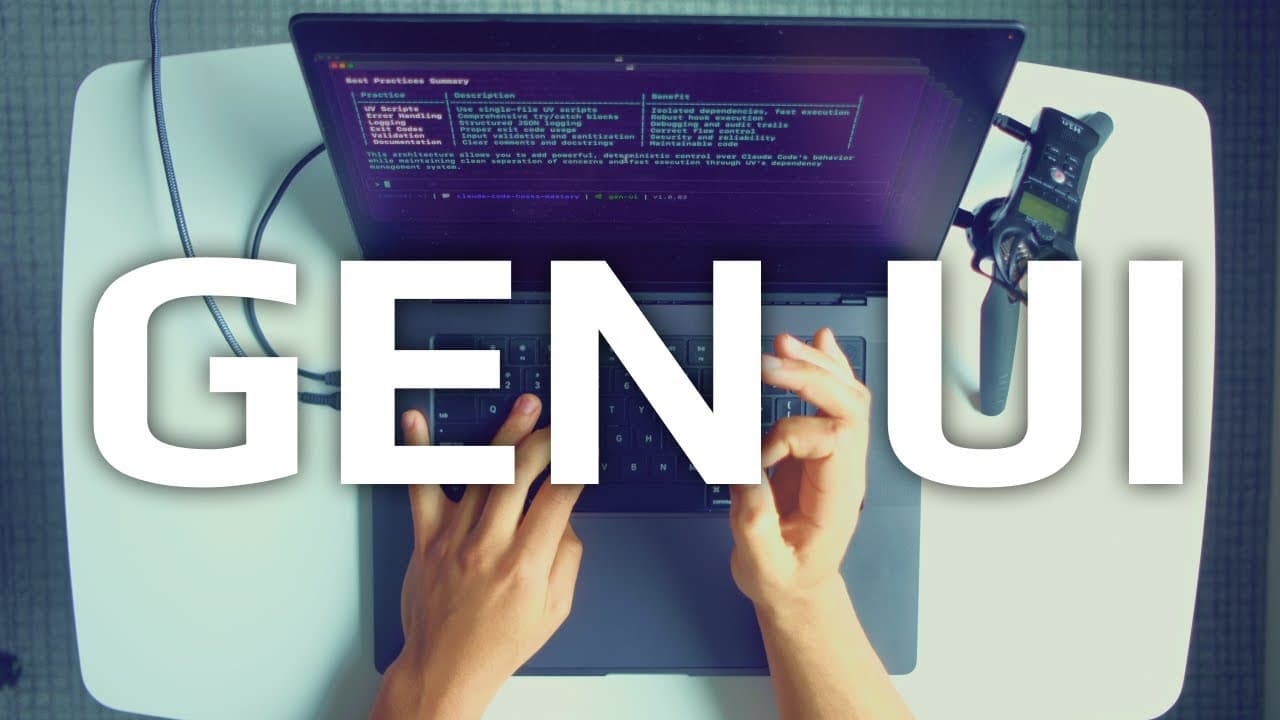
Claude Code's Output Styles feature is a powerful tool for creating dynamic user interfaces through generative UI. This feature allows engineers to customize output formats, increasing the information rate between themselves and AI agents. While initially perceived as useless, these styles reveal a new era in agentic coding, enabling efficient and interactive workflows.
Transcript
engineers. Here we have six cloud code instances. In each instance we have six unique output styles. Default table format, YAML format, ultra concise format, texttospech summary, and most importantly, HTML format. For every agent with every style, we have one prompt. Honestly, when I first saw the output styles feature drop, my first thought was, "... Read More
Key Insights
- Claude Code Output Styles enable dynamic user interface generation.
- Output styles include table, YAML, ultra concise, text-to-speech, and HTML formats.
- Generative UI allows AI agents to build interfaces on the fly.
- Custom output styles can enhance information exchange between users and agents.
- The HTML format is highlighted as the most important for generative UI.
- Status lines can be customized to track agent interactions and improve workflow.
- The video discusses potential missteps in new feature directions for Claude Code.
- Mastering context, model, and prompt is crucial for effective AI coding.
Install to Summarize YouTube Videos and Get Transcripts
Explore YouTube Video Summarizer or Get YouTube Transcript Extractor
Questions & Answers
Q: How do Claude Code Output Styles enhance AI coding?
Claude Code Output Styles enhance AI coding by allowing engineers to customize the format of outputs, facilitating a higher information rate between users and AI agents. This feature supports the creation of generative UI, enabling dynamic user interfaces that improve interaction and efficiency in agentic workflows.
Q: What are the different output styles available in Claude Code?
Claude Code offers several output styles, including default table format, YAML format, ultra concise format, text-to-speech summary, and HTML format. Each style serves different purposes, from organizing information in a structured manner to generating dynamic user interfaces through HTML.
Q: Why is the HTML format considered the most important output style?
The HTML format is considered the most important output style because it enables the creation of generative UI, allowing AI agents to build dynamic user interfaces on the fly. This format supports the development of interactive and efficient workflows, making it a critical tool in the evolution of agentic coding.
Q: What is generative UI, and why is it significant?
Generative UI refers to the ability of AI agents to create dynamic user interfaces in real-time, enhancing interaction and information exchange. This capability is significant because it represents a shift from static text responses to more complex, interactive outputs, revolutionizing the way engineers work with AI tools.
Q: How can status lines be customized in Claude Code?
Status lines in Claude Code can be customized to track agent interactions and workflow progress. By integrating state management and session data, engineers can create status lines that display recent prompts and agent names, improving the ability to manage multiple agents and enhancing overall productivity.
Q: What concerns are raised about new features in Claude Code?
The video raises concerns about new features like plan mode and background commands, suggesting they might overcomplicate Claude Code and detract from its core principles of simplicity and flexibility. These features could potentially obscure the context, model, and prompt, which are essential for effective AI coding.
Q: What are the core principles of AI coding highlighted in the video?
The core principles of AI coding highlighted in the video include mastering context, model, and prompt. Understanding these elements allows engineers to move swiftly between tools and ideas, leveraging the full potential of AI coding and agentic engineering to create efficient and effective workflows.
Q: How does the video suggest using output styles for better agent interactions?
The video suggests using output styles to enhance agent interactions by customizing formats to fit specific tasks and improve information flow. By leveraging styles like HTML and YAML, engineers can create more interactive and informative outputs, facilitating better decision-making and workflow management in AI coding.
Summary & Key Takeaways
-
Claude Code's new Output Styles feature is a game-changer in AI coding, allowing for dynamic user interface generation. By using formats like HTML and YAML, engineers can increase the information rate with AI agents, enhancing productivity and interaction. This development marks a significant shift in agentic engineering, moving beyond simple text responses to more complex, generative interfaces.
-
The video explores how Output Styles can be leveraged to create on-the-fly generative UI, a powerful tool for AI engineers. Customizing these styles enables efficient information flow, making them essential for principled AI coding. The HTML output is particularly emphasized for its potential in building dynamic interfaces.
-
IndyDevDan discusses the potential pitfalls of new features in Claude Code, urging caution against overcomplicating the tool with features like plan mode and background commands. The focus remains on simplicity, flexibility, and maintaining the core principles of AI coding, ensuring that engineers can effectively harness these tools for advanced agentic workflows.
Read in Other Languages (beta)
Share This Summary 📚
Summarize YouTube Videos and Get Video Transcripts with 1-Click
Try YouTube Summary with ChatGPT & Claude or YouTube Transcript Generator
Explore More Summaries from IndyDevDan 📚


Summarize YouTube Videos and Get Video Transcripts with 1-Click
Try YouTube Summary with ChatGPT & Claude or YouTube Transcript Generator