What Are the Features of the 64MP Raspberry Pi Camera?
TL;DR
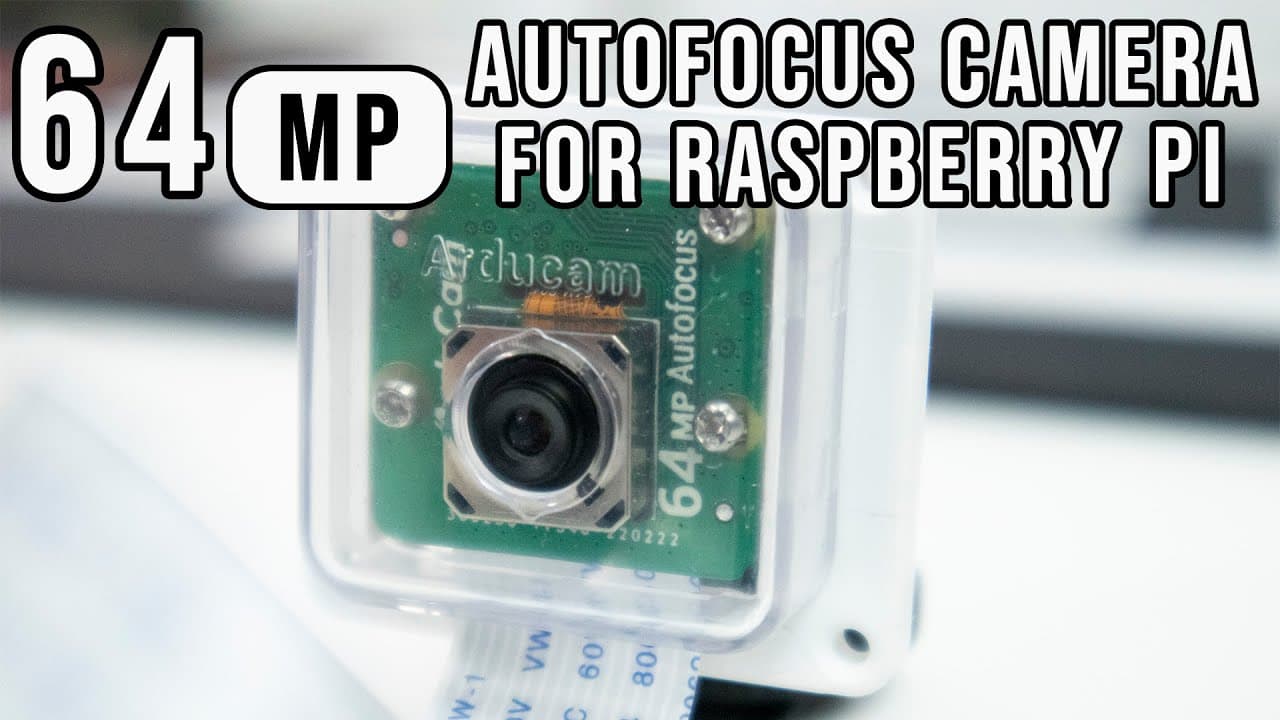
The 64MP autofocus camera for Raspberry Pi features manual and continuous autofocus, video recording at multiple resolutions, and supports RAW image output. Performance may vary, as video recording can be limited by the bandwidth of the Raspberry Pi, particularly on lower-spec models. Proper hardware setup is essential for optimal functionality.
Transcript
hey guys what's going on it's don here from nova spirit tech and welcome back to the channel and today i got a really cool hardware to show you guys which is this 64 megapixel camera for the raspberry pi so let's check it out first i want to thank arducam for sending this over to me and everything we talk about will be linked down in the descriptio... Read More
Key Insights
- 🎥 The 64-megapixel camera for Raspberry Pi is an advanced tool aimed at enhancing photography and videography projects.
- ⚡ Autofocus features add convenience but may not match the performance of higher-end cameras, especially in low-light conditions.
- ⌛ Video recording abilities are curtailed by bandwidth limitations inherent in Raspberry Pi's architecture, impacting real-time performance.
- 👤 The camera supports raw image output, giving users greater flexibility in post-processing, a feature appealing to serious photographers.
- ❓ It requires considerable setup and correct memory allocation to function effectively, emphasizing the importance of proper hardware configuration.
- ✋ Continuous improvements from manufacturers like Arducam reflect the evolving needs of tech enthusiasts for higher quality peripherals.
- 👤 Users can leverage the camera for a variety of projects, including time-lapses and intricate photography endeavors.
Install to Summarize YouTube Videos and Get Transcripts
Explore YouTube Video Summarizer or Get YouTube Transcript Extractor
Questions & Answers
Q: What are the unique features of the 64-megapixel Raspberry Pi camera?
The 64-megapixel camera stands out with its autofocus capabilities, offering both manual and continuous focus options. Additionally, it captures high-resolution images and supports video modes up to 1080p and slow-motion recording, making it versatile for various applications.
Q: How does the image quality of the 64-megapixel camera compare to traditional DSLRs?
While the 64-megapixel camera provides high-resolution images, DSLRs typically outperform it in image quality due to larger sensors and advanced optics. The pixel density in DSLR cameras yields finer details and better low-light performance compared to the Raspberry Pi camera's QBC color filtering technology.
Q: What are the hardware requirements to use the 64-megapixel camera effectively?
To use this camera effectively, a Raspberry Pi 4 model with at least 2GB of RAM is recommended. Users also need to ensure they install the correct drivers and have at least 512MB allocated to video memory to maximize performance and avoid lag or inadequate processing.
Q: What are the limitations of video recording with the camera?
Users may experience lag during video recording because the Raspberry Pi's bandwidth is insufficient to transmit the high-resolution data quickly enough. This can lead to missed frames and lower video quality, particularly in high-motion scenarios, making it crucial to optimize settings carefully.
Q: Can the camera be used with older Raspberry Pi models?
The 64-megapixel camera can work with older Raspberry Pi models, but performance is significantly limited; it will operate at only 16-megapixel resolution. Therefore, it is not ideal for those seeking the full capabilities of the camera, which are best utilized with Raspberry Pi 4 or CM4.
Summary & Key Takeaways
-
The 64-megapixel autofocus camera for Raspberry Pi offers improved image quality and performance, building upon previous models like the 16-megapixel version.
-
Key specifications include manual and continuous autofocus, video recording capabilities at various resolutions, and compatibility with Raspberry Pi 4 and CM4 models.
-
While the camera delivers impressive results, users may experience limitations with video recording and processing due to bandwidth constraints of the Raspberry Pi.
Read in Other Languages (beta)
Share This Summary 📚
Summarize YouTube Videos and Get Video Transcripts with 1-Click
Try YouTube Summary with ChatGPT & Claude or YouTube Transcript Generator
Explore More Summaries from Novaspirit Tech 📚






Summarize YouTube Videos and Get Video Transcripts with 1-Click
Try YouTube Summary with ChatGPT & Claude or YouTube Transcript Generator